Recently Added Mac Menu Bar Apps
Hand-picked and honestly reviewed.
The Latest in the Collection
441 apps · 60 on this page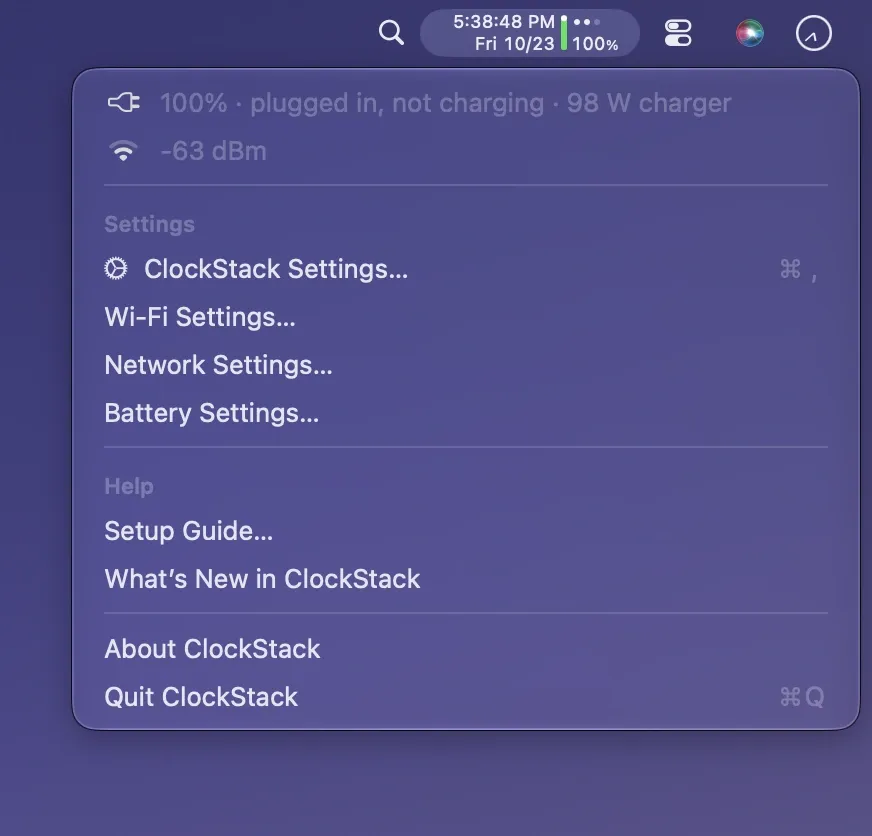
 ↗ ClockStack$2.99 A compact macOS menu bar item that stacks time and date vertically while adding battery and Wi-Fi status, replacing three separate icons with one narrow display.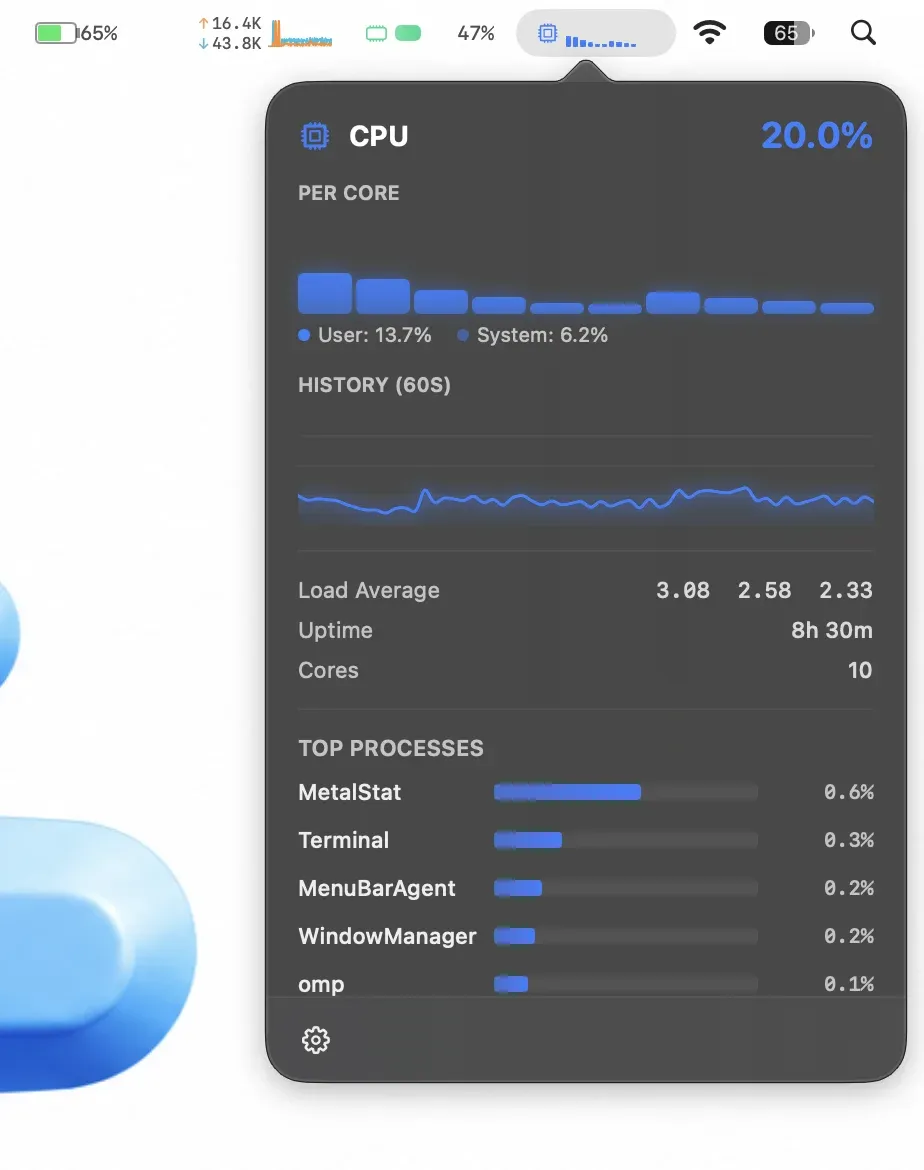
 ↗ MetalStatPaid A macOS system monitor for the menu bar showing CPU, memory, network, disk, battery, and temperature with live charts in each detail panel. Apple Silicon only.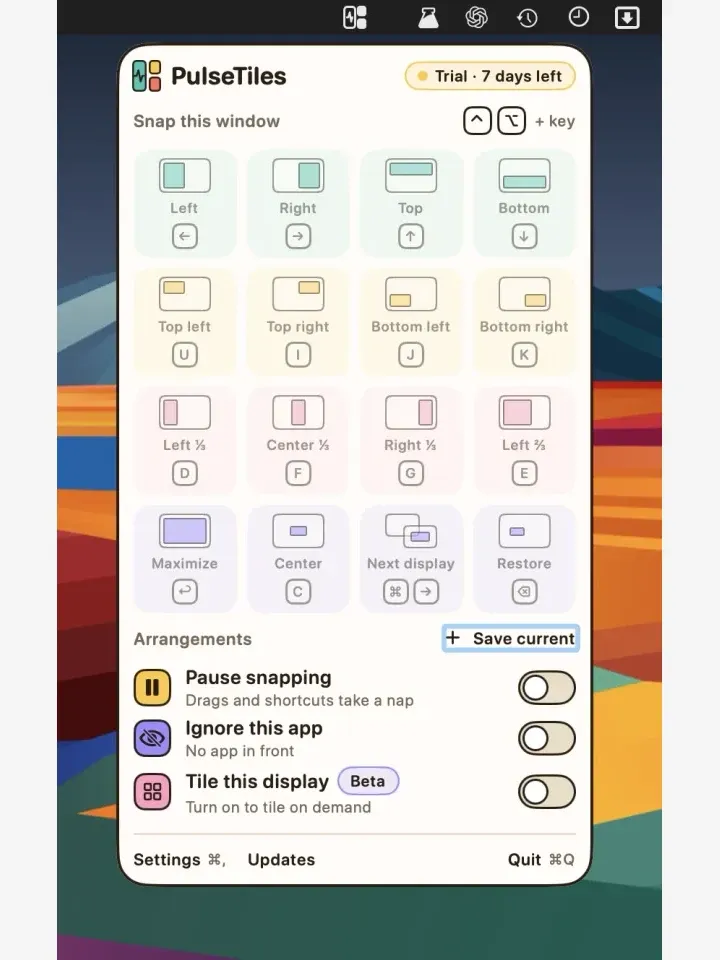
 ↗ PulseTilesPaid A window-snapping manager for macOS with drag-to-zone, keyboard shortcuts, and saved arrangements. Replaces manual resizing with 19 snap actions across multiple displays.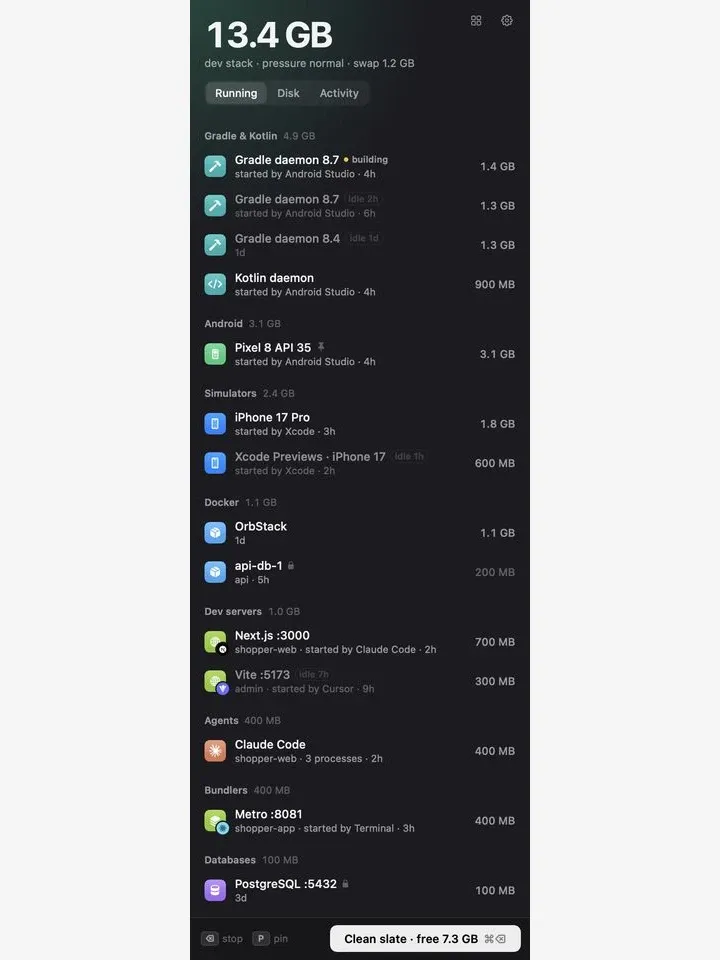
 ↗ RambackFree · optional purchases A macOS menu bar app that identifies idle dev tools consuming memory — iOS simulators, Android emulators, containers, dev servers — and stops them cleanly in one click.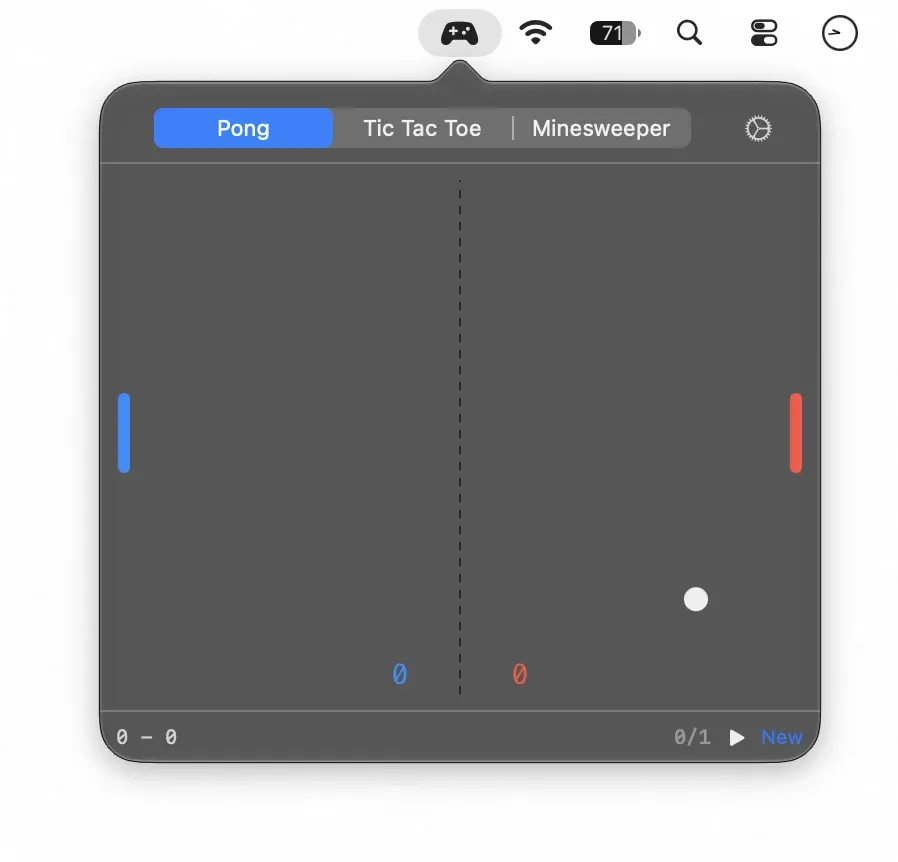
 ↗ Waiting for AIPaid A menu bar app with three offline mini-games — Pong, Tic Tac Toe, and Minesweeper — for the minutes spent waiting for builds, exports, or AI responses on macOS.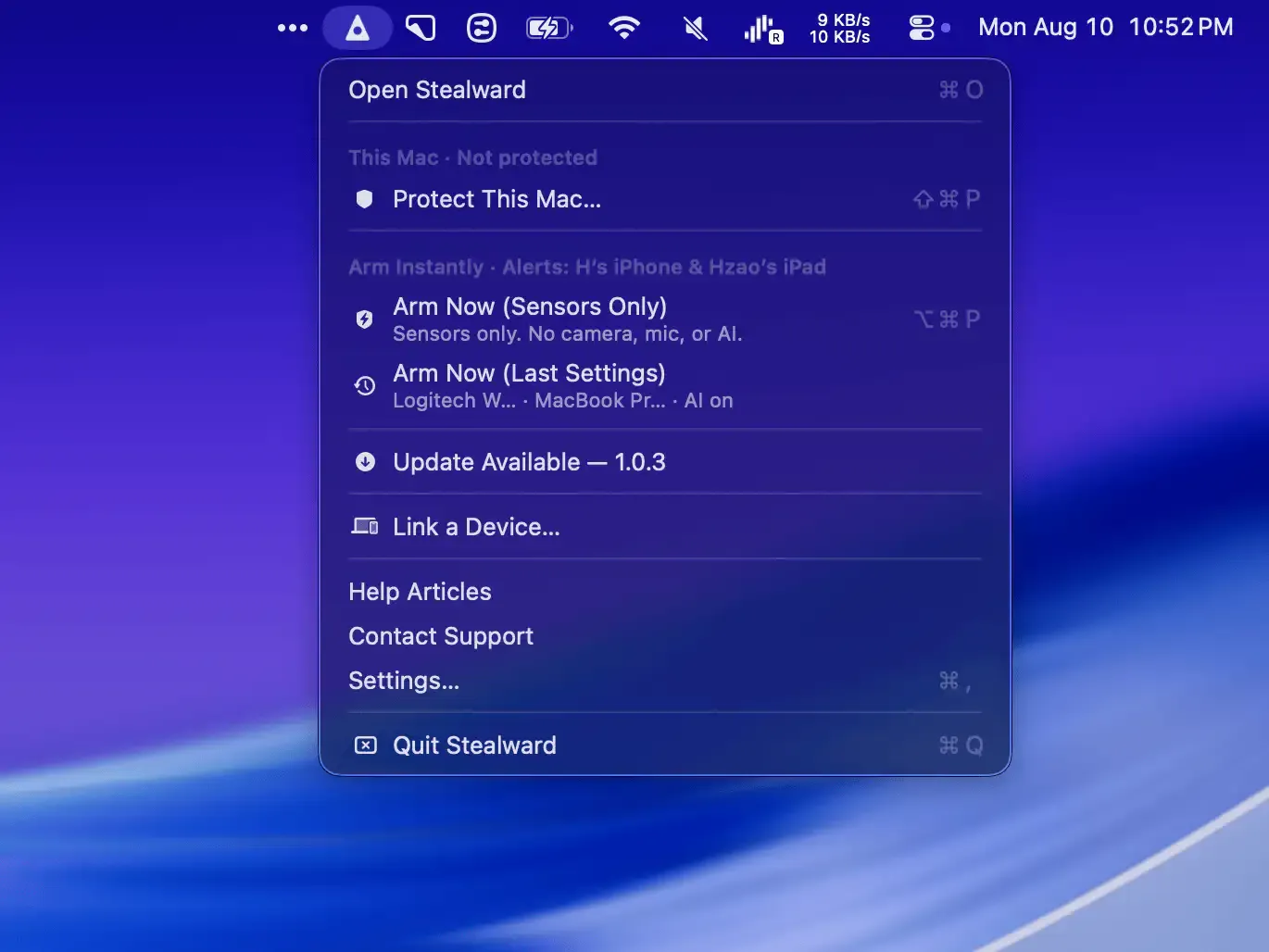
 ↗ StealwardFree · optional purchases Anti-theft Mac app for public spaces. Monitors motion and power, streams encrypted live video, and uses AI to detect threats near unattended devices.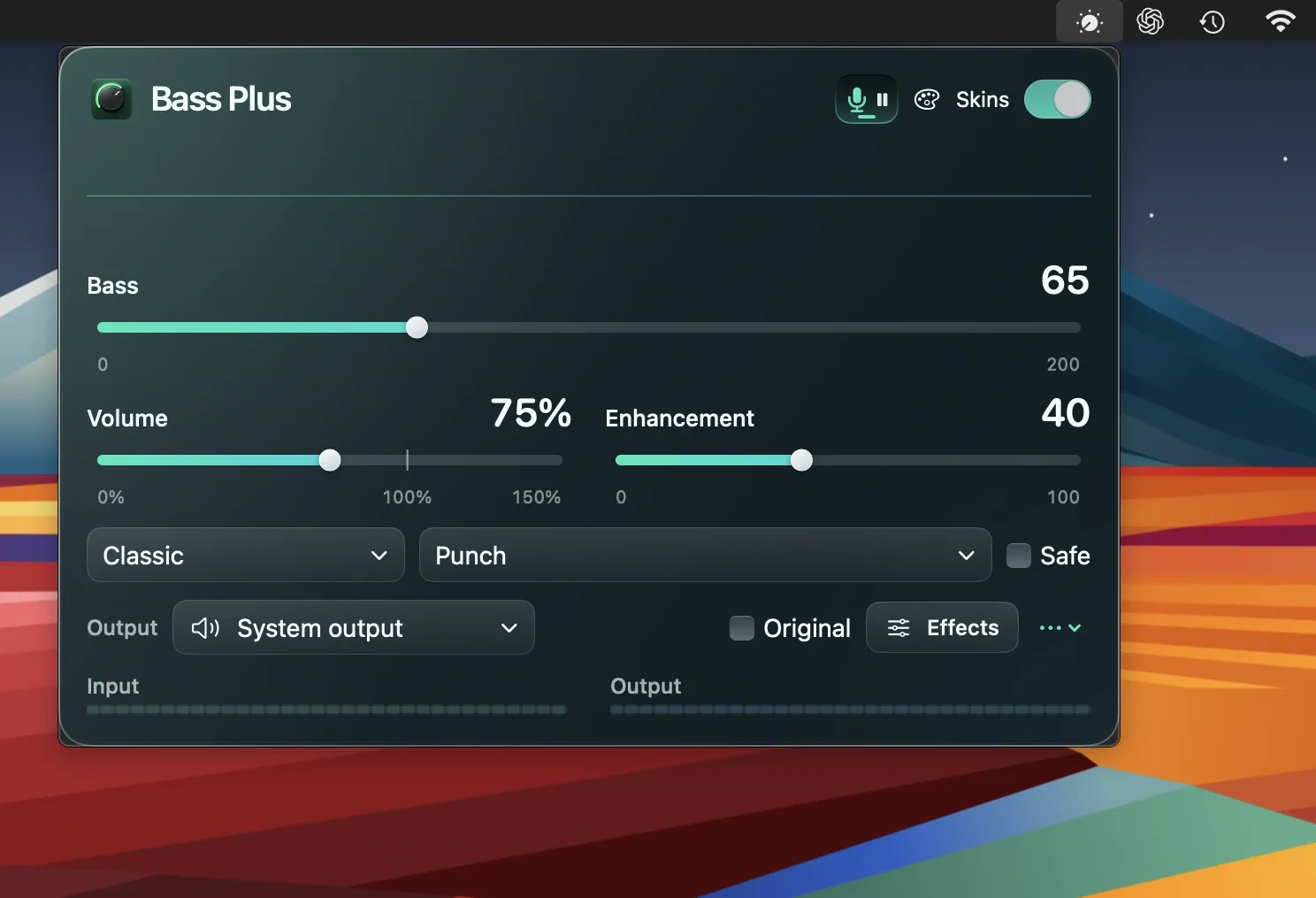
 ↗ Bass PlusFree · in-app purchases Mac menu bar audio enhancer that adds bass controls, software volume amplification, and an automatic dictation pause for browser music.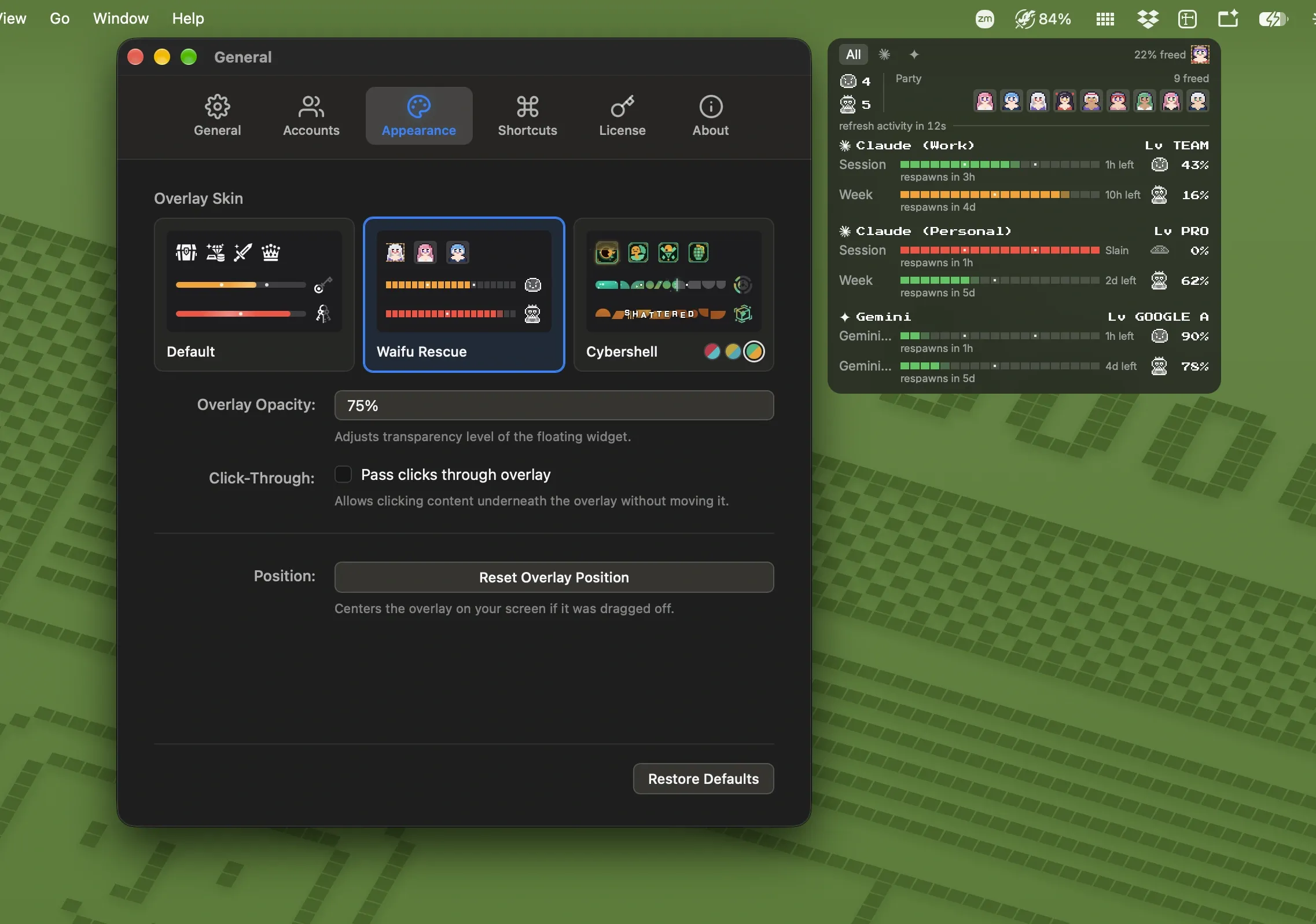
 ↗ SlayFree Free Mac menu bar app that tracks AI coding plan usage limits across Claude, ChatGPT, Gemini, Copilot, and OpenRouter with gamified progress displays.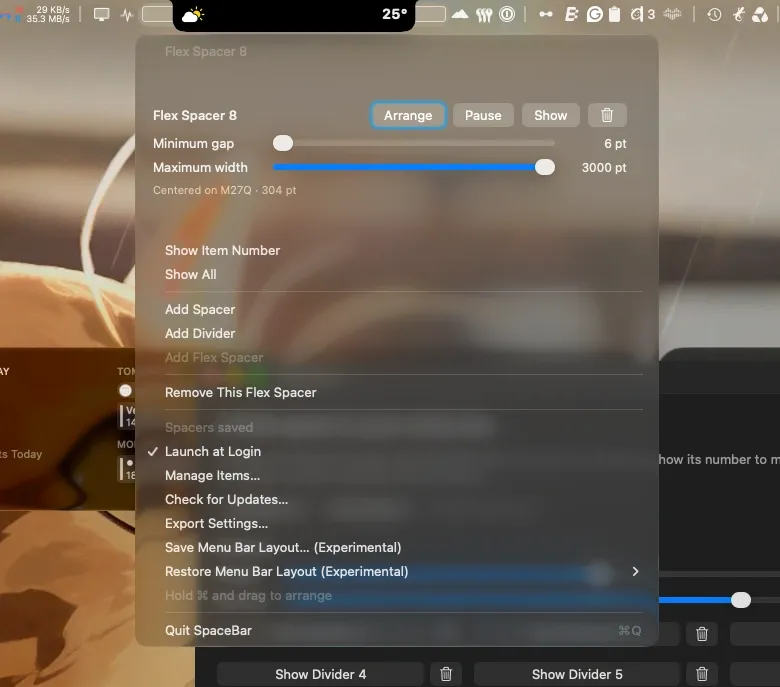
 ↗ SpaceBarFree Free, open-source Mac menu bar utility that adds flexible spacers and subtle dividers to keep your menu bar organized and calmer.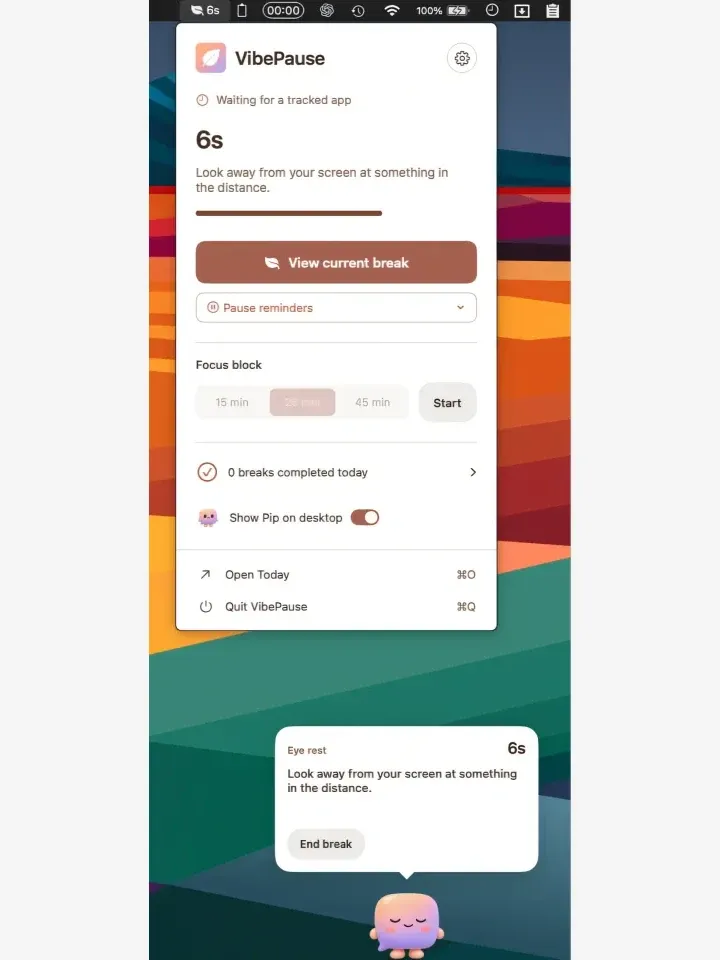
 ↗ VibePause$14.99 macOS menu bar break reminder for developers that tracks coding sessions and nudges users to rest eyes, stretch, and hydrate at regular intervals.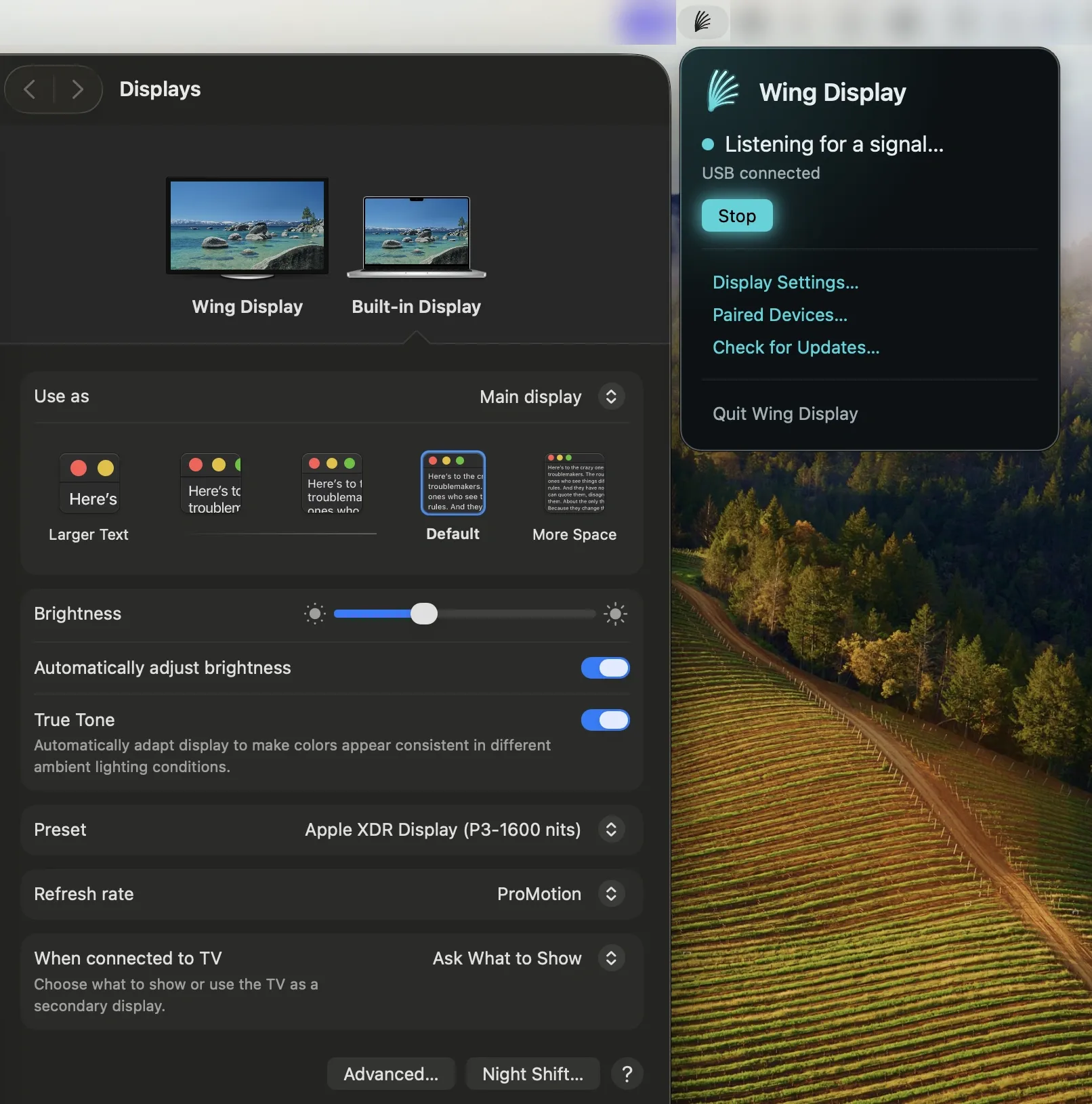
 ↗ Wing DisplayFree Mac menu bar app that turns an Android tablet into a wireless second screen, with optional Pro touch input, S Pen support, and USB connection.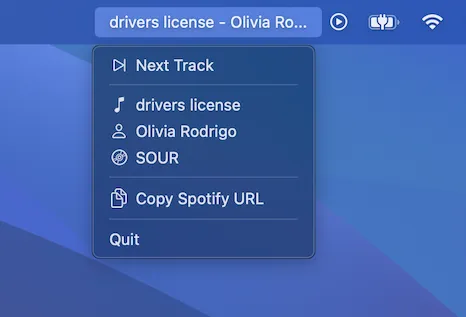
 ↗ SoundSeerPaid A Mac menu bar app that shows the currently playing Apple Music or Spotify track with skip controls and one-click shareable link copying.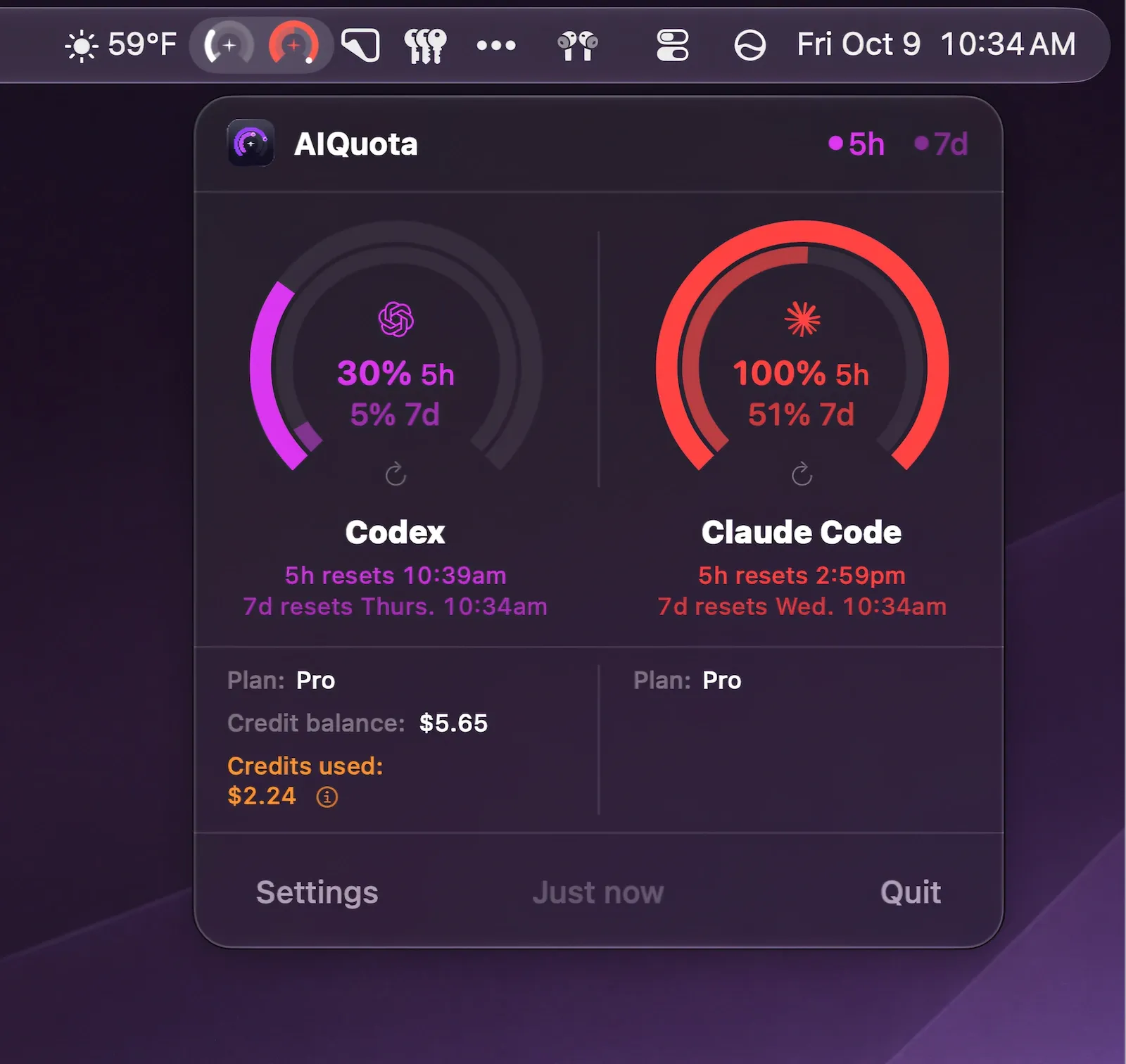
 ↗ AIQuotaFree Menu bar usage tracker for Codex and Claude Code with gauges, desktop widgets, reset countdowns, and quota warning alerts.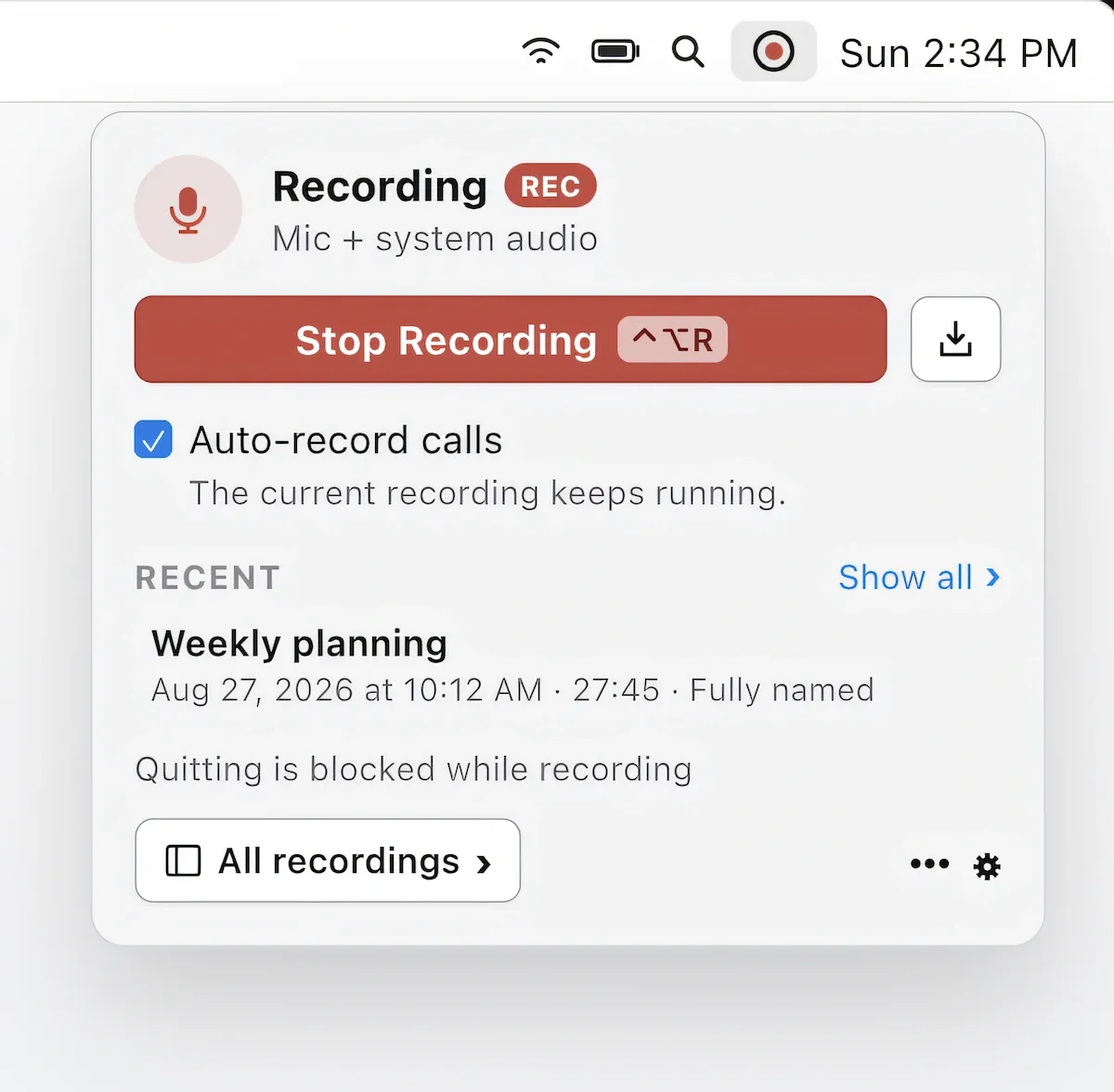
 ↗ Echo99Free Menu bar meeting recorder that transcribes and summarizes Zoom, Teams, and Meet calls on-device without a meeting bot.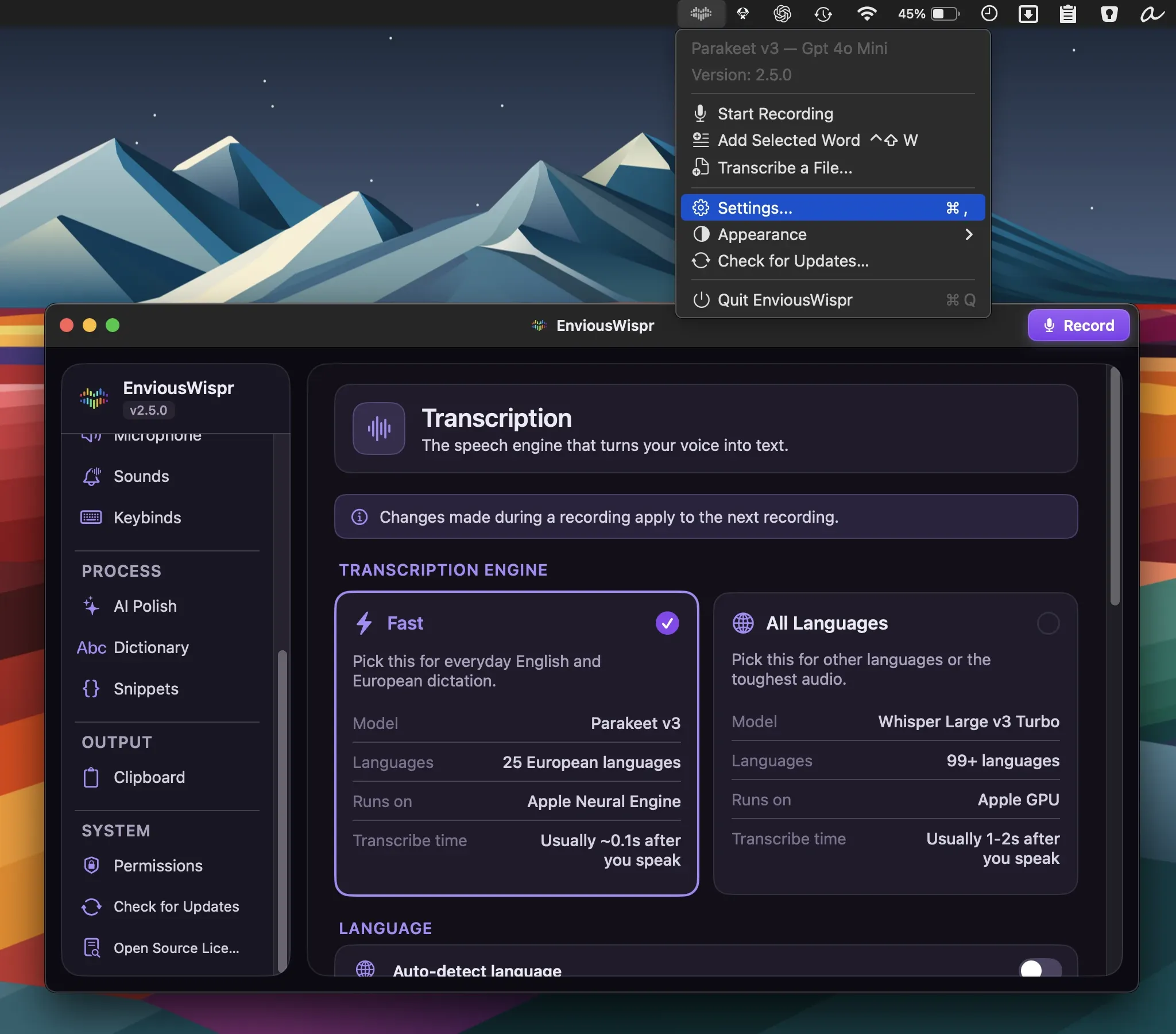
 ↗ EnviousWisprFree Private offline AI dictation app with on-device transcription, text cleanup, and optional cloud AI polish across Mac apps.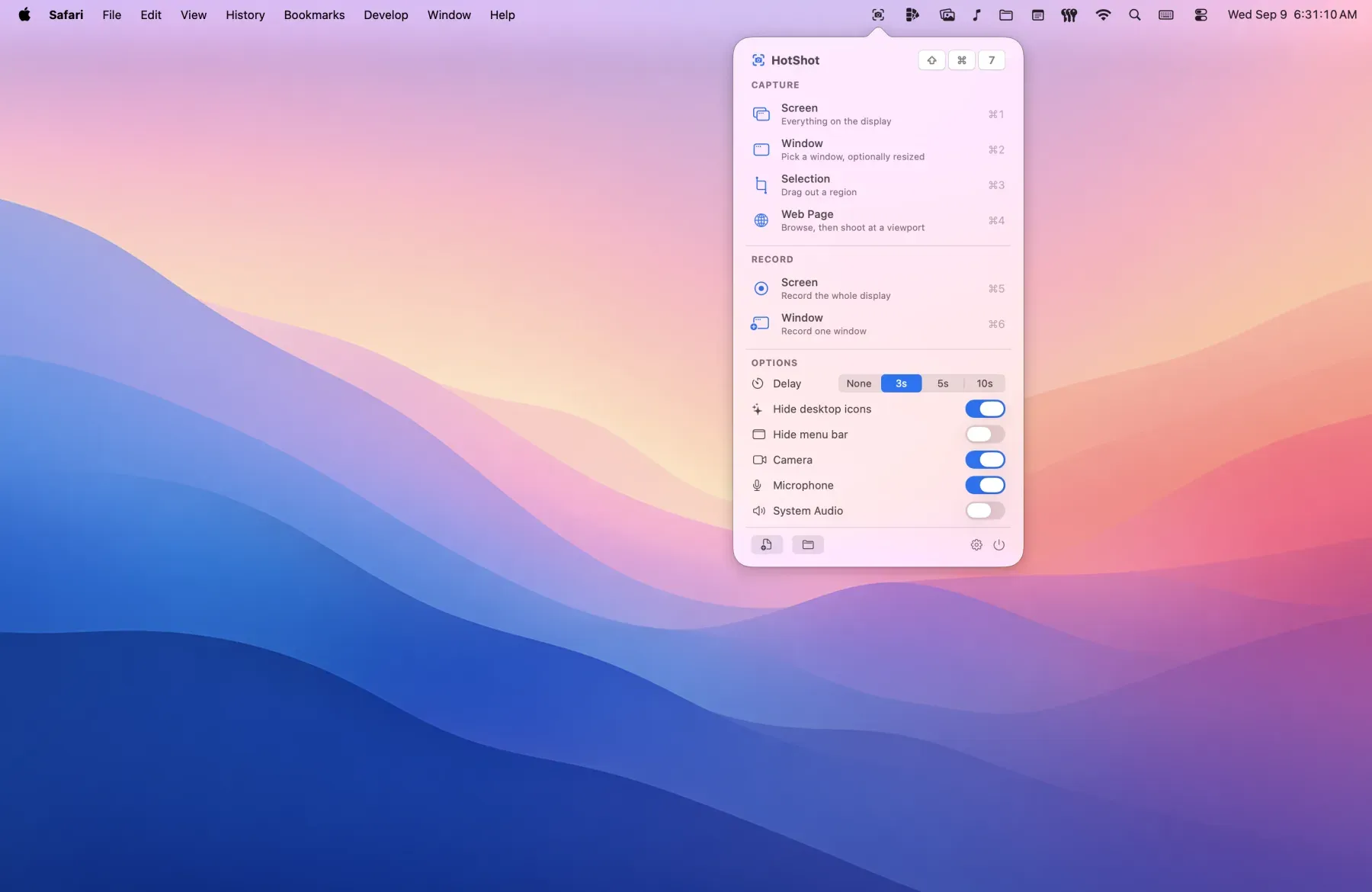
 ↗ HotShot$9.99 Screenshot and screen recording tool for macOS with annotations, custom backgrounds, cursor zooms, and browser capture extensions.
 ↗ TanseiFree · in-app purchases Desktop shelf that stores links, text, screenshots, colors, and files locally with clipboard history, quick notes, and screen recording.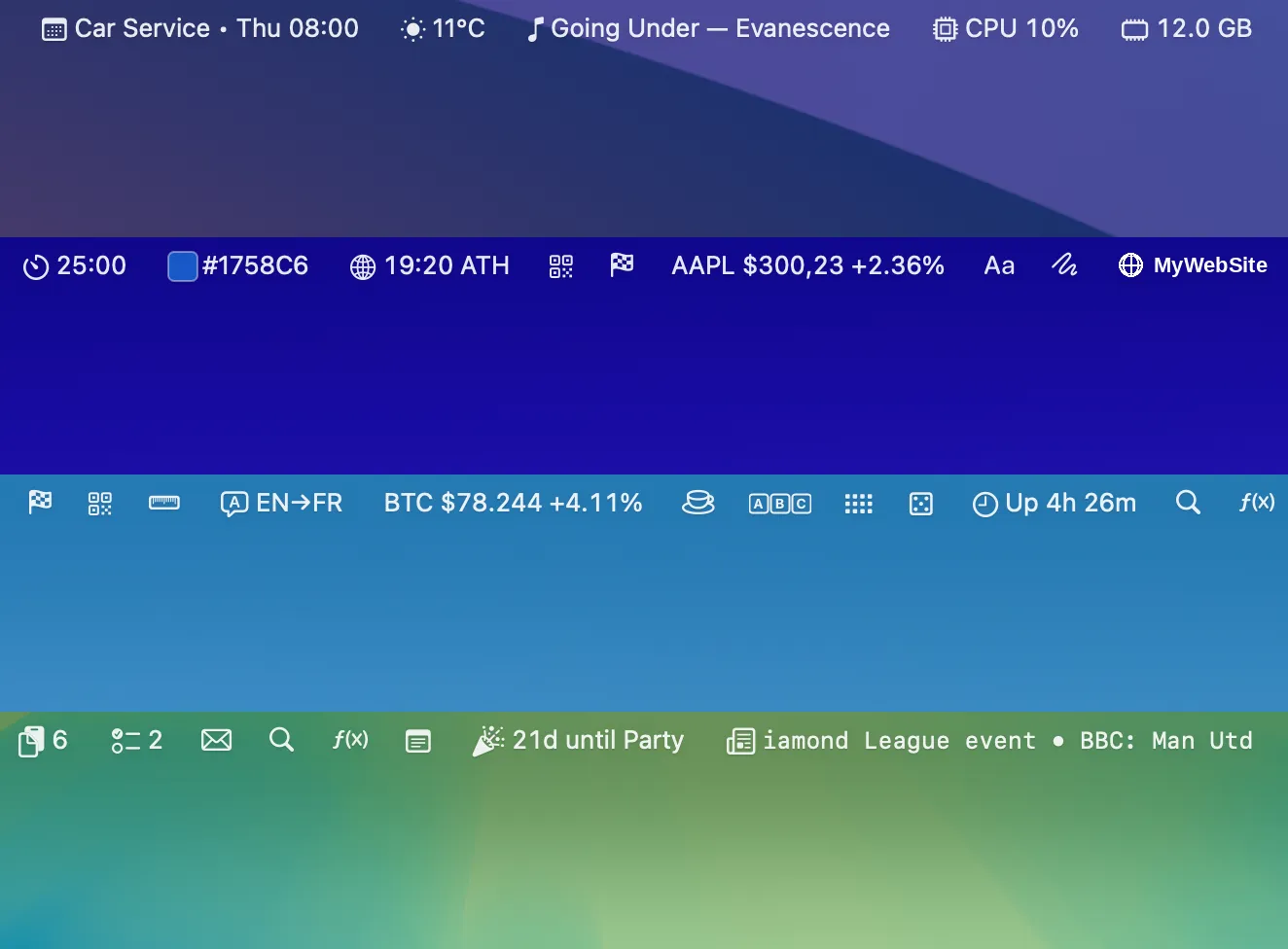
 ↗ BaristaFree · in-app purchases An all-in-one Mac menu bar app that consolidates 35+ widgets—including email, calendar, clipboard, weather, stocks, and system stats—into a single unified workspace.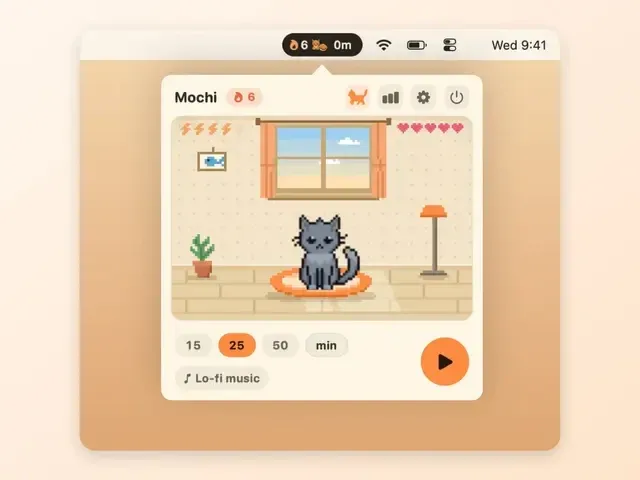
 ↗ CatPodFree Desktop pixel cat companion with a built-in focus timer that roams across displays, responds to petting, curls up during focus sessions, and tracks daily streaks—available pay-what-you-want starting at $3.99.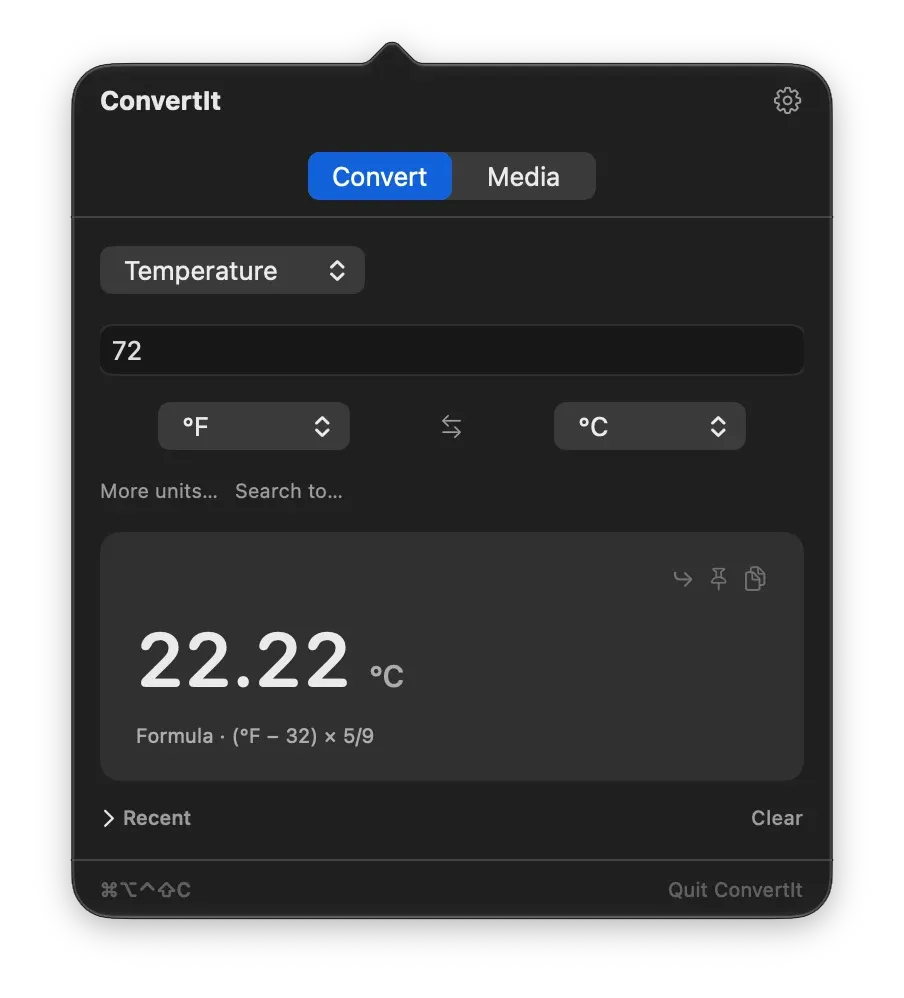
 ↗ ConvertItFree Menu bar conversion tool with 20 categories including units, currencies, time zones, and number bases, plus batch media file conversion and renaming—all free with no account required.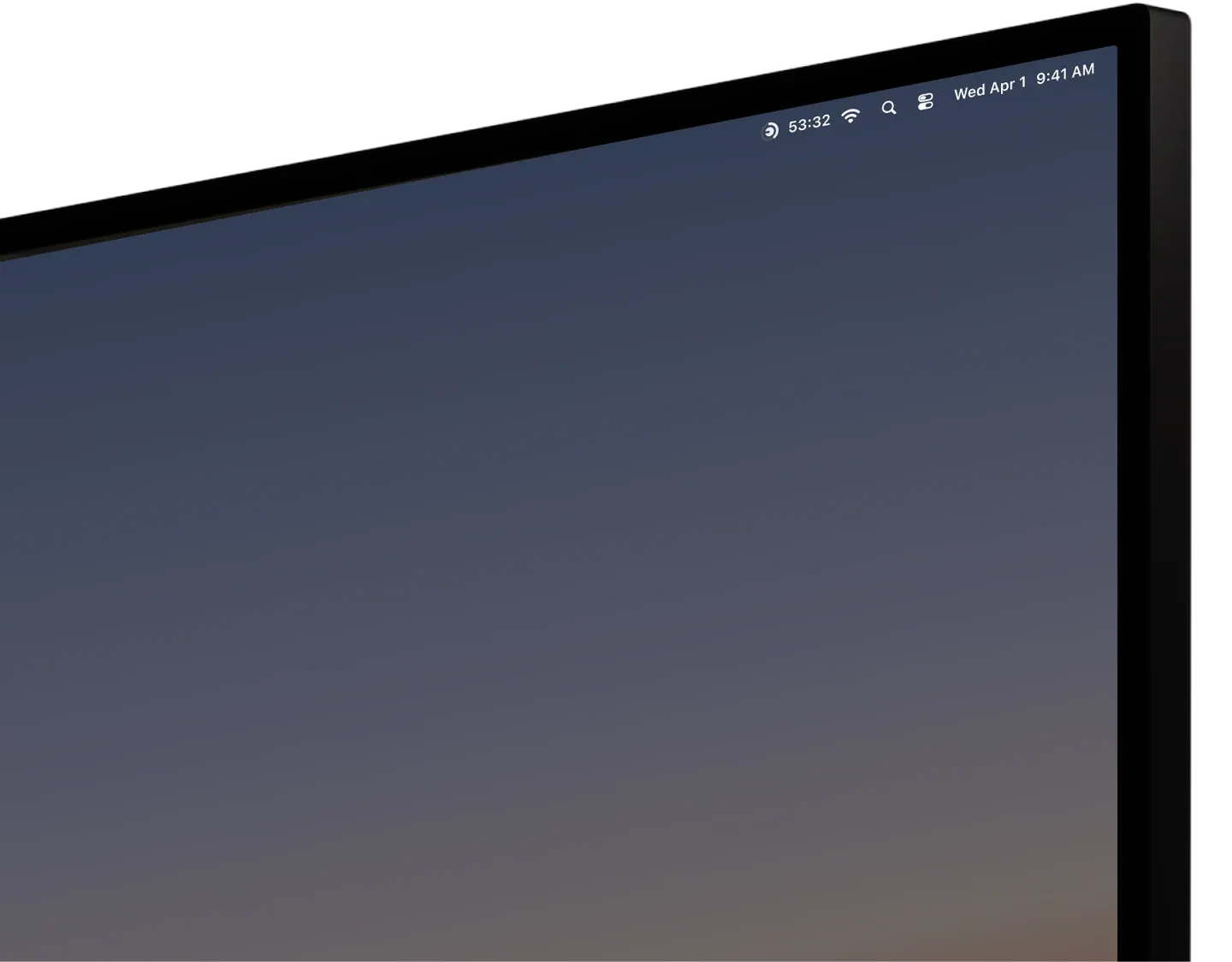
 ↗ DialPaid Time tracking app with one-click project switching from the menu bar, automatic idle and meeting detection, calendar integration, focus sessions, invoice-ready exports, and fully local data storage requiring no account.
 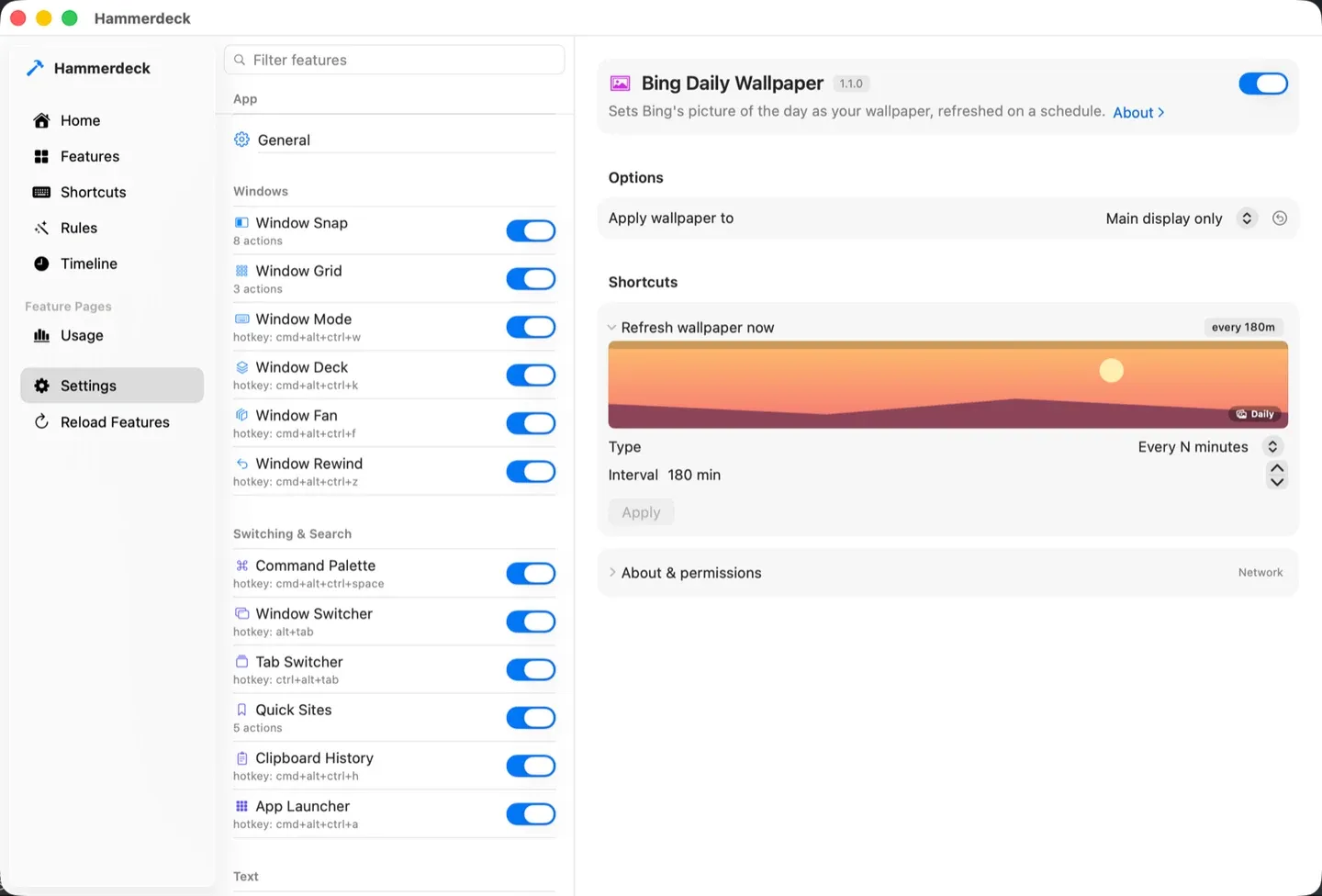 ↗ HammerdeckFree Free open-source window manager with keyboard-driven layouts, multi-display tiling, window undo, automation rules for display connection events, and built-in clipboard history and app launcher.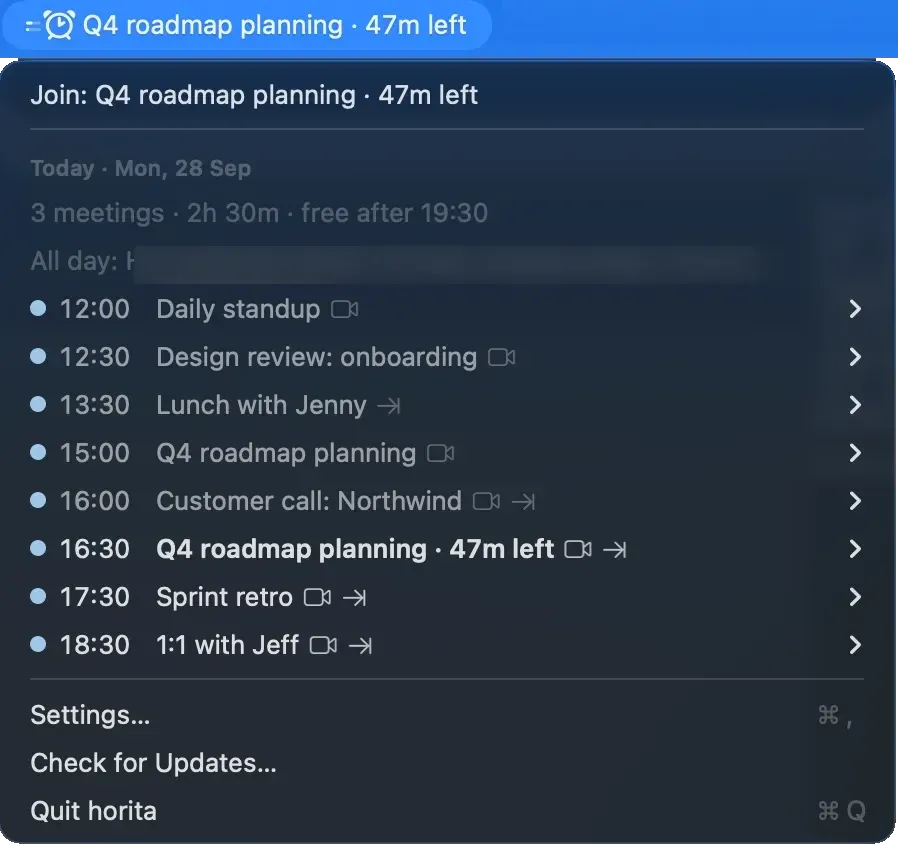
 ↗ HoritaFree Free open-source menu bar calendar app that shows a countdown to your next meeting and enables one-click joining of Zoom, Google Meet, and Teams calls, with screen-share safe mode to hide meeting titles.
 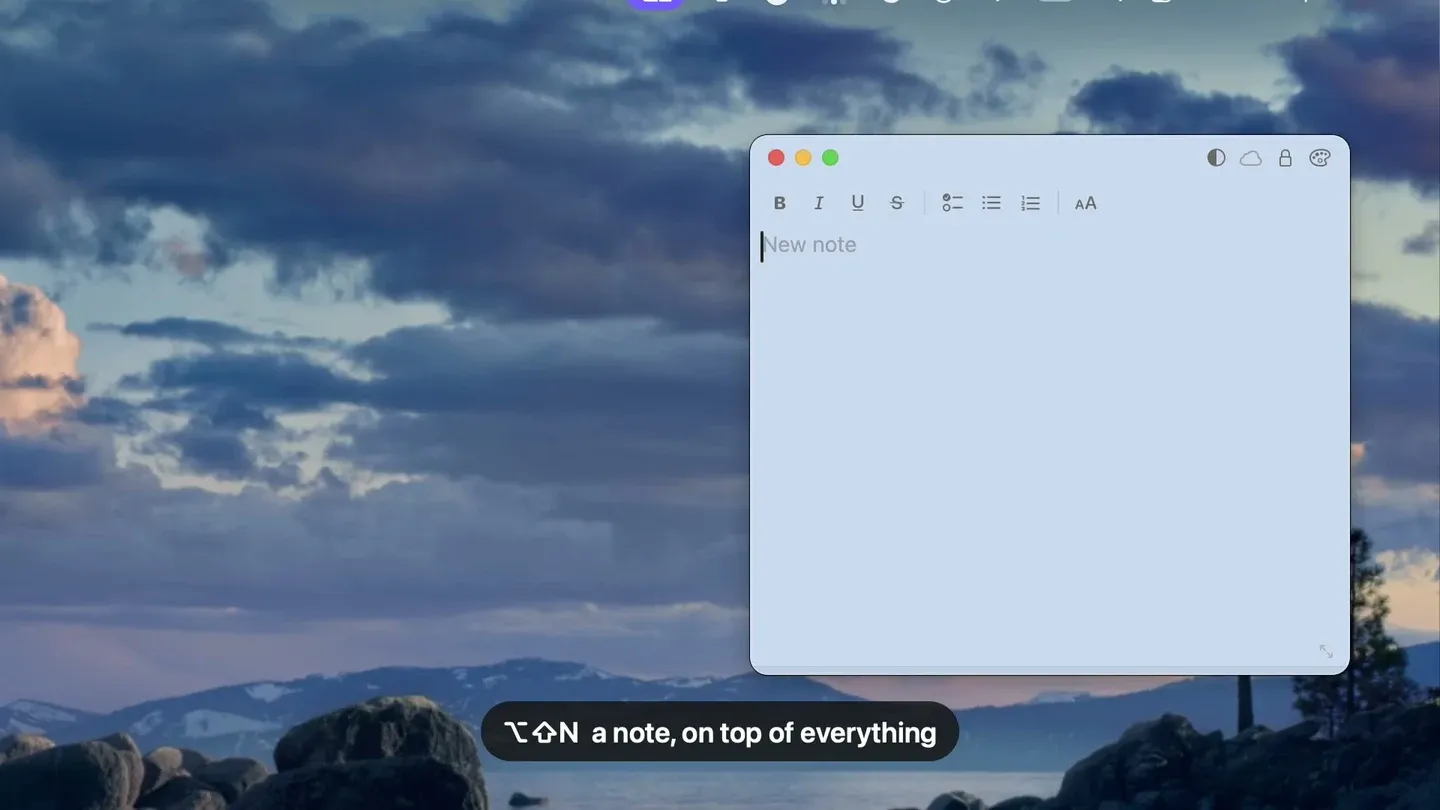 ↗ HushNotesPaid Floating sticky notes app that stays visible above other windows but automatically hides during screen shares, with Touch ID locking, Markdown support, iCloud sync, and MCP integration for AI assistants.
 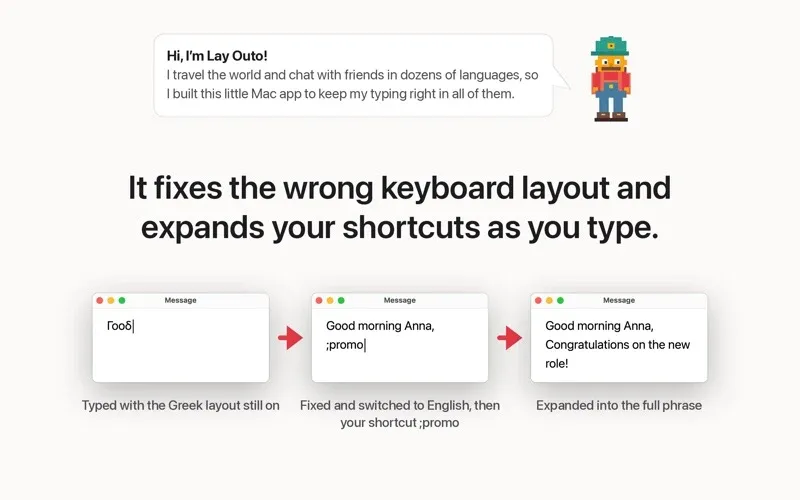 ↗ Layouto$2.99/month Menu bar typing assistant that handles text expansion, automatic typo correction across 30+ languages, and keyboard layout error fixes—all processed locally without accounts or tracking.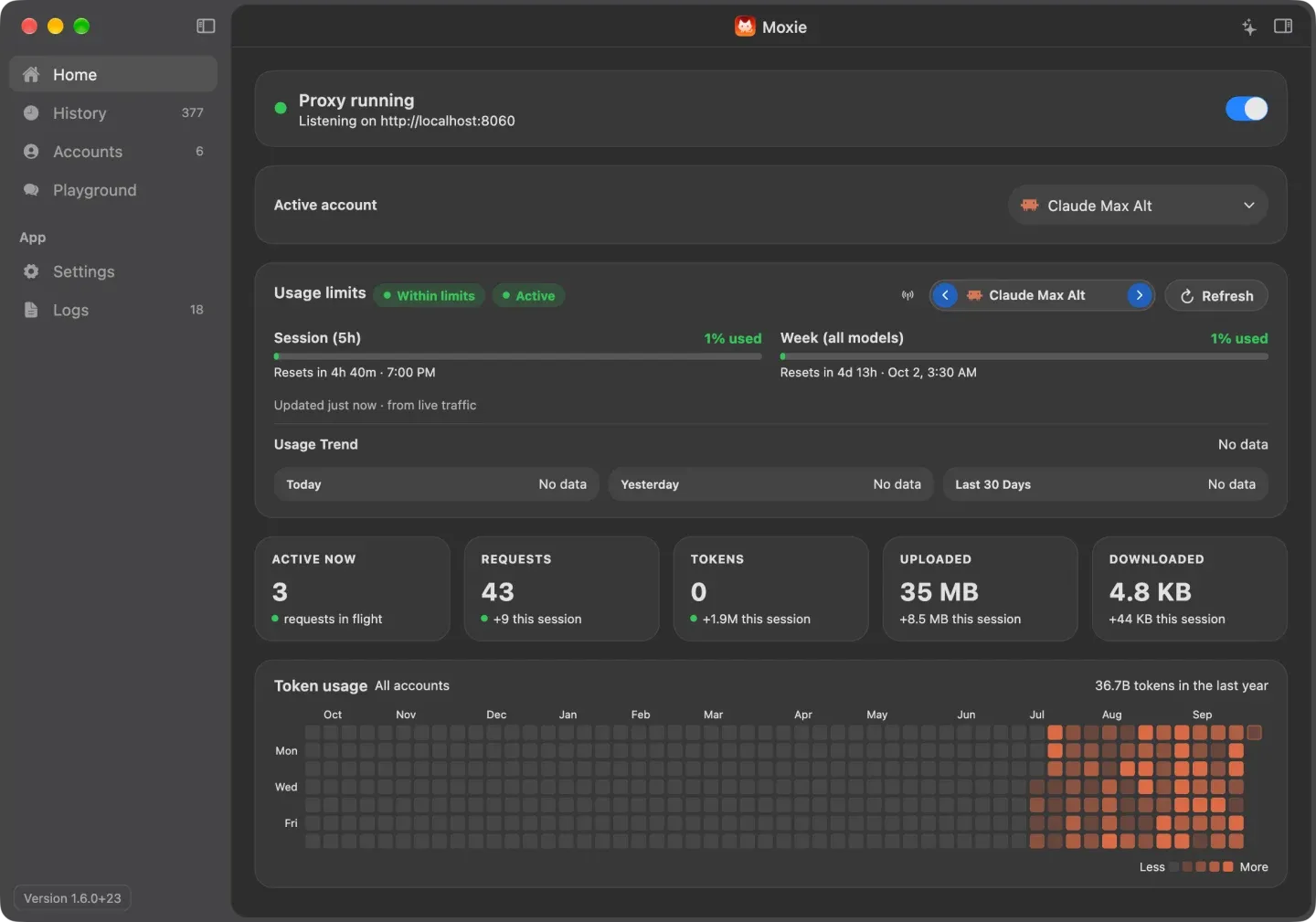
 ↗ Moxie$39 Menu bar app for Claude Code that connects multiple AI provider accounts—Claude, ChatGPT, Gemini, DeepSeek, Ollama—and enables mid-task account switching when usage limits are hit, with API keys stored in macOS Keychain.
 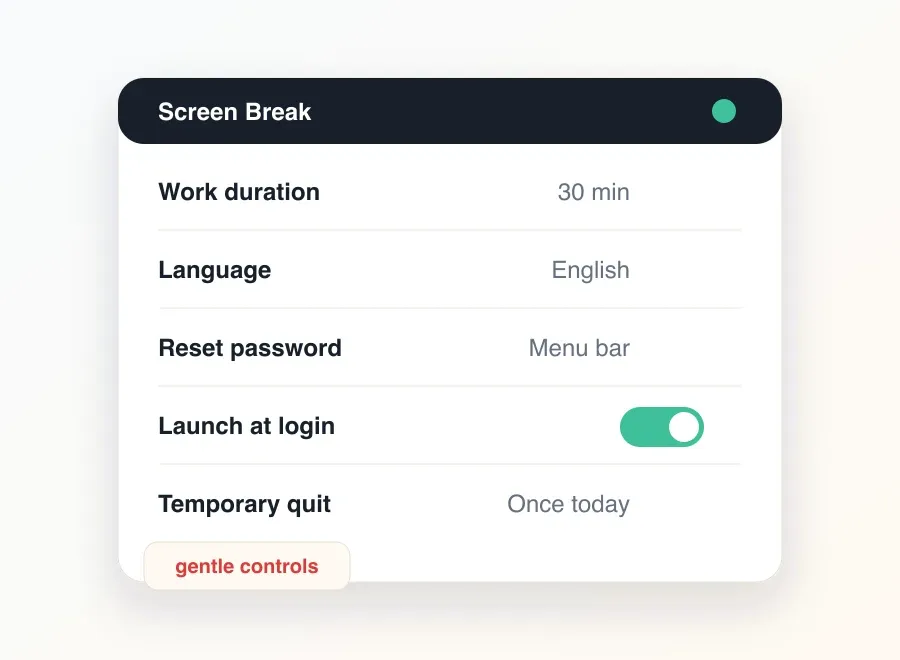 ↗ Screen BreakFree Free break reminder app for Mac that triggers full-screen rest periods with breathing guidance, customizable backgrounds, movement prompts, and configurable friction to discourage skipping.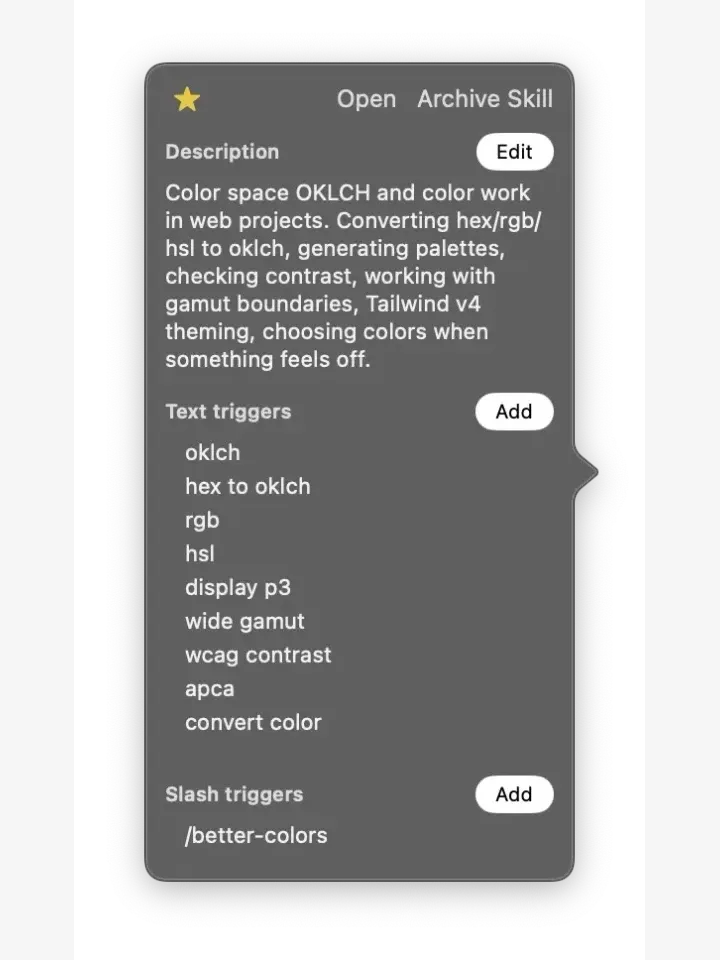
 ↗ SkillKeeperFree · optional purchases Menu bar token usage monitor for Claude Code, Codex, Cursor, and Gemini CLI that tracks per-session costs, alerts on expensive sessions, and provides skill editing and browsing from the skills.sh store.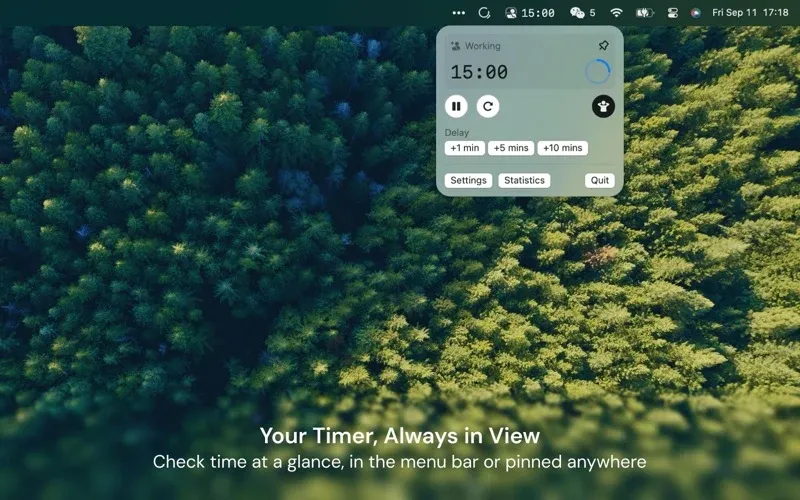
 ↗ SkyBreakFree · in-app purchases Break reminder app that displays relaxing scenic visuals during rest periods to encourage screen-away gazing, with a detachable menu bar timer, focus session presets, and daily statistics.
 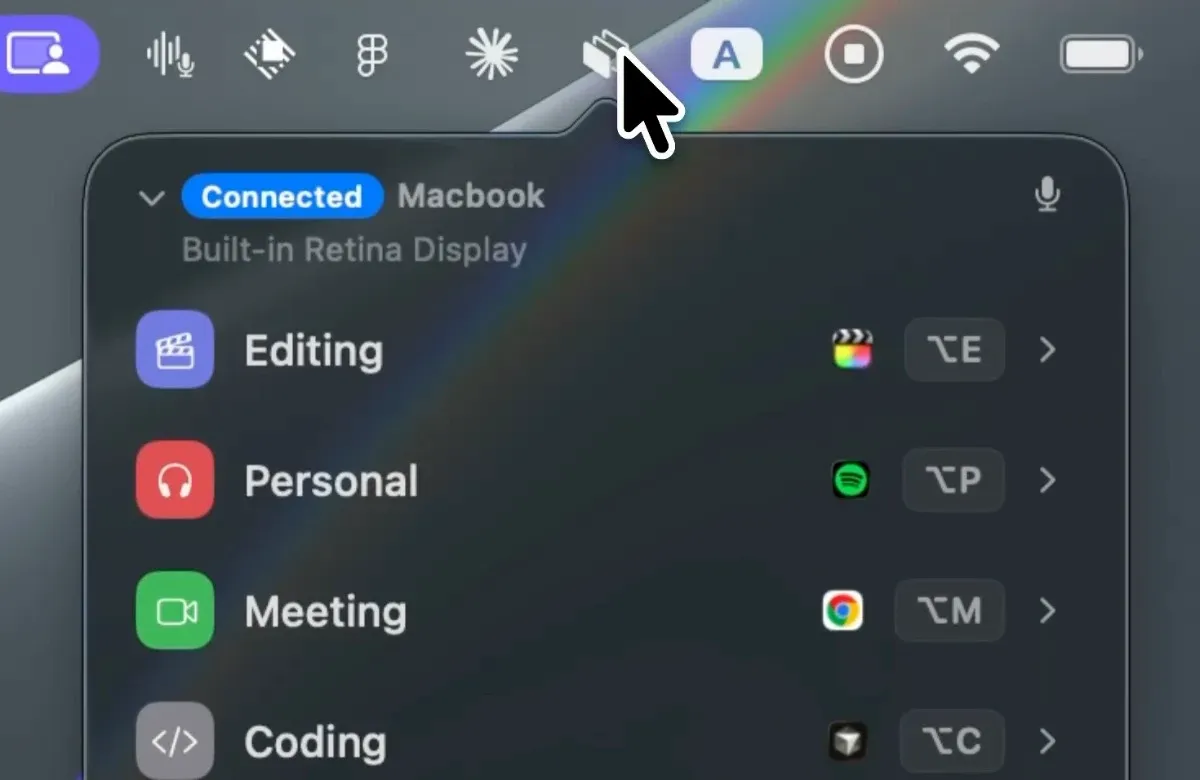 ↗ SnapsetPaid Workspace and window layout manager that saves and restores complete desktop setups—including apps, browser tabs, and folder locations—across multiple displays with voice control and keyboard shortcut activation.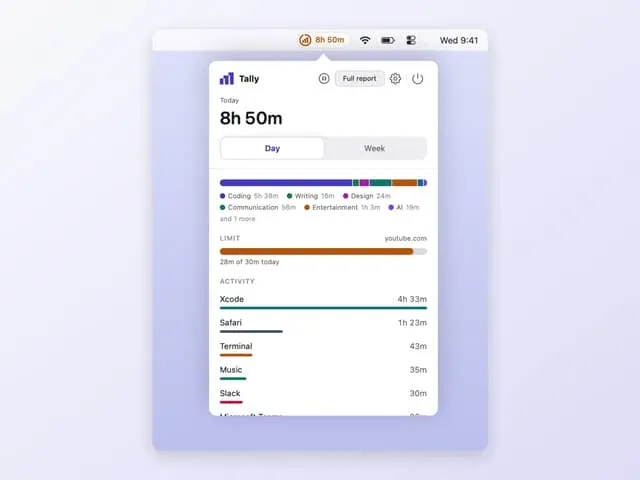
 ↗ TallyFree Privacy-first screen time tracker for Mac that monitors app and website usage with day, week, and month views, automatic idle time exclusion, daily limit notifications, and a desktop widget—all stored locally.
 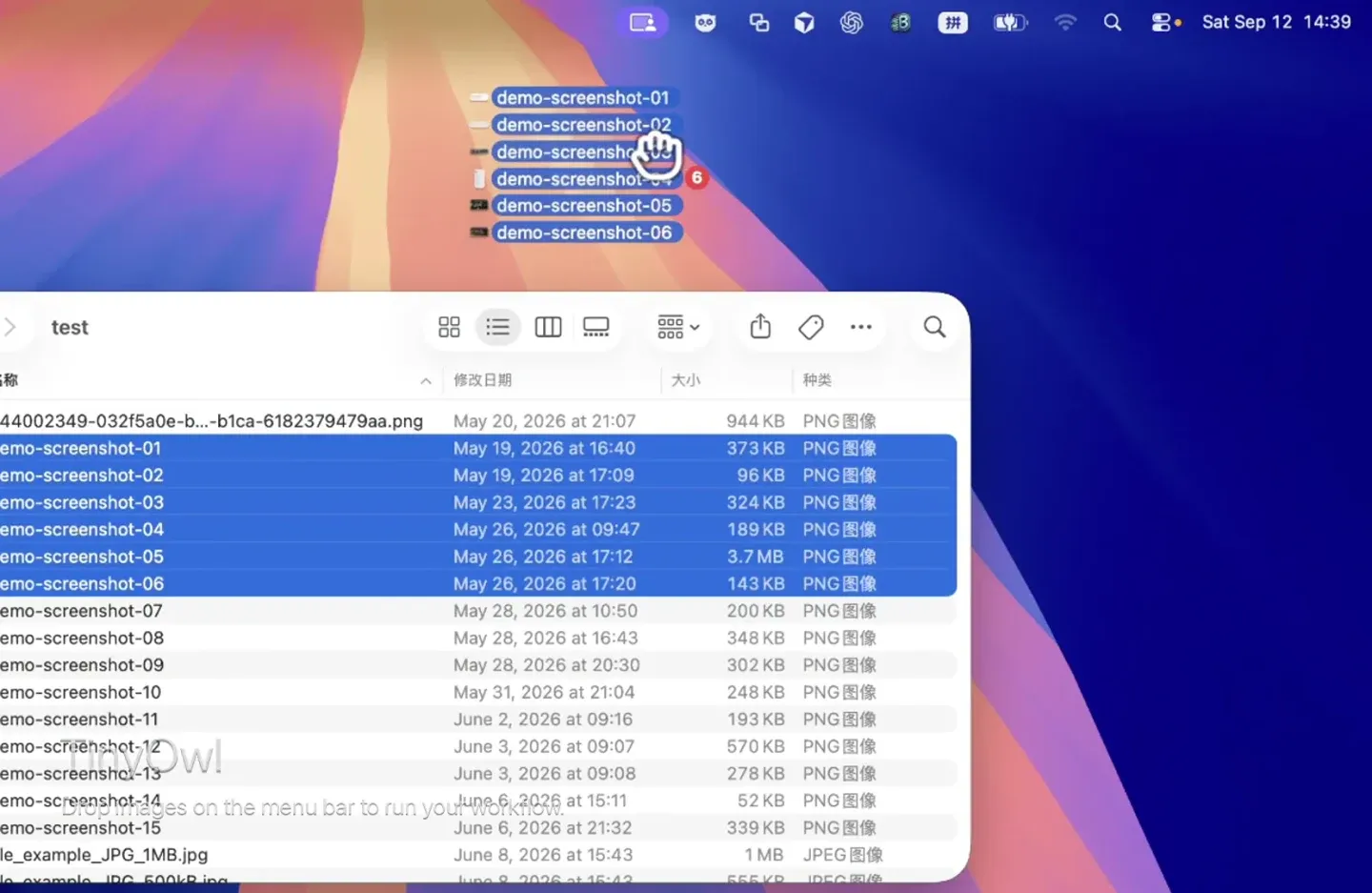 ↗ TinyowlPaid Local image compression and S3-compatible upload tool that resizes, compresses, and uploads PNG, JPEG, WebP, and other formats to Cloudflare R2, AWS S3, or compatible storage—generating Markdown URLs without leaving the Mac.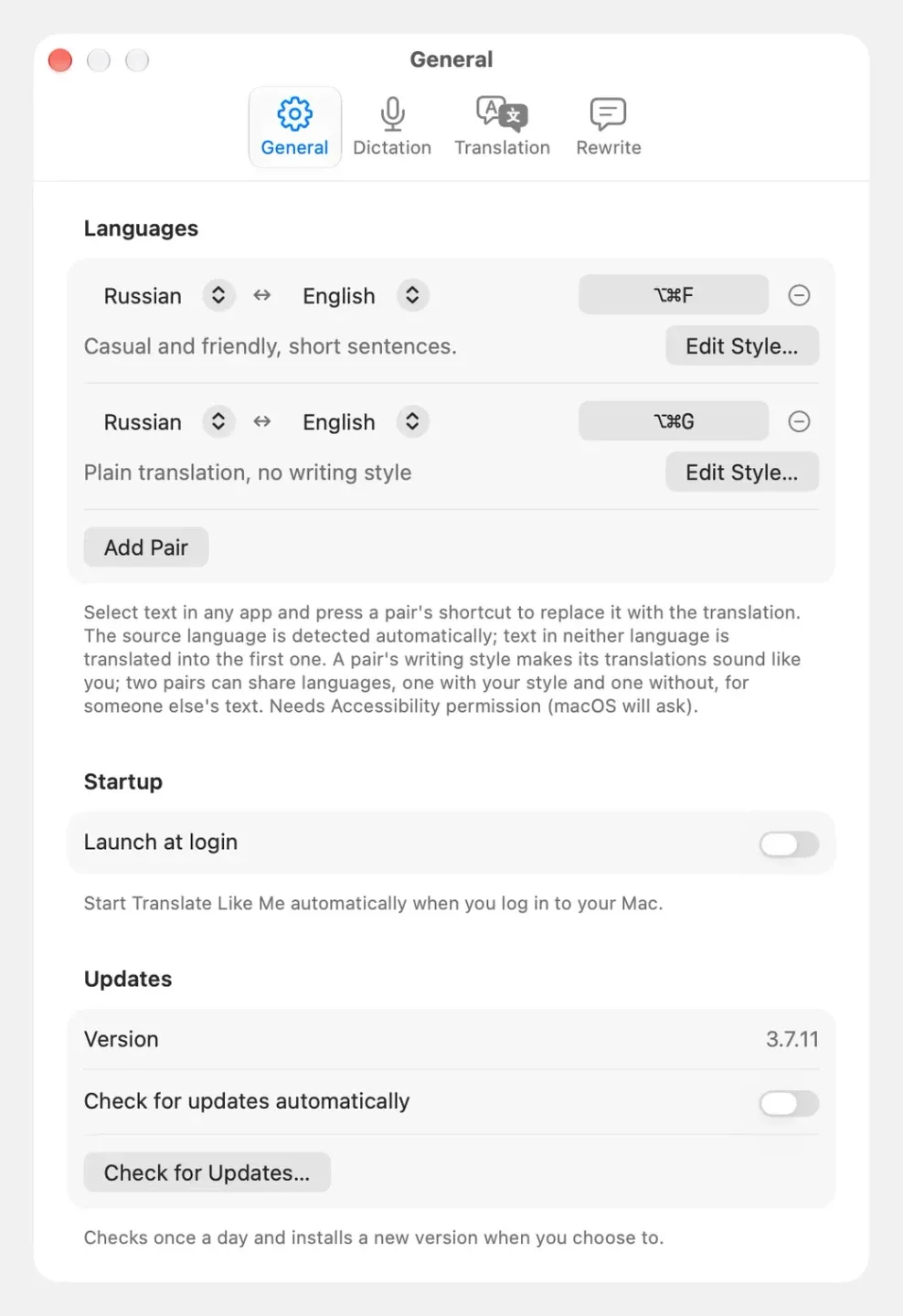
 ↗ Translate Like MeFree Free open-source Mac translation tool that replaces selected text in-place with a translation matching your personal writing style, using Claude, ChatGPT, or Grok as the translation engine.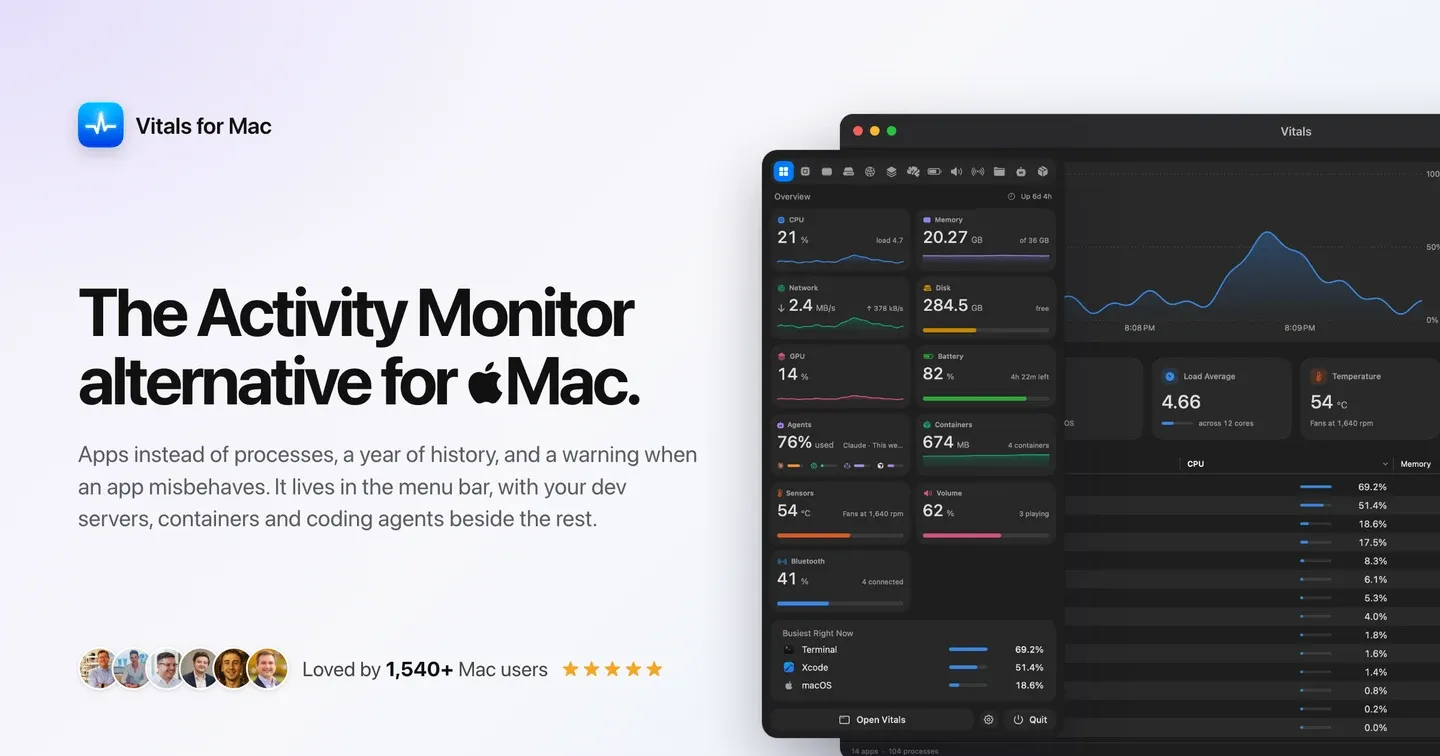
 ↗ VitalsPaid System monitor that groups macOS processes by parent app to reduce Activity Monitor complexity from 1000+ processes to ~60 rows, with 30-day history, alerts, developer tools, and menu bar metrics.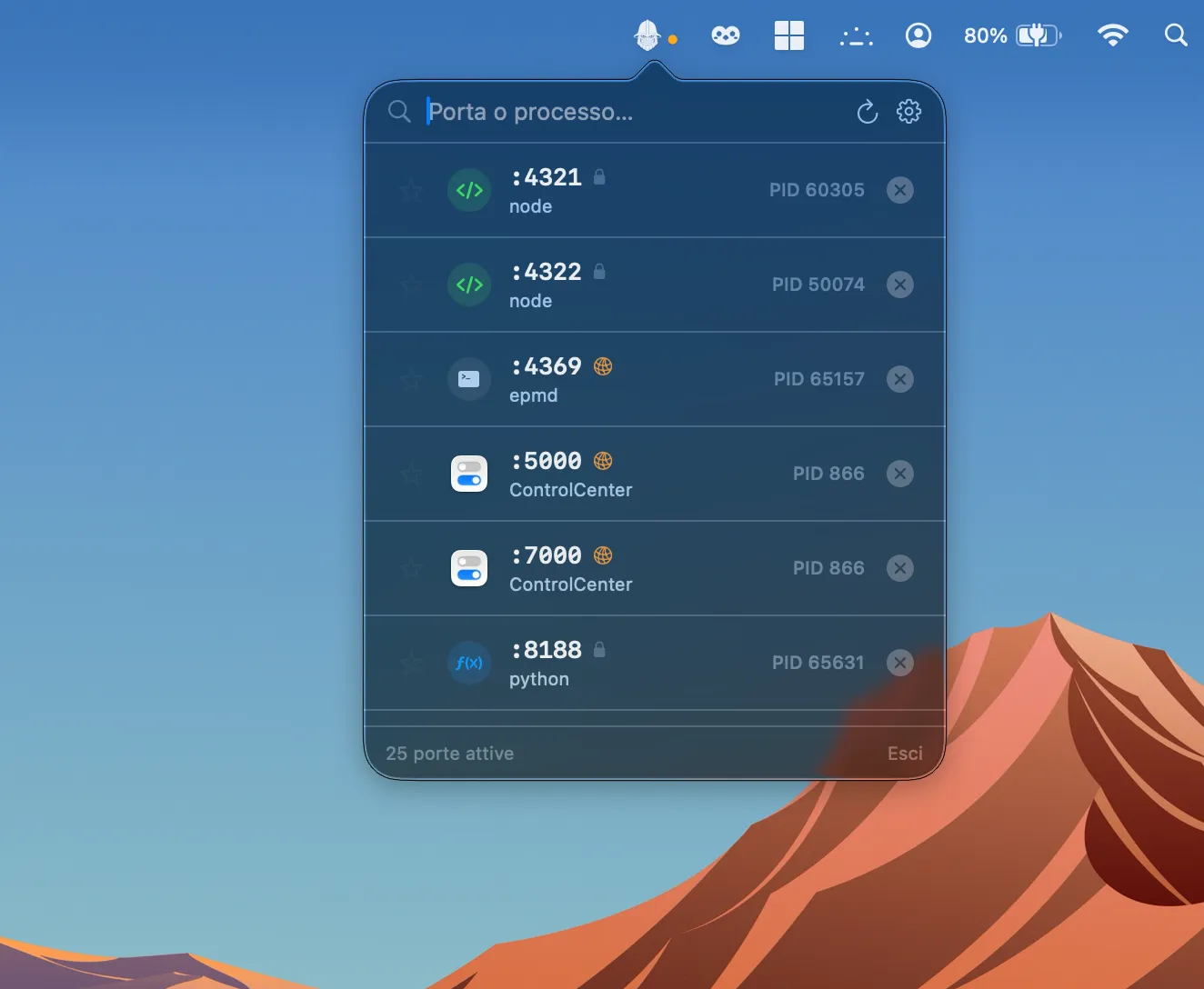
 ↗ DoorryFree A lightweight menu bar utility that monitors open ports on your Mac and lets you terminate rogue processes with a single click, no Terminal required.
 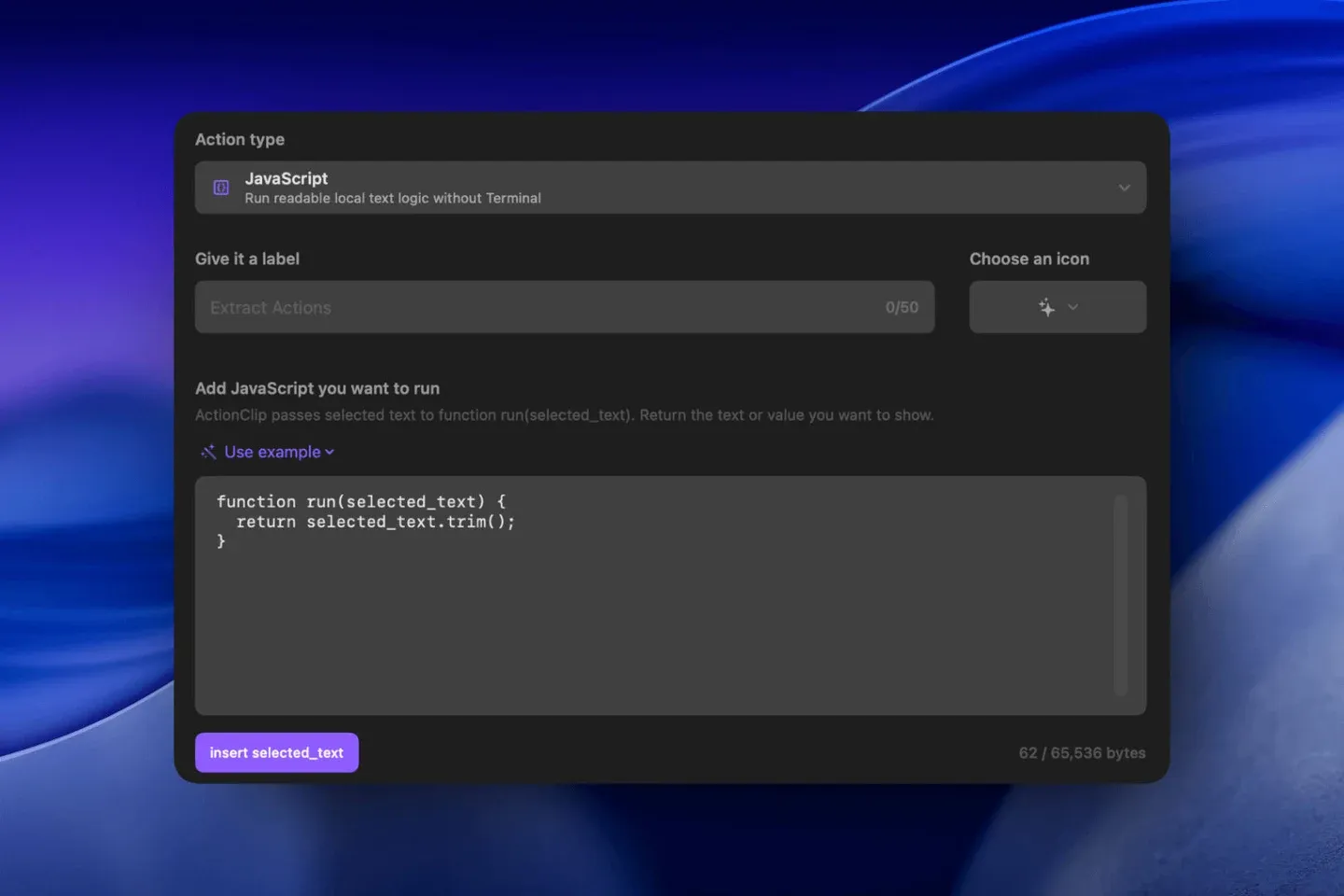 ↗ ActionClipFree · optional purchases Adds an iOS-style contextual action menu to selected text anywhere on Mac. Includes 40 built-in actions for copying, translating, converting, running AI queries, and executing custom workflows, triggered directly from a text selection.
 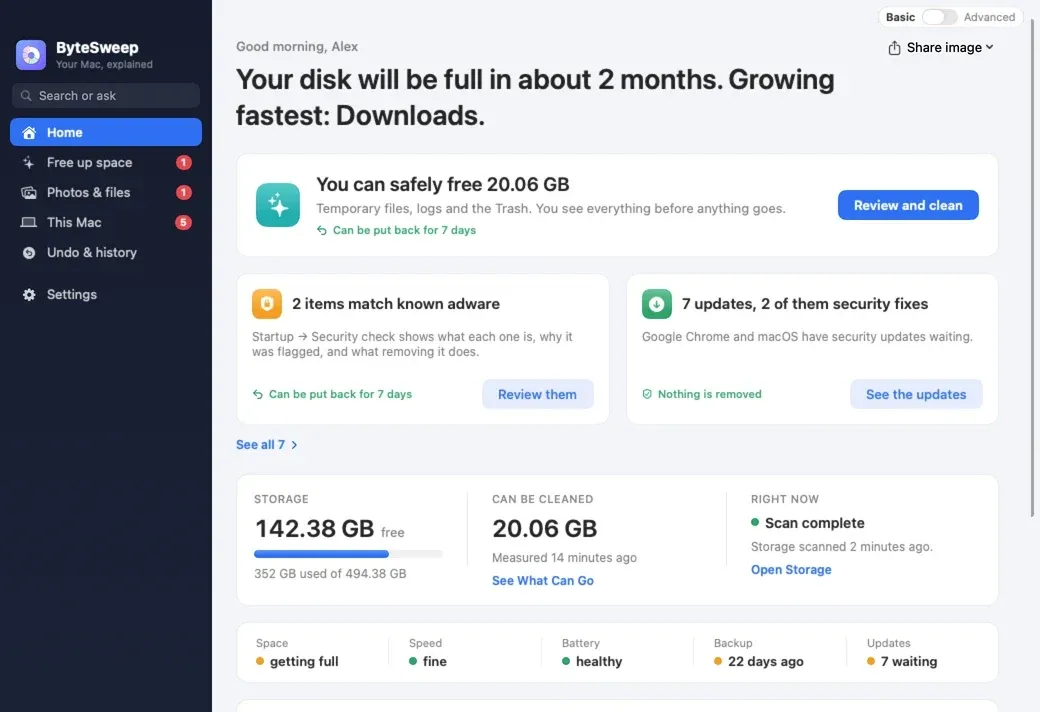 ↗ BytesweepPaid A disk storage cleaner and analyzer with seven modules covering storage visualization, cache removal with 7-day undo, duplicate detection, app updates, developer cache targeting, file recovery, and real-time system monitoring via a notch panel.
 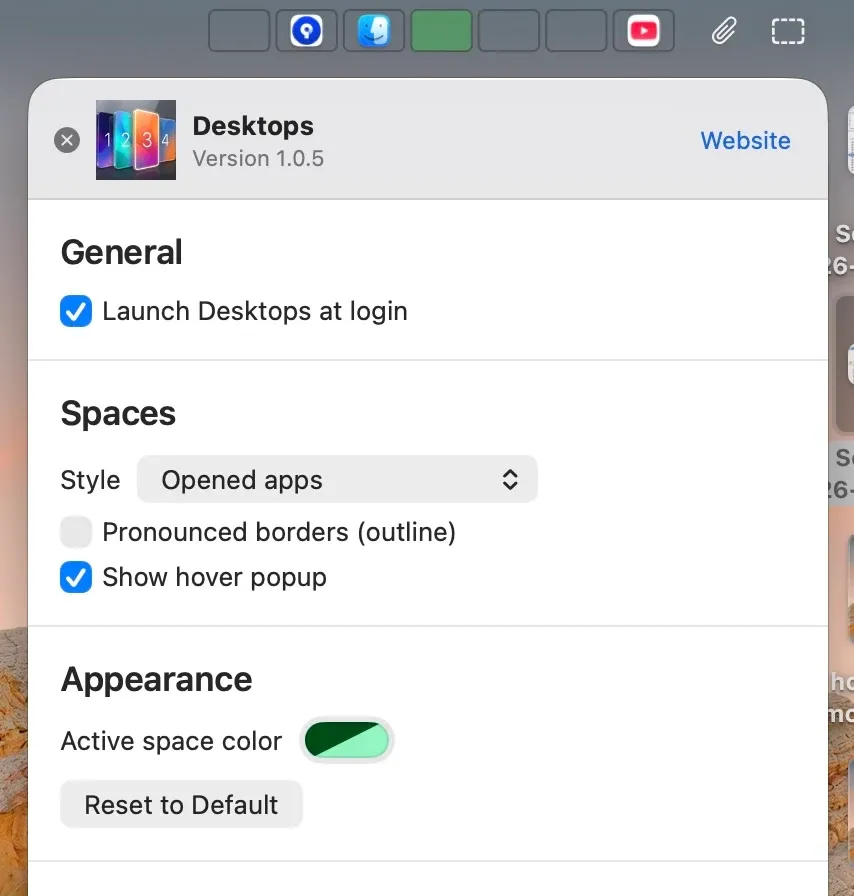 ↗ DesktopsPaid Shows which macOS virtual desktop you are on via a persistent menu bar indicator and lets you switch to any desktop with a single click. Also includes app management and system memory monitoring.
 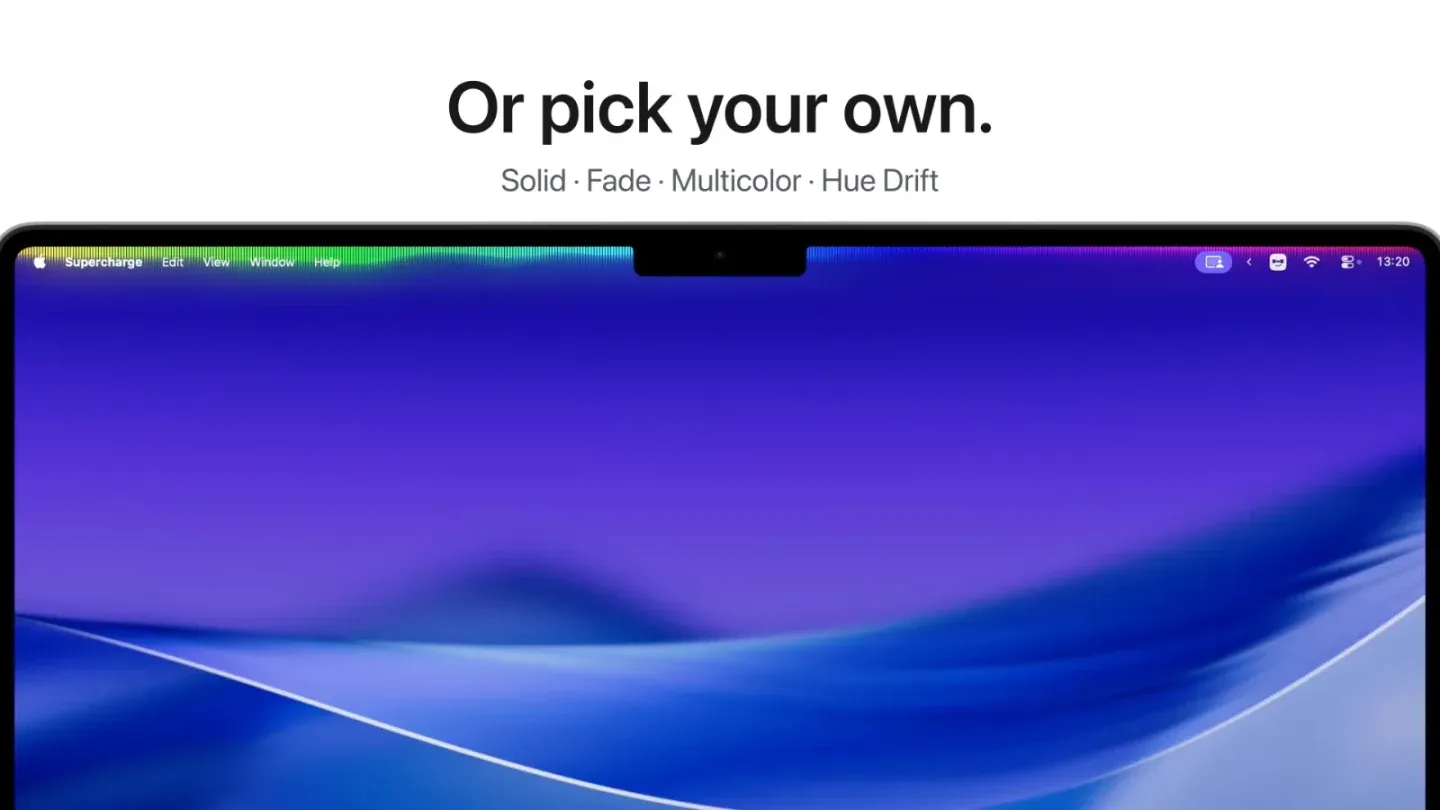 ↗ Dynamic Menu BarPaid Customizes the Mac menu bar appearance with adaptive color mirroring, gradients, music visualization, rounded corners, transparency effects, and per-app profiles. Supports up to 120 Hz refresh rates for visualizer modes.
 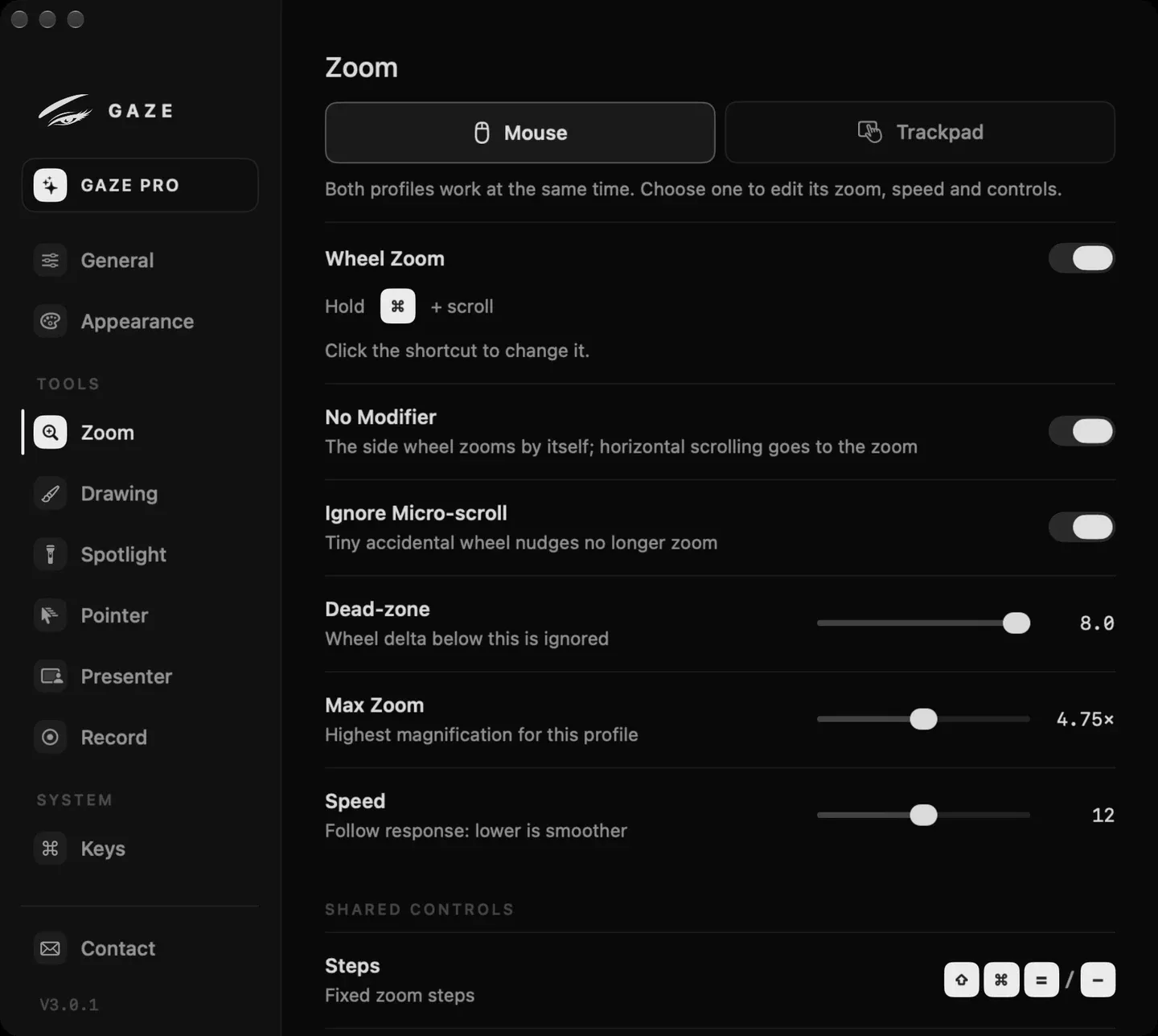 ↗ Gaze$29 A native macOS screen magnifier that renders zoom into screen recordings and screen shares, unlike the built-in system zoom. Includes annotation tools, pinned lens mode, spotlight dimming, and click ripples.
 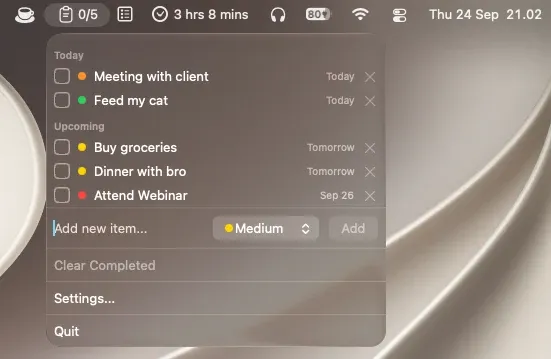 ↗ MemoFree A menu bar task list with no Dock icon or window. Supports priority levels, due dates with overdue indicators, drag-to-reorder, inline editing, and completion sounds. Free, open source, and Apple Silicon-only.
 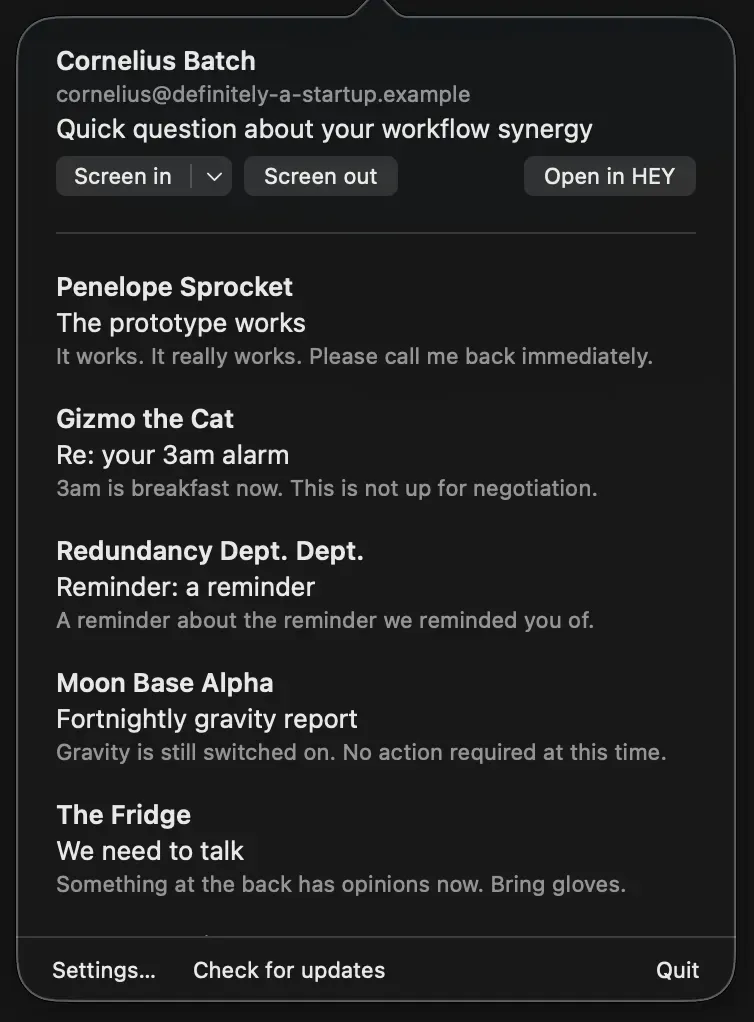 ↗ MenuBar for HEYFree An unofficial free macOS menu bar client for HEY email that shows unread counts, lets you screen first-time senders, and delivers macOS notifications with quick Reply Later and Set Aside actions.
 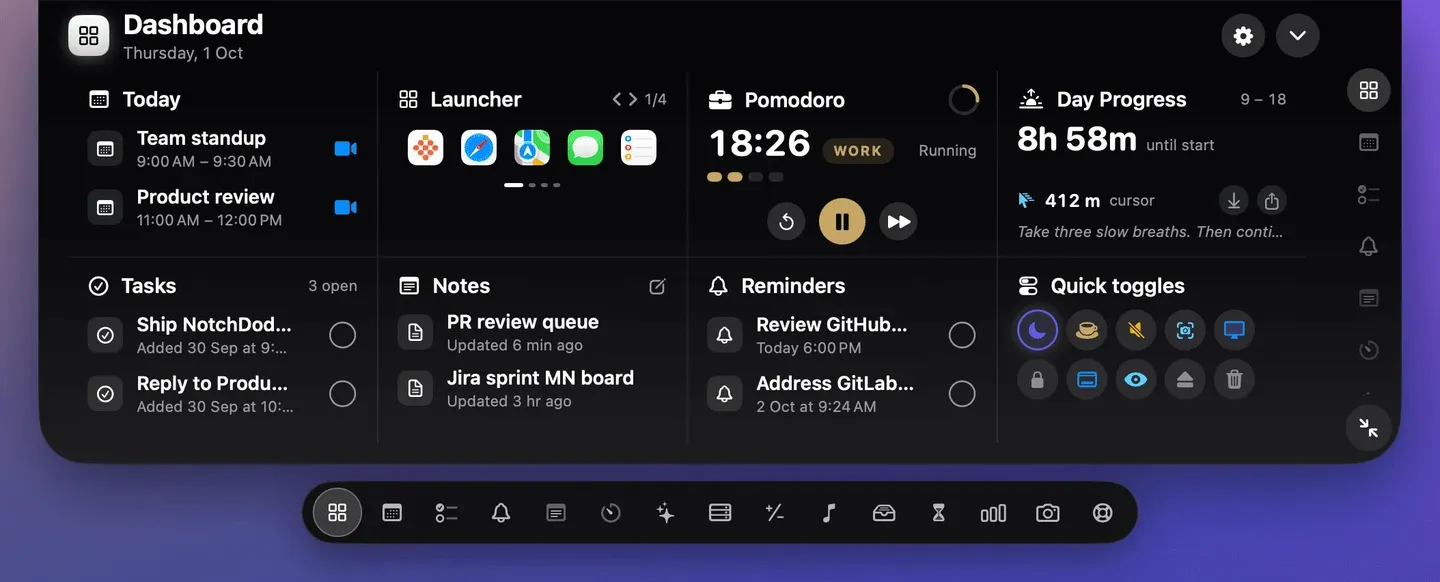 ↗ NotchDodoPaid Activates the MacBook notch as a workspace with 14 tools including a dashboard, Pomodoro timer, calendar with meeting join, AI usage tracking, notes, music controls, file shelf, calculator, and system analytics.
  ↗ NowlineFree Displays the current calendar event and time remaining directly in the menu bar with no Dock icon. Reads events from Calendar.app, iCloud, Google, and other macOS calendars. Free and open source, with an animated cat mascot.
 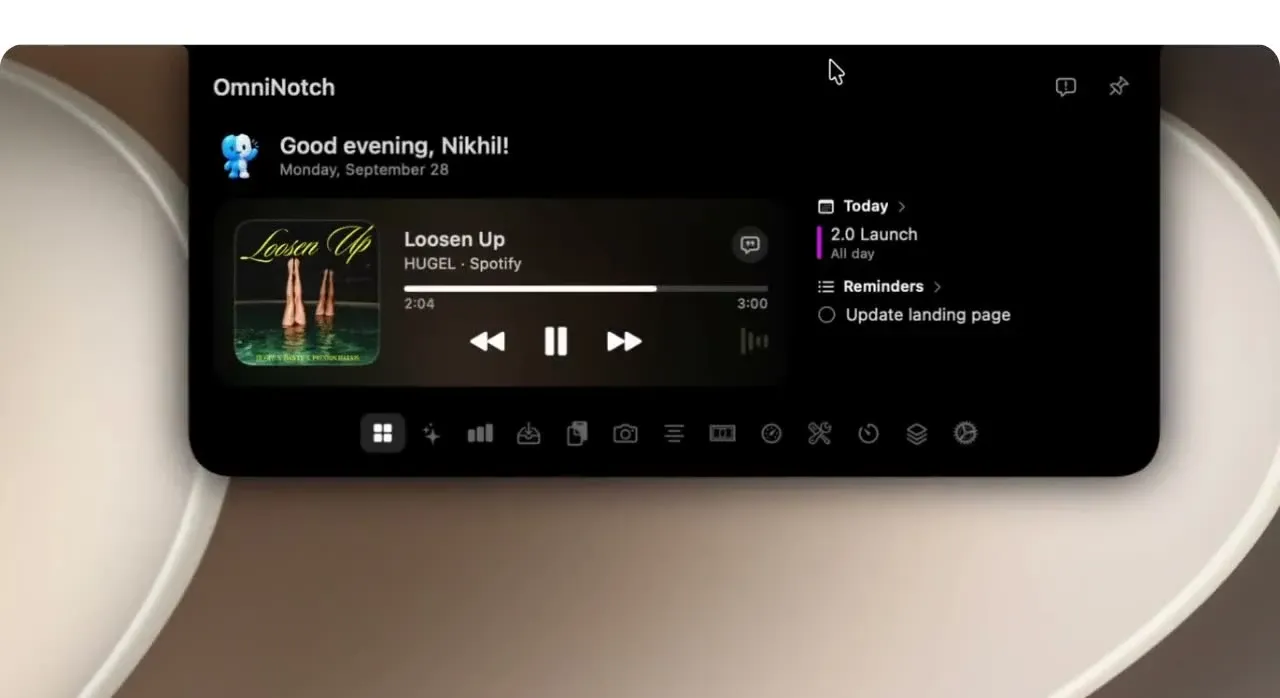 ↗ OmniNotchPaid Turns the MacBook notch into a hover-activated workspace with 20 built-in tools including Now Playing, on-device AI chat, clipboard history, file shelf, Pomodoro timers, calendar, weather, and system stats.
 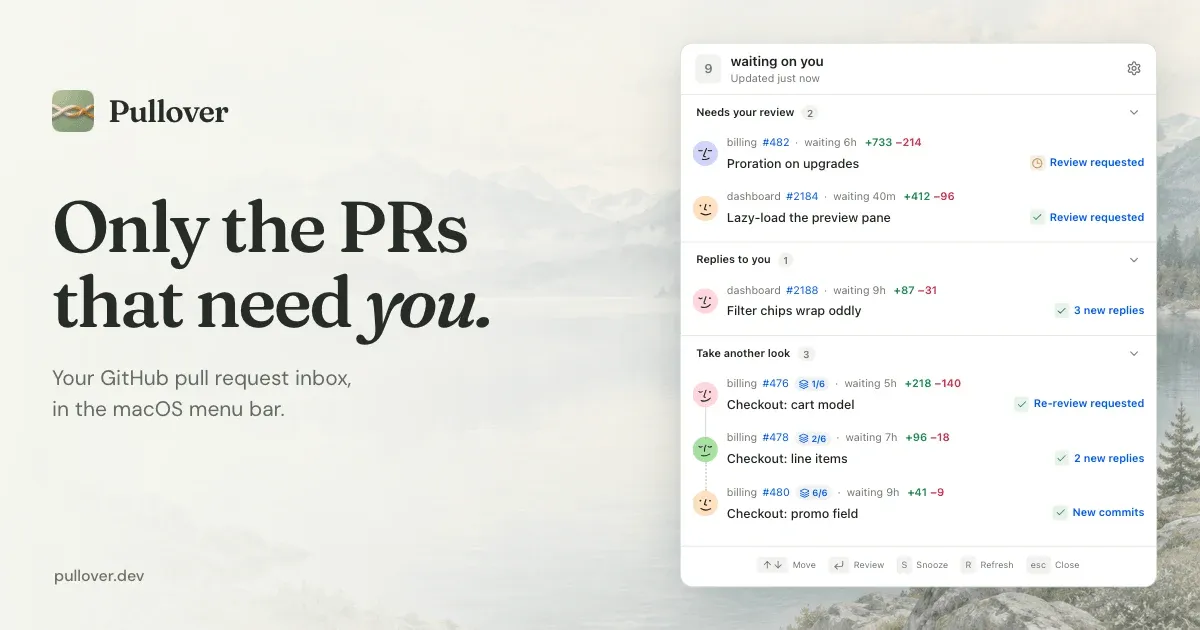 ↗ PulloverFree A free, open-source GitHub pull request inbox for the Mac menu bar that filters to only the PRs requiring your attention. Supports stacked PR ordering, snooze, and an optional local MCP server for AI agent access.
 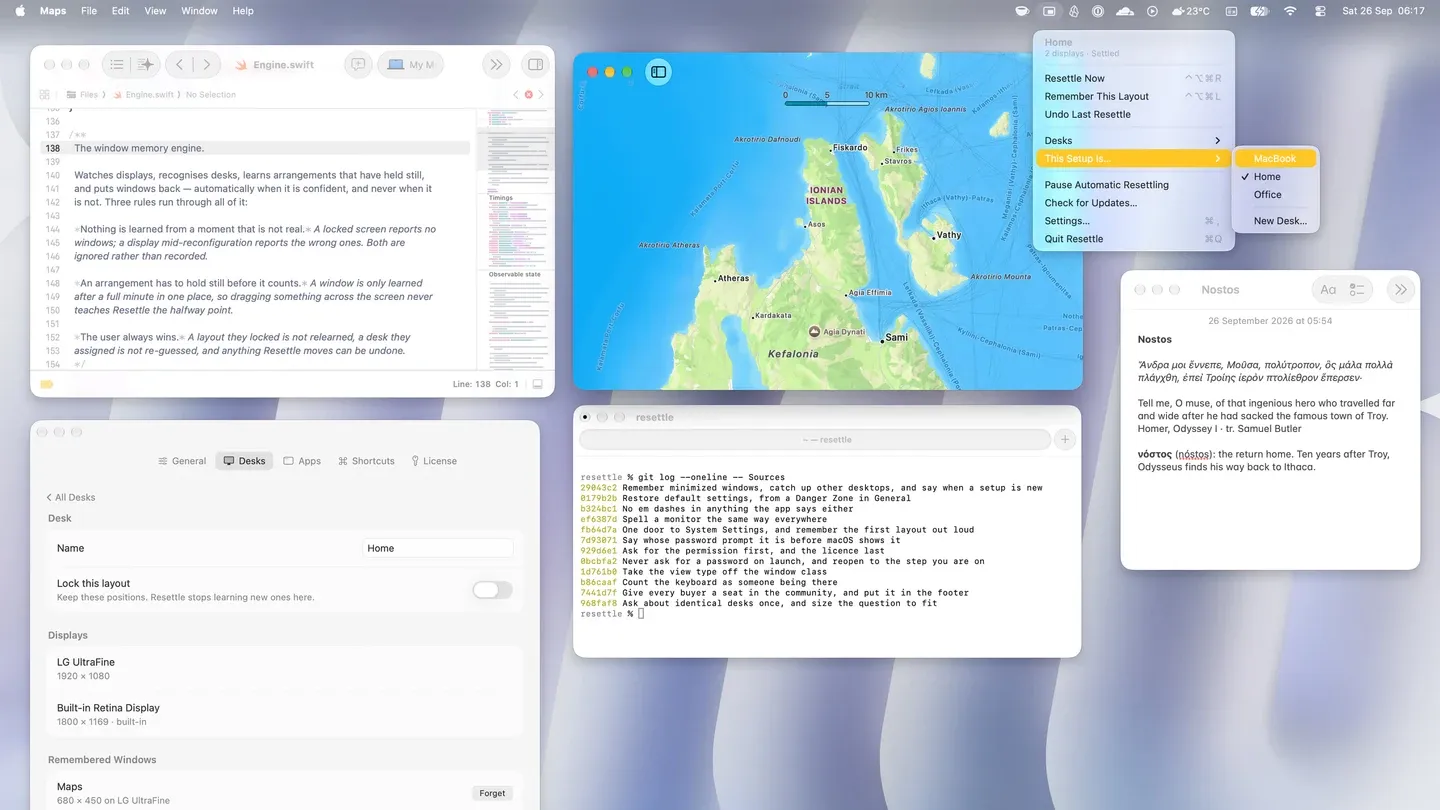 ↗ ResettlePaid Automatically restores window positions when you reconnect a display configuration. Learns your different desk setups without manual profiles, identifies monitors by serial number, and preserves full-screen states.
 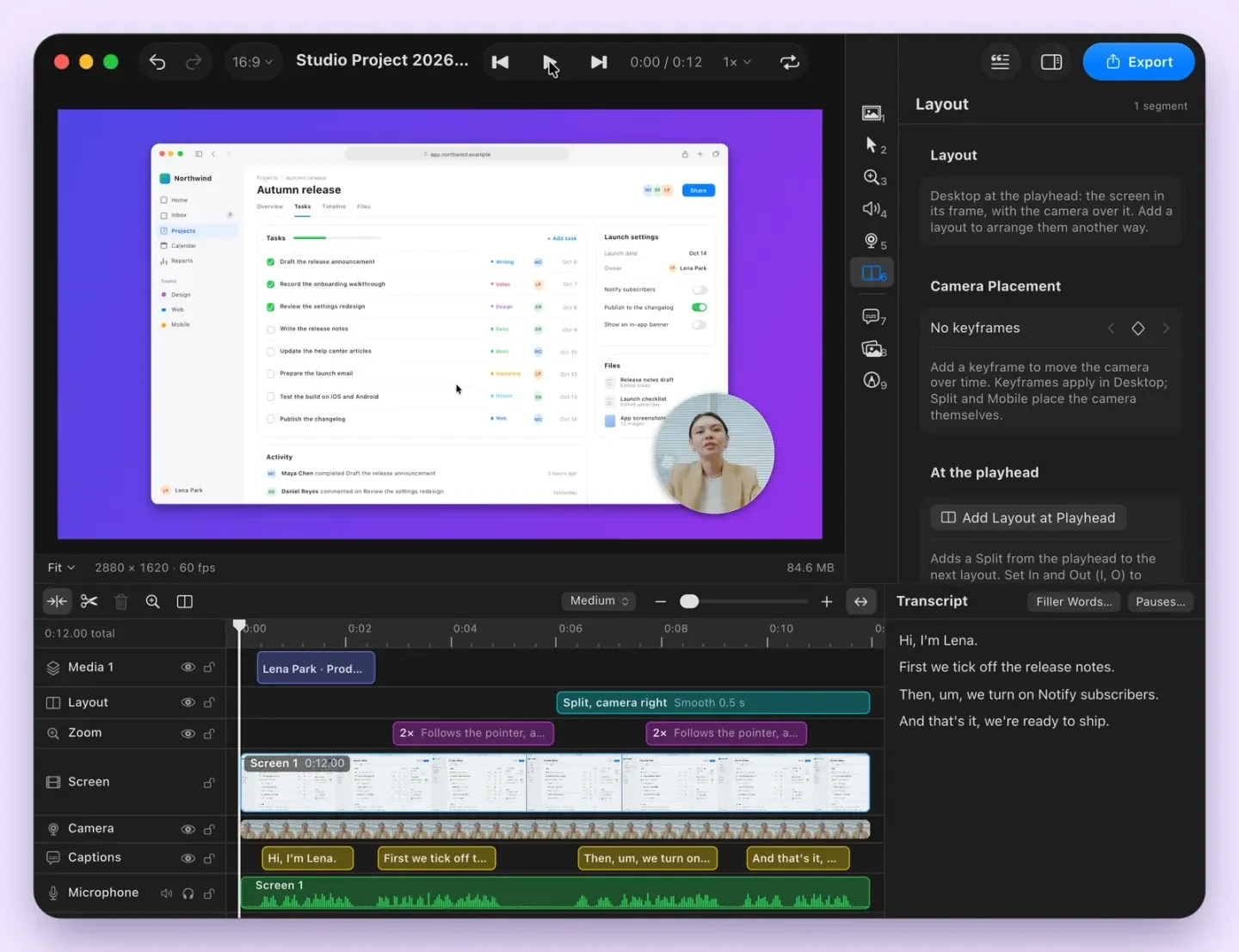 ↗ SnaplinePaid A native menu bar screenshot app with annotation, scrolling capture, screen recording, on-device OCR with text search, and a searchable capture history. One-time $25 purchase with no account or cloud storage required.
 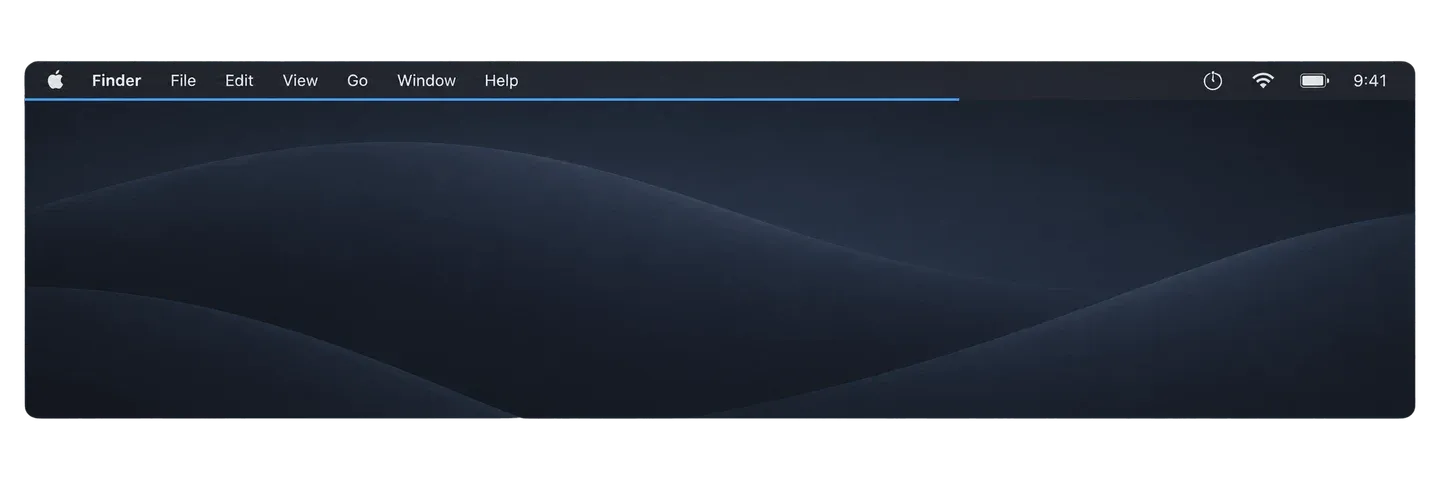 ↗ TimebarFree Displays a thin visual progress bar just below the Mac menu bar that depletes as a timer counts down. Supports preset and custom durations, customizable appearance, and runs on less than 0.1% CPU.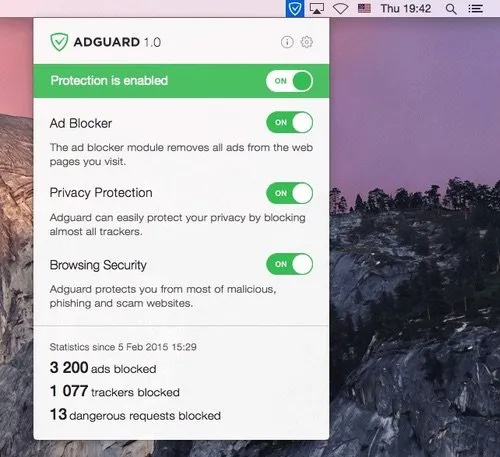
 ↗ AdGuardPaid A standalone system-wide ad blocker for Mac that blocks ads and trackers across all browsers and apps, operating entirely from the menu bar.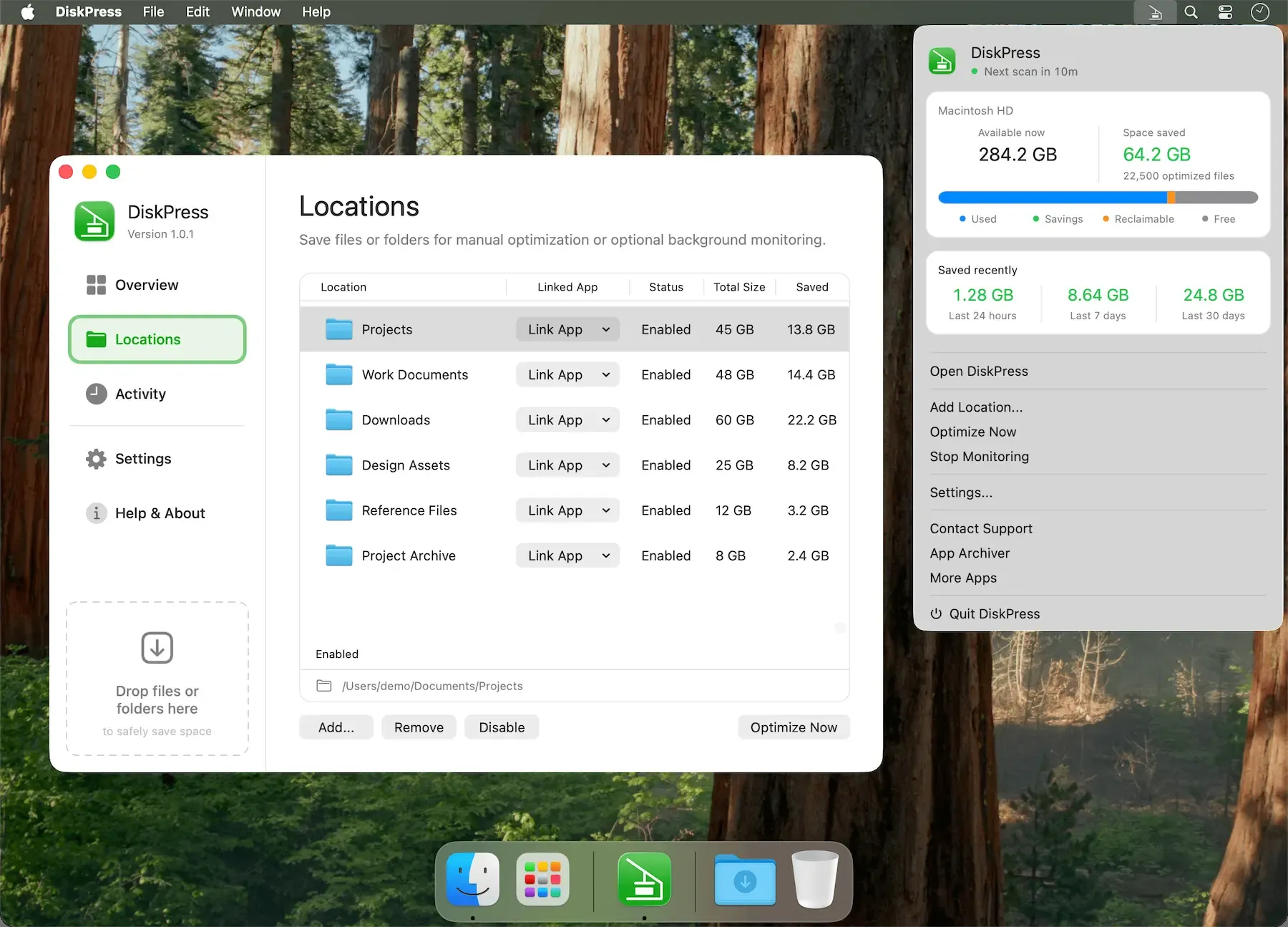
 ↗ DiskPress$9.99 Free up Mac storage without deleting files using native compression and APFS deduplication, with background monitoring and CLI support.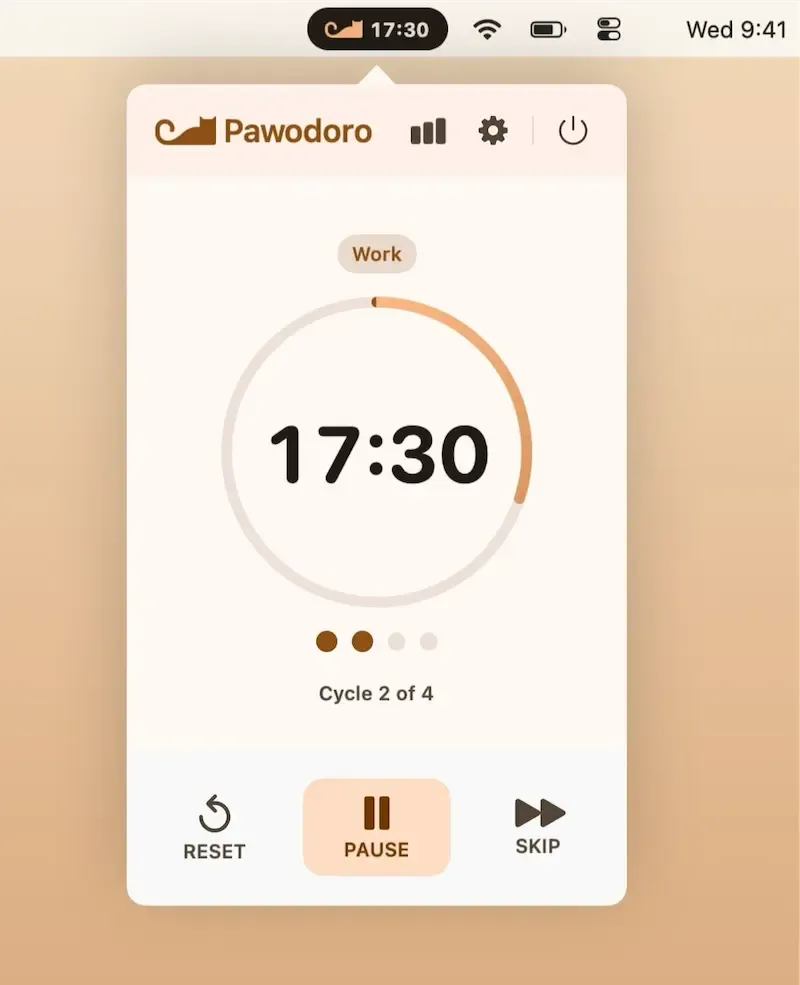
 ↗ PawodoroFree · in-app purchases Pomodoro timer that plays full-screen cat videos during breaks, with three session presets, a 16-week focus heatmap, and multi-display support.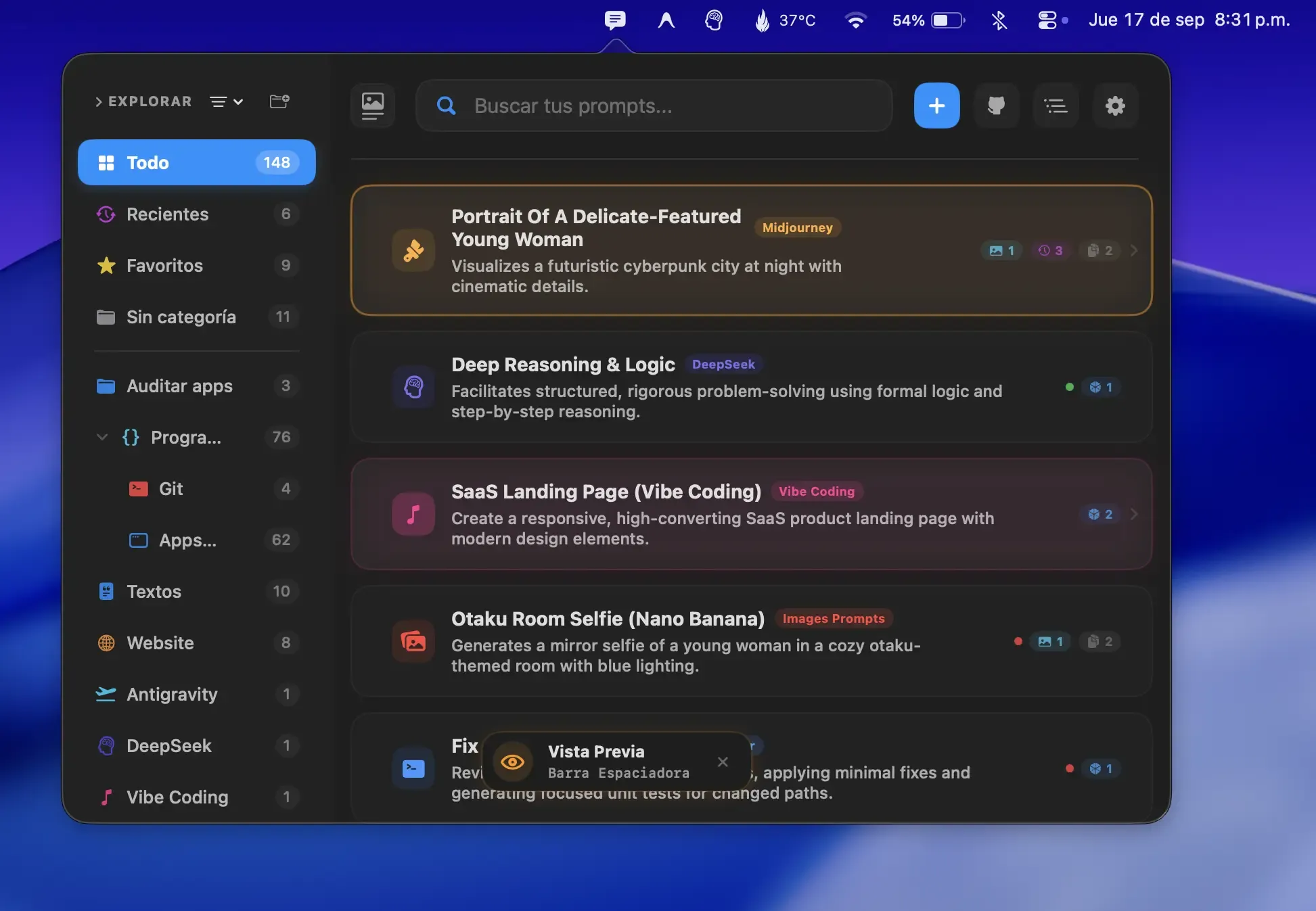
 ↗ PromptyFree · in-app purchases Organize and reuse AI prompts from the menu bar with instant search, templates, dynamic variables, and personal API key support.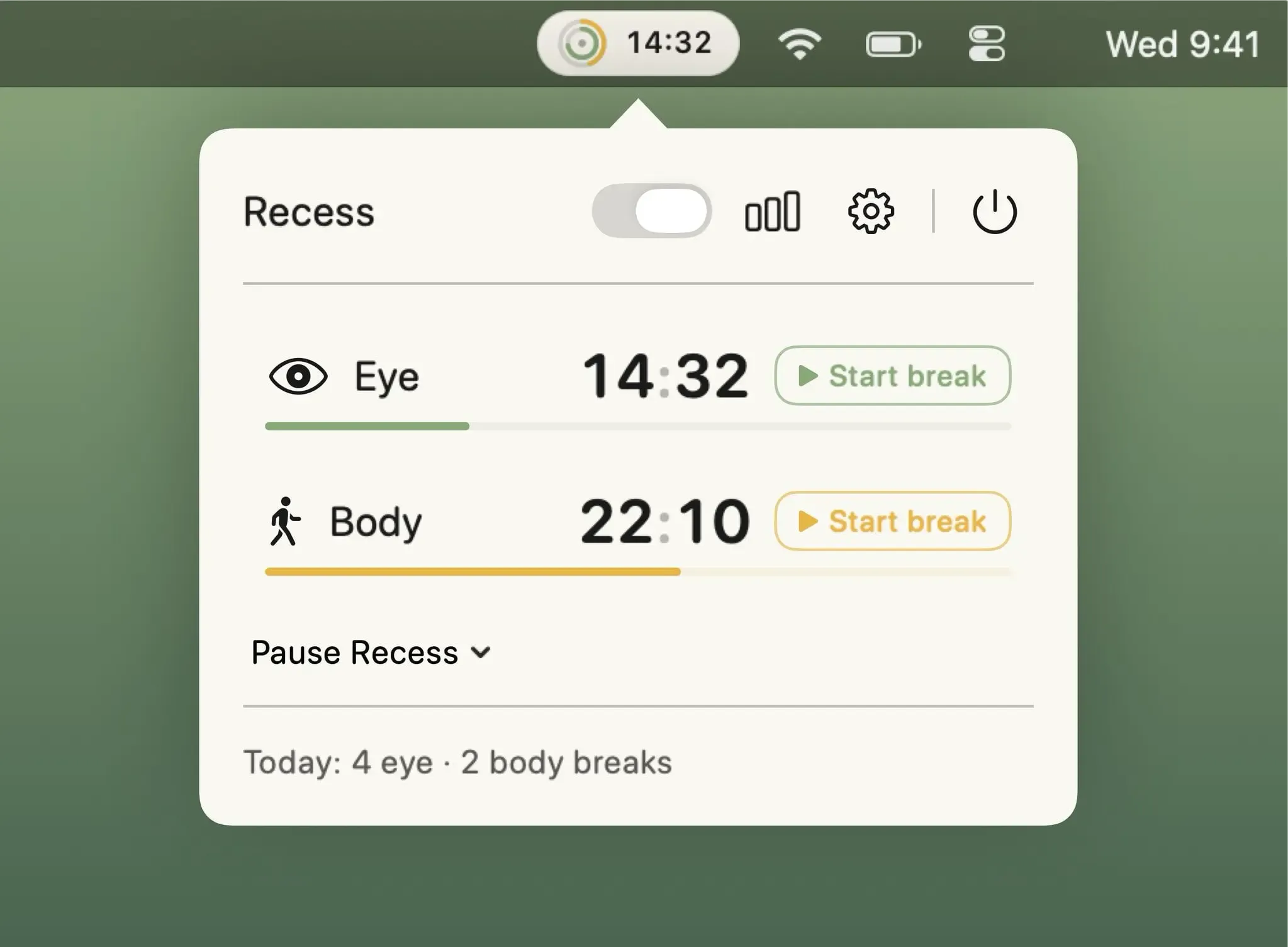
 ↗ RecessFree Break reminder with independent eye and body timers, full-screen guided overlays, smart Focus and call pauses, and 60-day activity logs.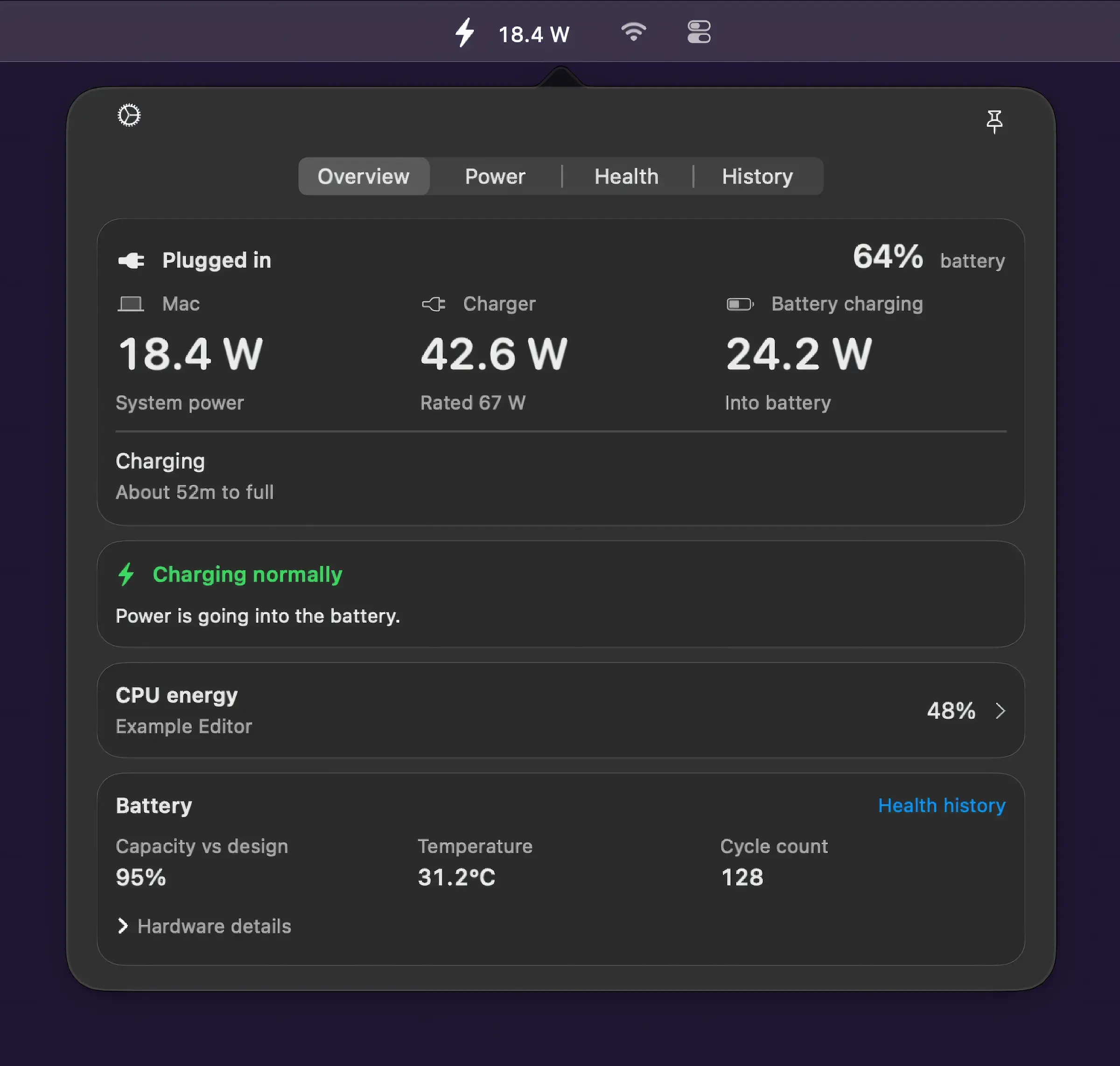
 ↗ WattBarFree Real-time Mac power consumption monitor in the menu bar, with CPU energy rankings, battery health history, and on-device local storage.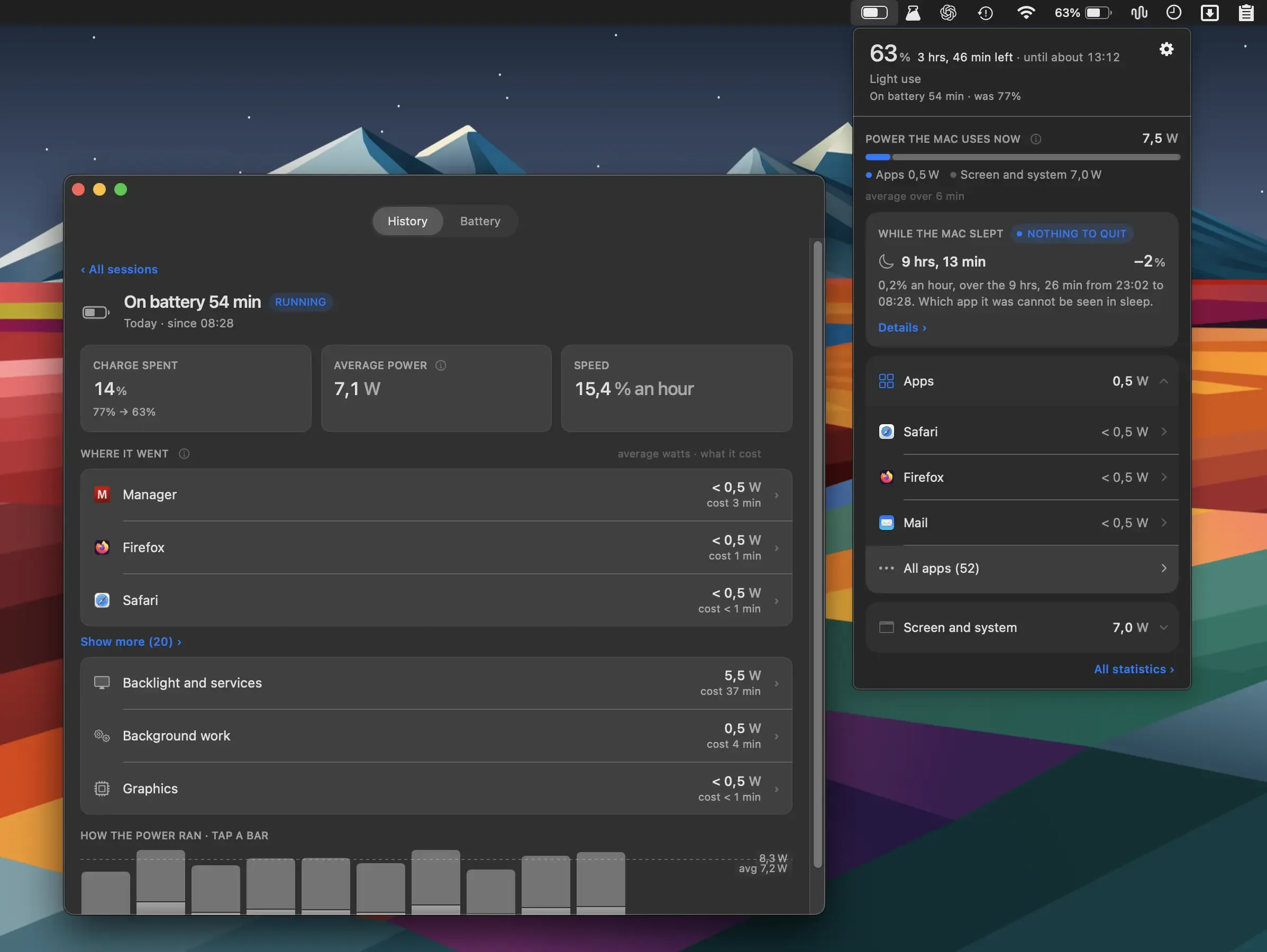
 ↗ WattMateFree · optional purchases Battery monitoring app that measures per-app power draw in watts and shows how many minutes of battery life you regain by quitting each app.
 ↗ AudioutPaid Routes Mac audio to multiple AirPlay, Bluetooth, and Chromecast speakers simultaneously with per-room volume faders and scene management.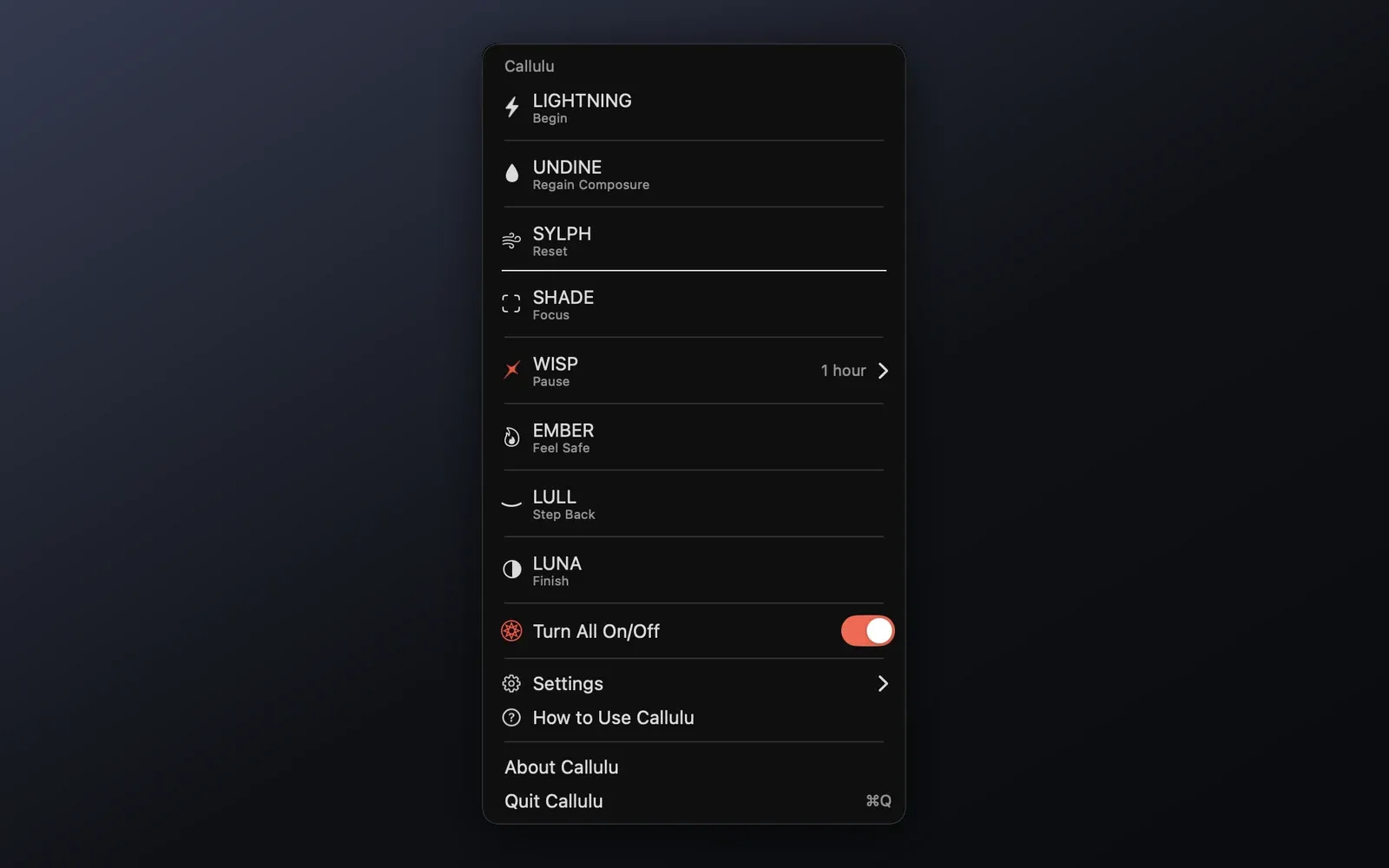
 ↗ CalluluFree A mindfulness-focused menu bar app providing eight visual cues to guide work rhythm without timers, tracking, or notifications.
 ↗ CandelaFree Free, open-source OLED burn-in protection and display health monitoring for Apple Silicon Macs with adaptive dimming, exposure heat mapping, and unified multi-monitor controls.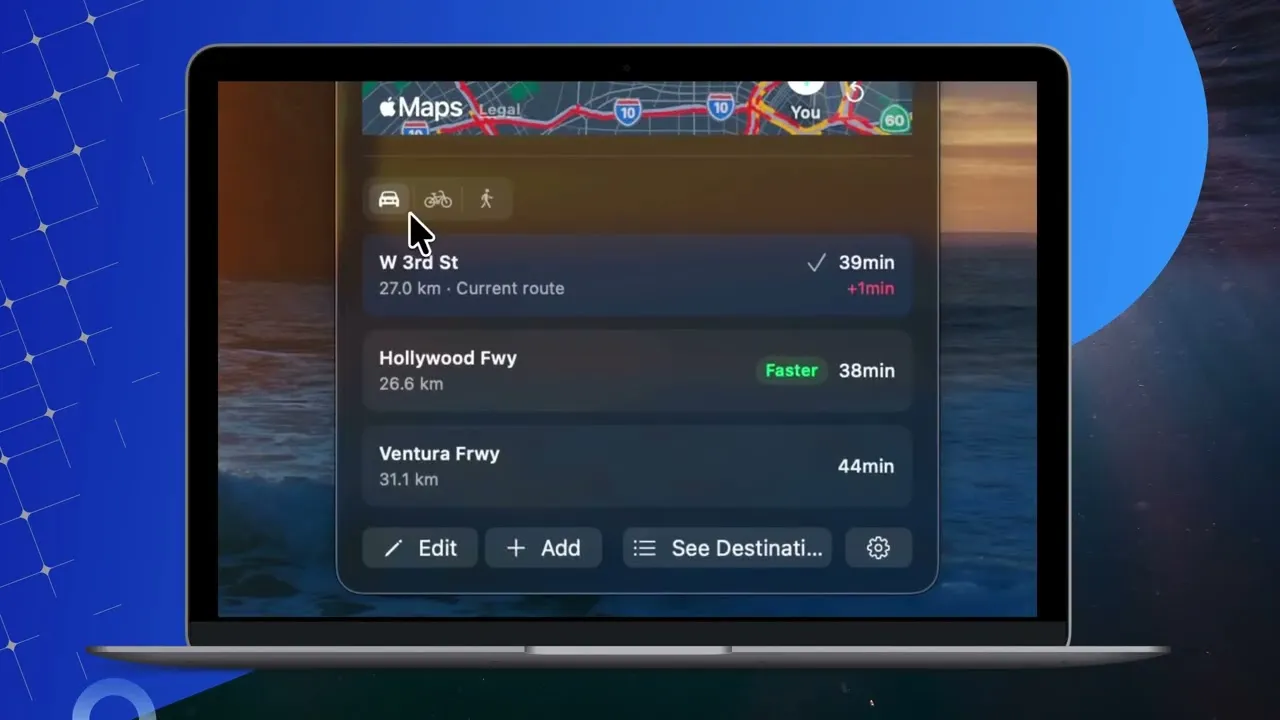
 ↗ CommuteBar$4.99 Live commute time and ETA display in the Mac menu bar using Apple Maps for privacy-focused real-time traffic monitoring and departure alerts.