
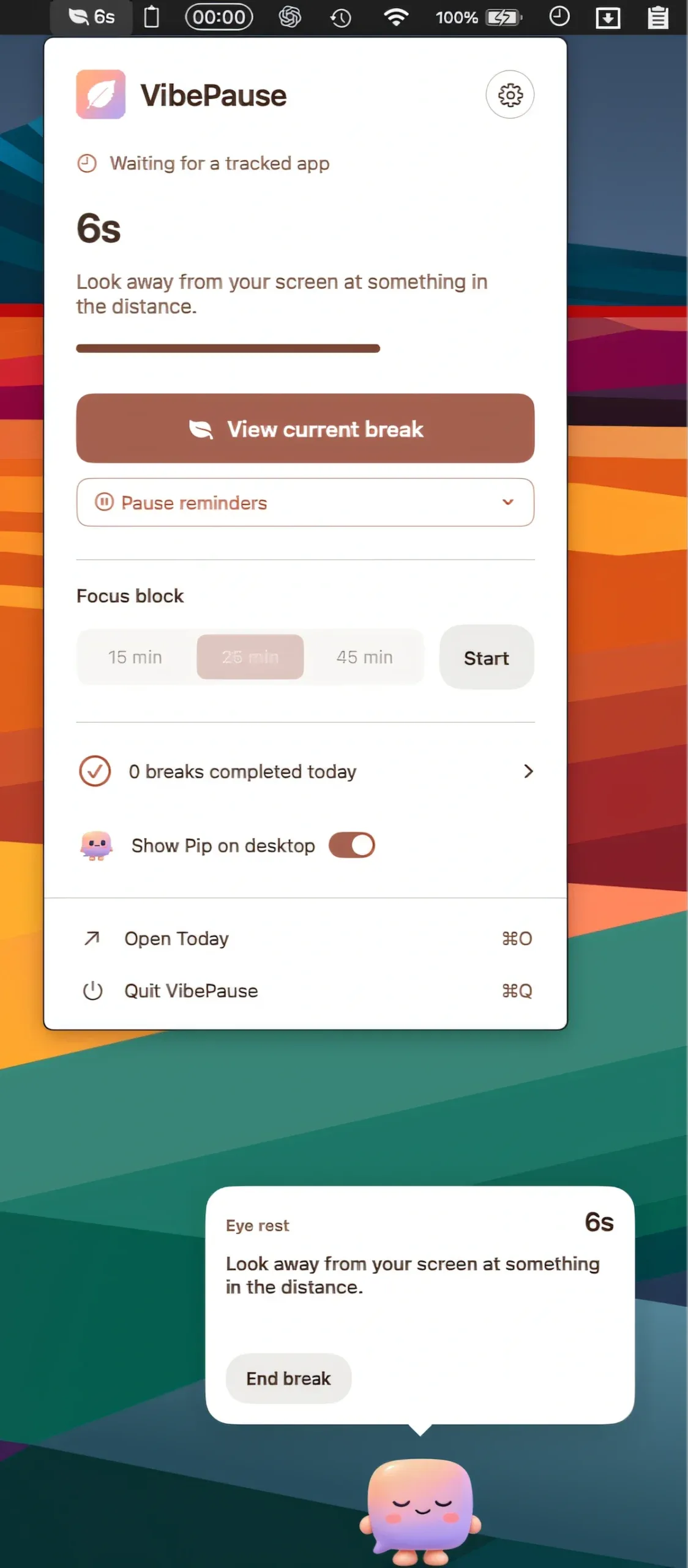
VibePause is a macOS menu bar app that monitors time spent in coding editors and terminals, then surfaces timed break reminders for eye rest, posture correction, hydration, and movement. ($14.99, one-time)
Session tracking covers VS Code, Cursor, Xcode, Terminal, JetBrains IDEs, Zed, Claude, and Codex. The app uses idle detection to pause its timer when the user is away from the keyboard, counting only active working time toward the break interval. Focus timers of 15, 25, or 45 minutes provide structured work blocks alongside the passive break reminder system.
Break nudges appear as a banner notification or through Pip, an optional desk companion that floats above the Dock and delivers reminders in a speech bubble format. Pip mirrors the current session state and joins guided breaks, which include eye exercises, stretches, breathing routines, and a body scan sequence. The app supports Quiet Hours and Focus Blocks to suppress reminders during meetings or deep focus periods.
A Progress tab provides local history with export and clear options. An optional city entry enables weather and sunlight context alongside session data, but this feature is not required for core functionality.
System requirements: macOS 14 or later. Available on the Mac App Store.
Pricing: $14.99 one-time. No subscription or in-app purchase.
Limitations: Break tracking is limited to the supported app list; coding in a browser-based IDE or an unsupported editor is not counted. The Pip desk companion requires enabling in settings. No iOS companion or cross-device sync for session history.
Alternatives: Reeder 5 does not overlap; more relevant: Time Out (free tier + paid) provides general break reminders without developer-specific session tracking. Horo ($2.99) handles focus timers but not break guidance. BreakBeam (free) offers basic reminders without session-aware tracking.
Suitable for developers who spend long uninterrupted sessions in supported editors and want automatic, activity-aware break reminders without manual timer management.