
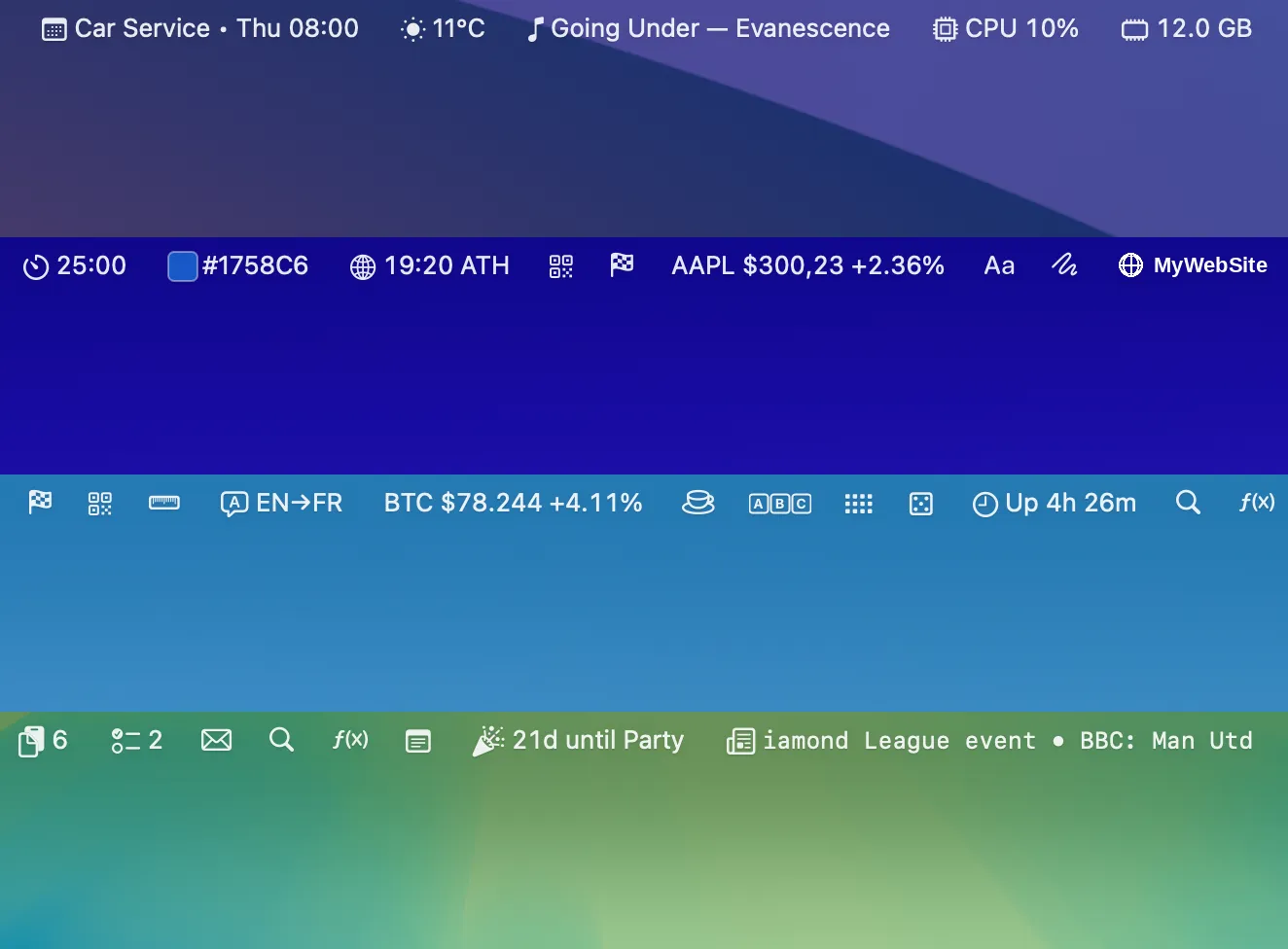
Barista is a Mac menu bar app that consolidates over 35 widgets into a single unified workspace, covering email, calendar, clipboard, weather, system stats, stocks, news, and everyday utilities. It addresses menu bar clutter by replacing multiple individual tools with one integrated panel. ($14.99, one-time)
The app provides a dedicated Barista Bar that appears on demand via ⌥⌘B or a single click, and can be moved, themed, or set to always-on. Each widget supports an expanded (icon + text) or compact (icon or single value) display mode, and widget layouts are remembered per screen. Users can reorder widgets with ⌘-drag, and any widget popover can be pinned as a floating window. The email widget connects via IMAP and SMTP to Gmail, iCloud, Yahoo, and AOL, supporting compose, reply, reply-all, forward, and mark-read operations without leaving the bar.
The clipboard widget maintains a searchable history of text, links, files, and images, filtered by type, with pinned items and quick-paste triggers. All clipboard data is encrypted at rest, never uploaded, and filtered to exclude password manager entries, with a per-app blocklist. The calendar widget integrates with all accounts in Apple Calendar and Reminders, displaying a month grid, agenda view, and one-click join links for Zoom, Meet, Teams, and Webex meetings. Additional widgets include a color picker, QR generator, scratchpad, translator, unit converter, RSS news reader, live stock and crypto tickers, and a selection of casual games.
System requirements: macOS (minimum version not stated on the developer site). Available exclusively through the Mac App Store. App size not published.
Pricing: $14.99 one-time purchase with a 14-day free trial. No subscription, no ads, no in-app purchases.
Limitations: The minimum macOS version is not documented on the developer’s website. The app is sold only through the Mac App Store with no direct download option. The large widget count and single settings window may be overwhelming for users seeking a specific focused tool. No iOS companion or remote access features are provided.
Alternatives: Fantastical provides deeper calendar and task management with natural language input (subscription model). Klokki or TopNotch address individual use cases like time tracking. BeMenuBar and Tot offer simpler multi-widget panels with fewer categories.
Suitable for users who want to reduce menu bar clutter by consolidating email, calendar, clipboard, and system monitoring into one app, and who prefer a one-time purchase over a subscription.

