
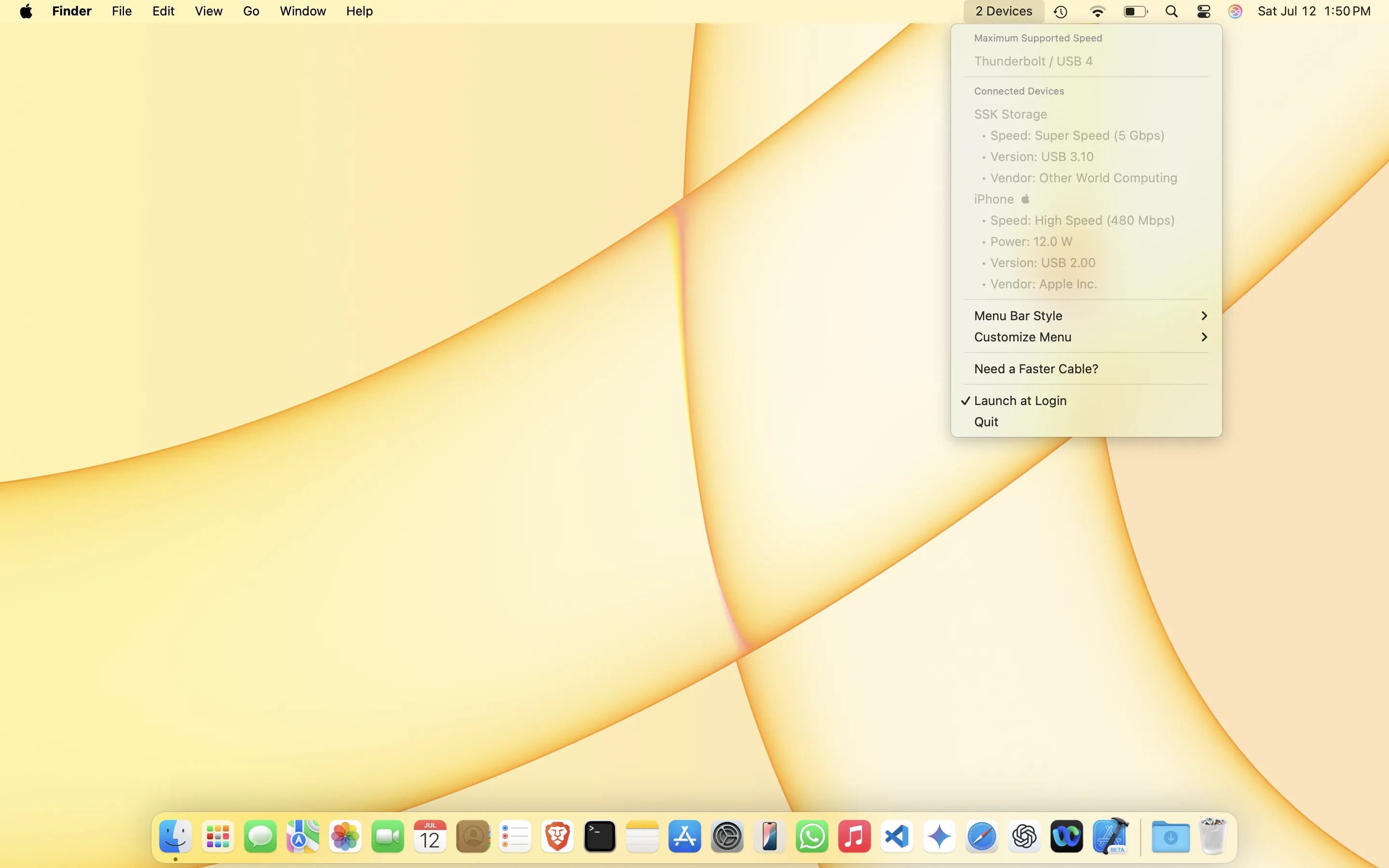
USB Connection Information is a specialized monitoring tool that displays real-time USB connection speeds, power consumption, and device identification directly from the menu bar.
The app provides professional-level insight into USB device behavior, displaying connection speeds from legacy 1.5Mbps up to modern 10Gbps+ connections. It automatically identifies over 90% of common consumer USB devices, showing manufacturer names alongside technical specifications including vendor and product IDs. This level of detail typically requires specialized hardware tools or navigating deep into System Information.
Real-time monitoring proves valuable for troubleshooting performance issues. The app clearly displays negotiated connection speeds, making it immediately apparent when cables or ports create bottlenecks. Power consumption monitoring shows how much power each connected device draws, helping identify battery drain sources or charging issues.
The menu bar integration presents device information in a clean dropdown interface with continuous data updates and virtually no CPU usage during normal operation. A customizable display allows users to choose which information appears at a glance versus what requires clicking into the full interface.
USB Connection Information requires macOS and is available on the Mac App Store for $4.99. The developer also maintains a free, open-source Linux version. The privacy approach is explicit: no data collection.
Limitations include the exclusive focus on USB connections; Thunderbolt and other connection types are not supported. Some specialized or very new devices may not be automatically recognized, though raw technical data remains available.
Alternatives include System Information (built-in, basic details), USB Prober (developer tool), and hardware-based USB testers for advanced diagnostics.
Suitable for users who work with USB hardware development, embedded systems engineering, or regularly troubleshoot connectivity issues and need professional-grade insight beyond what macOS offers natively.


