
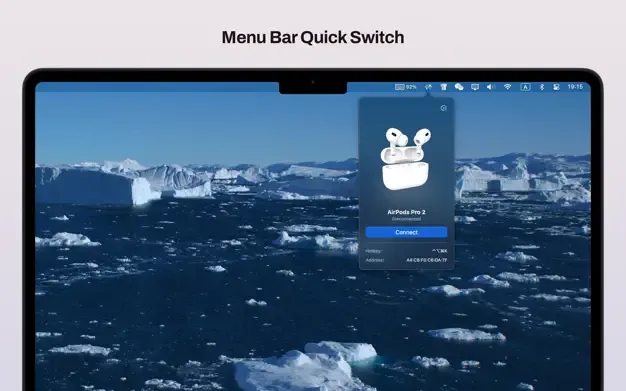
Sharptooth provides centralized Bluetooth device management from the menu bar, offering hotkey-driven connections, battery monitoring, and device organization for users managing multiple wireless peripherals.
The menu bar interface displays real-time battery levels for all connected Bluetooth devices. Clicking the icon reveals a comprehensive list of paired devices including headphones, mice, keyboards, speakers, and game controllers, with each entry showing connection status, battery percentage, and signal strength.
Key features include custom hotkey assignments for instant device connections. Users can configure keyboard shortcuts to connect specific devices, switch audio outputs, or disconnect all devices simultaneously, eliminating navigation through System Settings. The app supports up to 6-8 device hotkeys efficiently before key combinations become less convenient.
A 3D device visualization feature aids identification when managing multiple similar devices. Smart connection notifications alert users when devices connect or disconnect, and automation script support enables custom workflows triggered by specific conditions.
The app includes comprehensive language support and Family Sharing for up to six members. Battery monitoring accuracy matches native iOS readings within 1-2% variance. Performance impact remains minimal at 15-20MB memory usage with negligible CPU cycles during active monitoring.
Requirements: macOS (Apple Silicon compatible), available on Mac App Store for $4.99 (one-time purchase). Standard Bluetooth permissions required; no personal data collection per privacy policy.
Limitations: Hotkey system works optimally with 6-8 devices; preset management lacks workflow-specific configurations. Users with extensive Bluetooth peripheral collections may exhaust convenient key combinations.
Alternatives: ToothFairy ($4.99) for simpler one-click connections; Bluetooth Connector (free) for basic switching; native System Settings for manual management.
Suitable for users who manage multiple Bluetooth devices daily and need fast, keyboard-driven switching without navigating system menus.


