
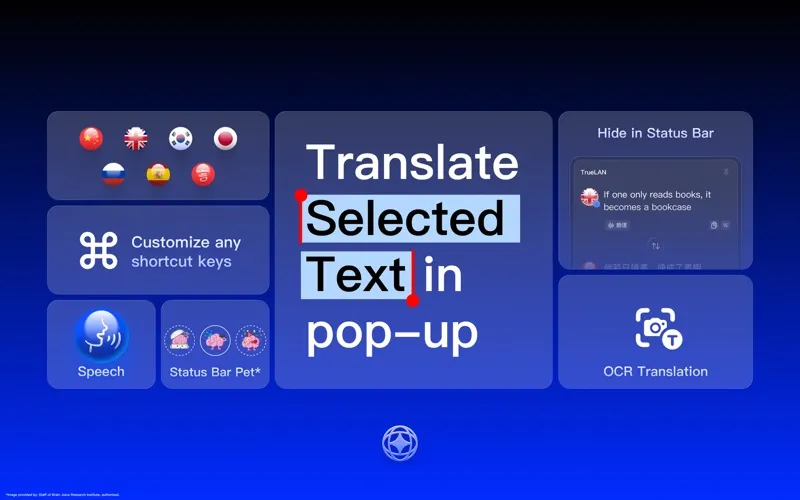
TrueLAN is a menu bar translation utility that combines AI-powered literary translation with OCR screenshot recognition, enabling quick language conversion without switching applications. The app sits in the status bar and activates via customizable hotkeys. (Paid)
Instant translation is triggered by text selection: the app detects highlighted text and translates it directly in the menu bar dropdown. OCR screenshot translation extends this capability to non-selectable text — including UI elements, images, or PDFs — by capturing a screen region and extracting the text before translating. AI processing aims for natural, context-aware phrasing rather than rigid literal output.
Supported languages include Simplified Chinese, Traditional Chinese, Classical Chinese, English, Spanish, Japanese, Korean, and Russian, with two-way translation across all language combinations. A status bar widget displays a customizable pet character alongside translation results, and human voice pronunciation audio supports language learning workflows. The app auto-hides after use and launches at login by default.
At 3.6 MB, TrueLAN maintains a minimal footprint with no persistent network connections beyond translation requests.
System requirements: macOS 12 Monterey or later. App size is 3.6 MB. Available on the Mac App Store (id6758234983).
Pricing: (Paid, one-time — Mac App Store)
Limitations: Language support is limited to eight languages; most European languages (French, German, Italian, Portuguese) are absent. Users needing broad multi-language coverage will find the selection insufficient. The AI translation quality is not independently benchmarked against DeepL or Google Translate.
Alternatives: DeepL for Mac provides higher accuracy across 30+ European and Asian languages with a free tier. Google Translate’s web interface covers 100+ languages without a separate app. Pockity offers text transformation without translation.
Suitable for users who frequently work with Chinese, Japanese, Korean, Spanish, or Russian content and need lightweight, in-context translation accessible directly from the menu bar.


