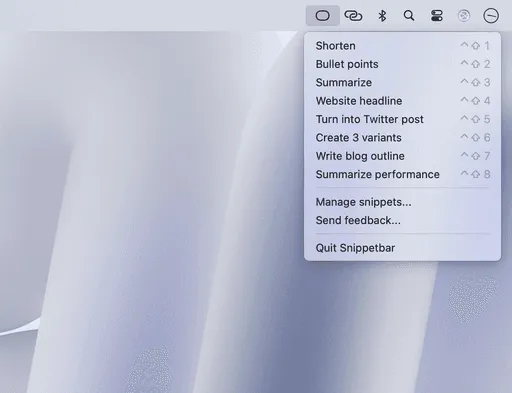
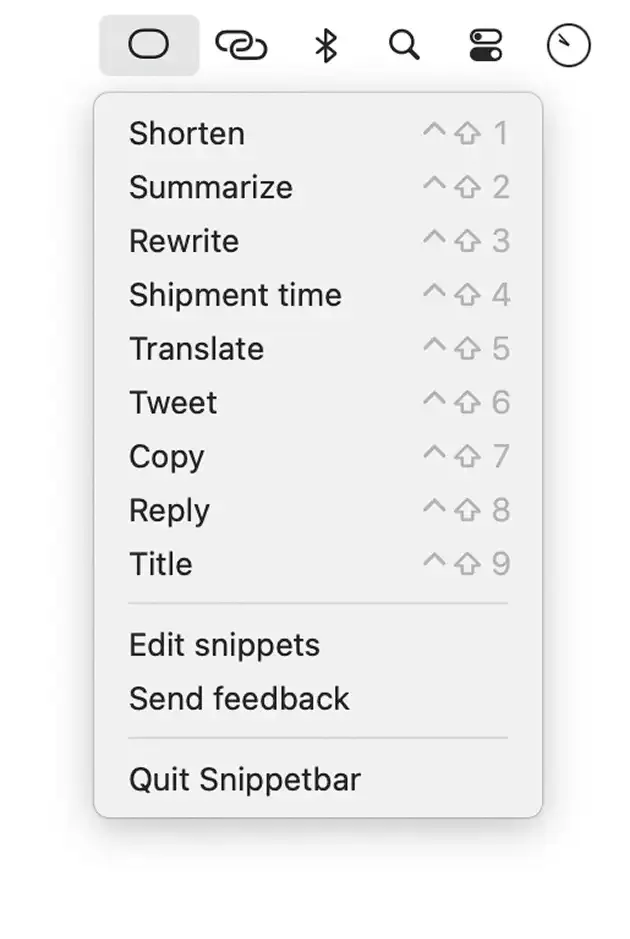
Snippetbar streamlines AI-assisted text processing by integrating custom prompts directly into the macOS menu bar. The app eliminates the workflow of copying text, switching to a web-based AI interface, pasting with a prompt, and returning to the original application.
Users create custom prompts that appear as menu bar items. When processing text, the workflow involves copying content to the clipboard, clicking the desired prompt, and pasting the AI-processed result. The entire operation completes in seconds without leaving the current application.
Key features include a {clipboard} variable system that injects copied text directly into AI requests. Example prompts include grammar correction (“Fix grammar and spelling in: {clipboard}”) or summarization (“Summarize this in 3 bullet points: {clipboard}”). This flexibility enables prompt creation tailored to specific workflows such as writing, editing, or content reformatting.
The app includes built-in OpenAI integration, handling API connectivity without requiring users to manage API keys or separate accounts. Snippets are stored locally on the Mac, with only the copied text transmitted to OpenAI during prompt execution. This architecture balances convenience with reasonable privacy expectations for an AI tool.
Resource usage remains minimal, with the app running unobtrusively in the background until activated.
Limitations include Mac-only availability and the requirement for an active internet connection since processing relies on real-time OpenAI API calls. Offline processing is not supported.
Pricing is $19 one-time with no subscription fees and unlimited snippet creation. This compares favorably to time spent context-switching to web interfaces for repetitive AI text processing tasks.
Suitable for users who regularly process text with AI prompts and want to reduce context-switching between applications.


