
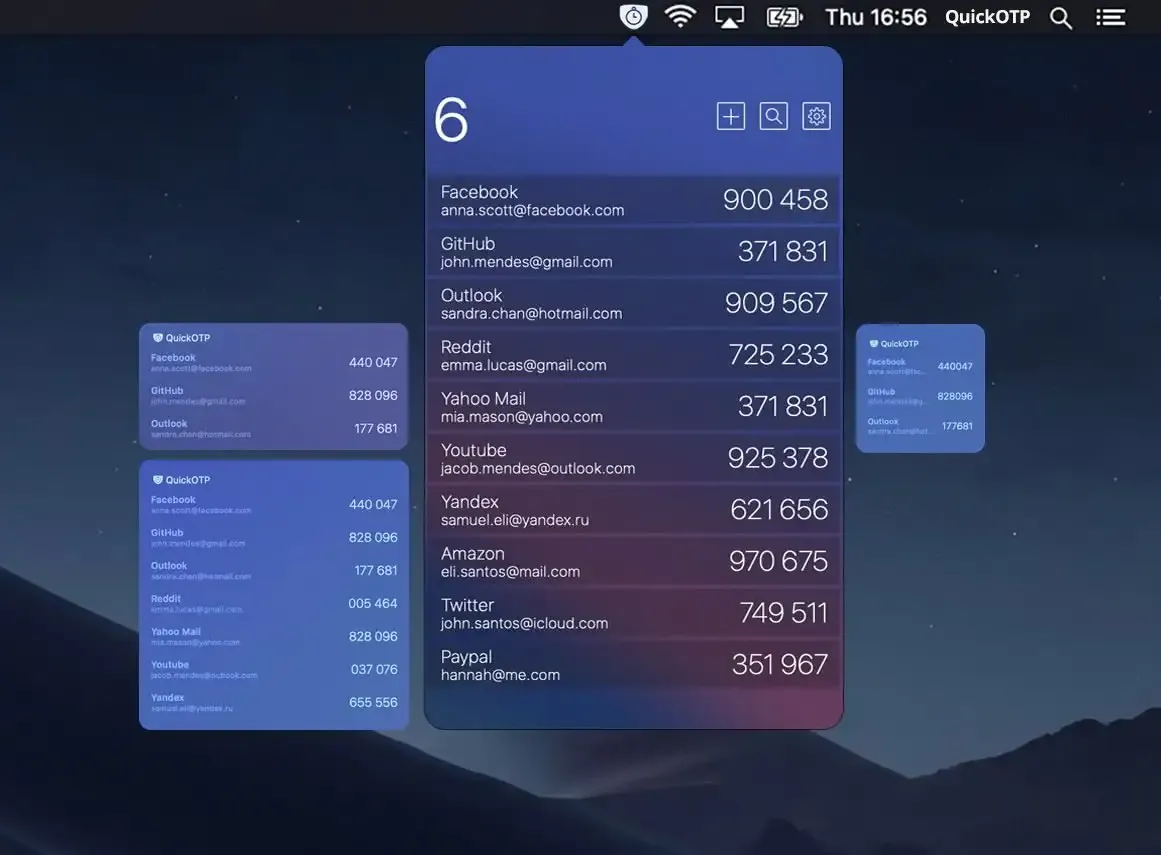
QuickOTP Authenticator & Passkeys is a privacy-first menu bar app that manages two-factor authentication codes and modern Passkeys directly from the macOS menu bar, keeping all credentials offline and encrypted in Apple Keychain. (Free, with in-app purchases)
The app supports TOTP (Time-based One-Time Password) and standard OTP formats, generating the rotating six-digit codes used for two-factor authentication on most online services. Codes appear in the menu bar dropdown for quick copying or AutoFill at sign-in. A key design choice is that the app operates fully offline whenever possible, avoiding cloud sync dependencies that introduce additional attack surfaces.
Passkey support is delivered through an integrated macOS Credential Provider extension, enabling passwordless authentication on websites and apps that accept FIDO2 passkeys. QuickOTP manages both traditional TOTP codes and newer Passkey credentials in a single interface, reducing the need to switch between separate apps. All data remains encrypted in Apple Keychain with no external server communication, no trackers, and no analytics collection.
The app works across iPhone, iPad, and Mac, allowing users to set up accounts once and access codes on any Apple device where the app is installed.
System requirements: macOS 11.5 Big Sur or later. App size approximately 15.9 MB. Credential Provider requires enabling the QuickOTP extension under System Settings > Passwords > Password Options.
Pricing: Free with in-app purchases. The core OTP code generation is available at no cost; additional features are unlocked via purchase.
Limitations: Passkey support depends on websites implementing the FIDO2/WebAuthn standard, which not all sites support. No Windows or Android client, limiting cross-platform use for teams with mixed devices. Backup and migration options depend on iCloud Keychain syncing across devices.
Alternatives: Step Two (dedicated TOTP app for Mac and iOS, free tier available). OTP Auth (Mac and iOS authenticator with iCloud sync). 1Password (full-featured password manager that includes TOTP support as part of its subscription).
Suitable for users who prioritize offline, privacy-respecting two-factor authentication and want a dedicated menu bar app that supports both legacy TOTP codes and modern Passkeys without cloud dependency.

