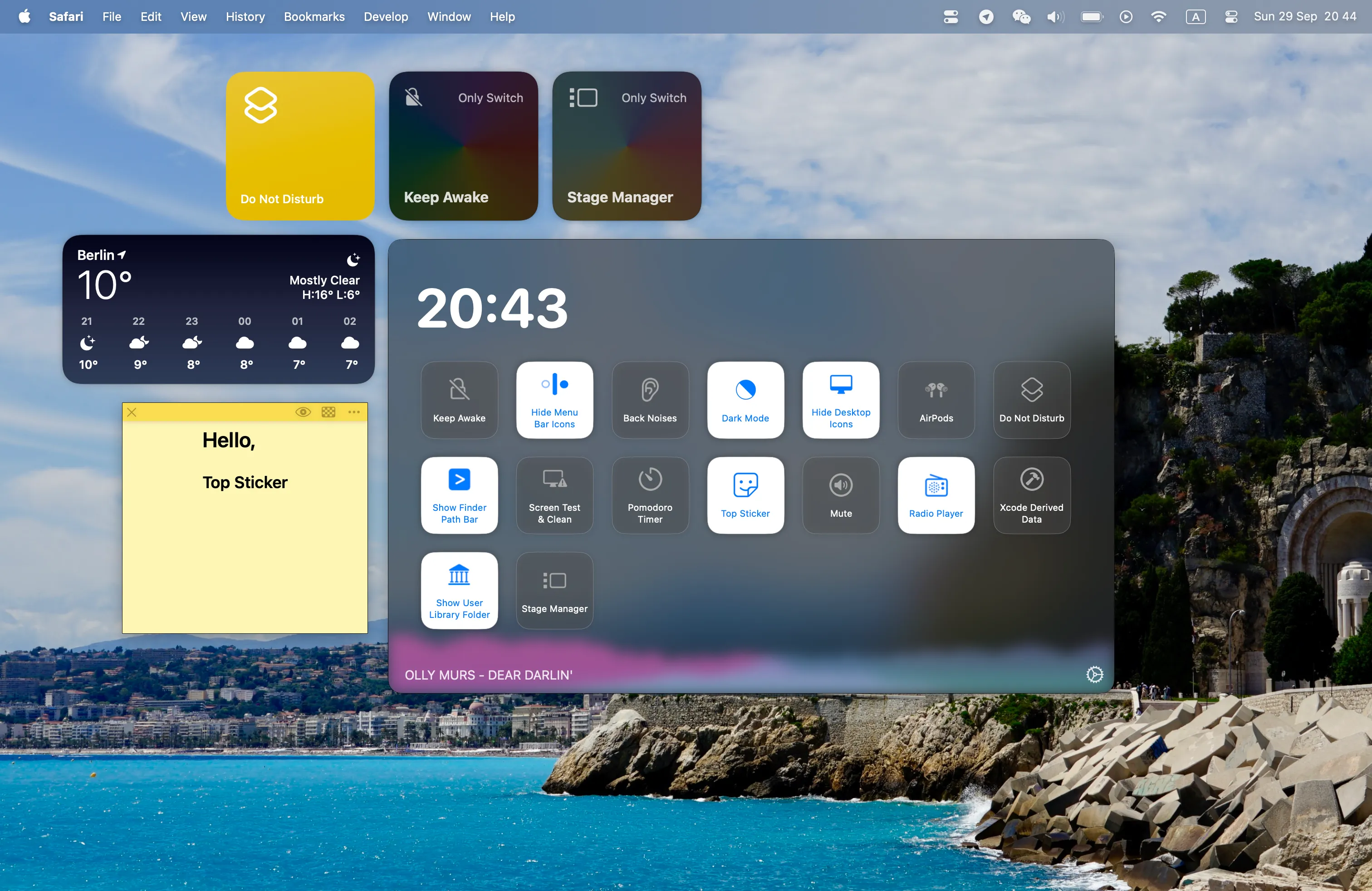
OnlySwitch provides centralized access to over 20 macOS system controls from the menu bar. The open-source utility consolidates toggles for dark mode, desktop icon visibility, screen saver activation, Night Shift, Bluetooth management, AirPods connection, and hidden menu bar icons into a single interface.
A distinctive feature is the “Evolution” system, which allows creating custom switches using shell commands or AppleScript. This extends functionality beyond built-in toggles to control virtually any scriptable aspect of the Mac. Power users can transform OnlySwitch from a simple system utility into a customizable control center.
Additional features include Apple Widgets support for macOS Sonoma and later, providing switch access from the desktop or Notification Center. Keyboard shortcut support enables triggering switches without opening the menu. The app supports 18+ languages for international users.
OnlySwitch is completely free and open source under the MIT license, developed by Jack Landrin. Installation options include Homebrew (brew install only-switch) or direct DMG download from GitHub releases. The project receives regular updates and active maintenance.
Requirements include macOS Monterey or later, with macOS 13.0+ recommended for full Evolution feature support. The app launches silently at login and consumes minimal system resources. The interface displays clearly labeled switches with consistent behavior across different Mac hardware configurations.
Limitations relate to macOS system boundaries. Some toggles require specific permissions or may not function identically across all macOS versions. Custom Evolution switches require shell scripting or AppleScript knowledge to create. Documentation is primarily available through the GitHub repository.
Alternatives include One Switch ($4.99, polished commercial option) and native macOS Control Center for basic toggles without third-party software.
Suitable for users who regularly adjust system settings, want free open-source software, or need custom switch functionality through scriptable automation.


