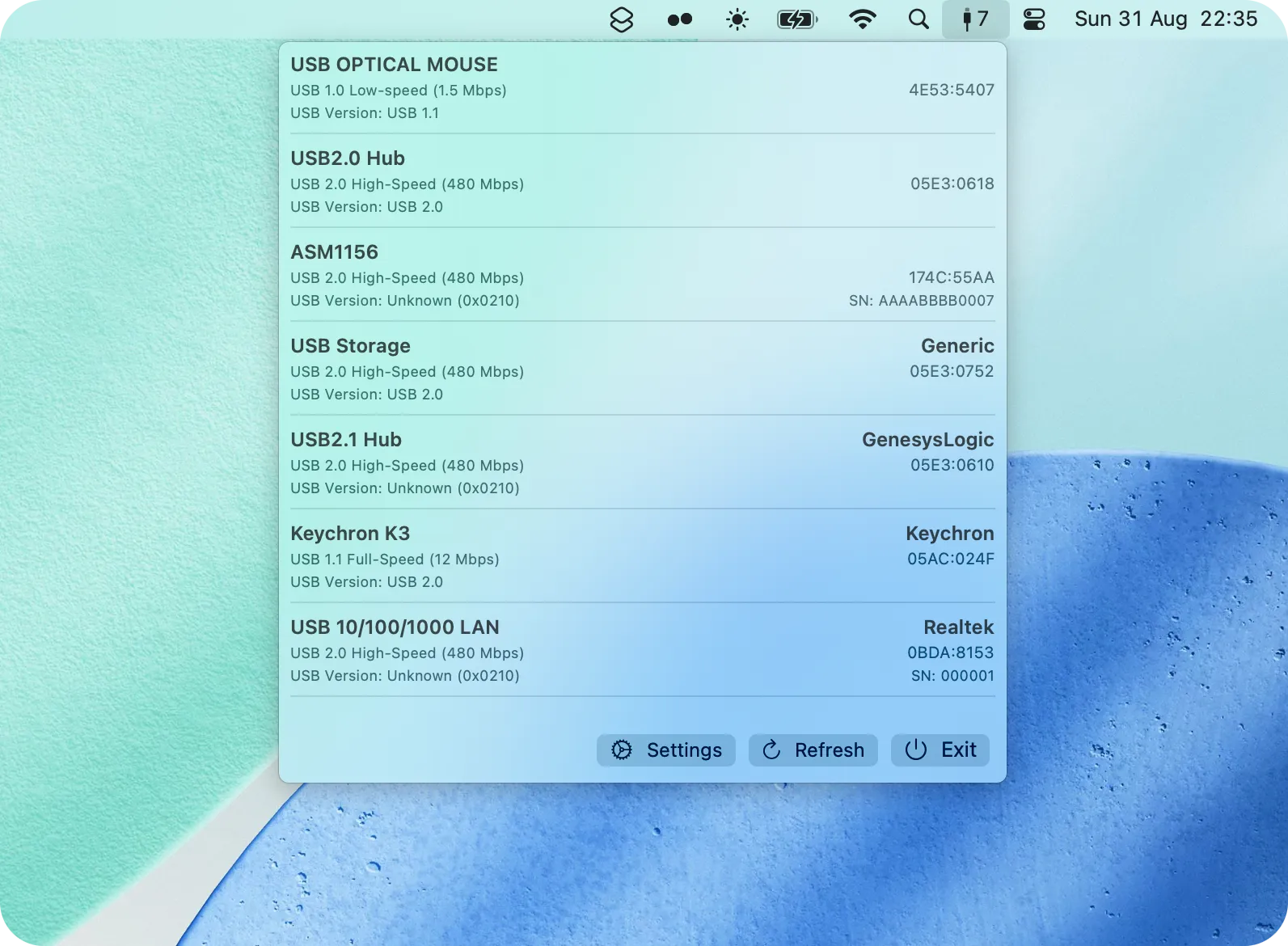
MenuBarUSB displays USB device connections in the macOS menu bar, providing visibility into connected peripherals, connection speeds, and device status. The utility addresses the lack of readily accessible USB connection information in standard macOS interfaces.
The app shows device names, connection standards (USB 2.0, USB 3.0, etc.), and connection details in a clean list interface following macOS design conventions. Version 1.6 introduced custom device naming, allowing users to assign meaningful labels like “Backup Drive” or “Work Keyboard” instead of cryptic manufacturer identifiers.
MenuBarUSB responds instantly to USB events, updating the display in real-time as devices connect and disconnect. This responsiveness makes it useful for troubleshooting connection issues or verifying device recognition. The settings menu (introduced in v1.5) provides basic configuration options without excessive complexity.
Resource consumption is minimal, with negligible impact on system performance during continuous operation. The focused scope means the app does one thing well rather than attempting comprehensive system monitoring.
Installation options include Homebrew (brew tap rafaelswi/menubarusb followed by brew install --cask menubarusb) or direct download from GitHub releases. Both standard and lightweight versions are available, with the lightweight version approximately 65% smaller while maintaining full functionality.
MenuBarUSB is free and open-source under the MIT license, with the complete codebase available on GitHub. This transparency enables code inspection and community contributions. The project has accumulated 166 GitHub stars with active development.
Limitations include the exclusive focus on USB monitoring. Users seeking comprehensive system monitoring or device management beyond USB connections require additional software. Distribution through GitHub rather than mainstream app stores limits discoverability for non-technical users.
Suitable for users who regularly connect external devices to their Mac and want persistent visibility into USB connections without opening System Information or third-party system monitoring applications.


