Multiple Providers
CodexBar
Watching usage limits across several AI coding assistants.
The Catch Authentication and data availability vary by provider.
Track usage limits, switch API providers, and monitor quotas across AI coding assistants. Four menu bar apps that solve real problems for Claude Code users.
Multiple Providers
Watching usage limits across several AI coding assistants.
The Catch Authentication and data availability vary by provider.
Claude Code
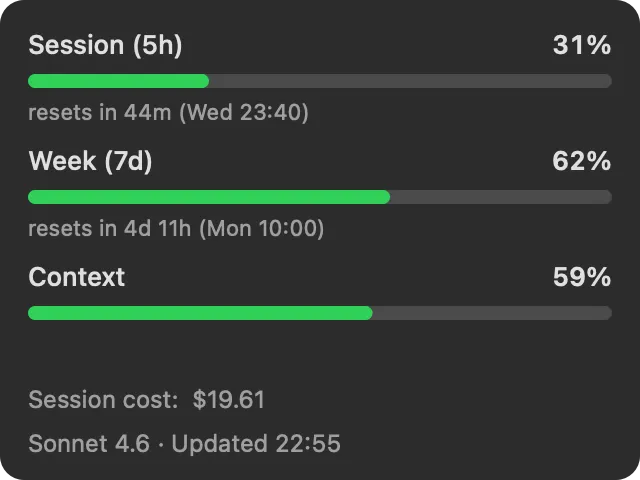
Reading Claude Code session and weekly limits from local hook data.
The Catch The status-line hook must be installed before data appears.
Account Management
Managing several coding accounts and CLI configurations.
The Catch Requires macOS 15 or later and adds account-management setup.
| App | Best For | Price | The Catch |
|---|---|---|---|
| CodexBar | Watching usage limits across several AI coding assistants. | Free | Authentication and data availability vary by provider. |
| Headroom | Reading Claude Code session and weekly limits from local hook data. | Free | The status-line hook must be installed before data appears. |
| Quotio | Managing several coding accounts and CLI configurations. | Free | Requires macOS 15 or later and adds account-management setup. |
After months of using Claude Code as my primary coding assistant, I’ve hit the usage limit mid-session more times than I’d like to admit. That moment when you’re deep in a debugging flow and suddenly can’t continue is genuinely frustrating. The dashboard exists, but checking it means breaking concentration to open a browser, find the right page, and parse the information.
A small ecosystem of menu bar apps has emerged specifically to solve these pain points. They’re built by developers who clearly experienced the same frustrations and decided to fix them. Here are four that have become part of my daily workflow.
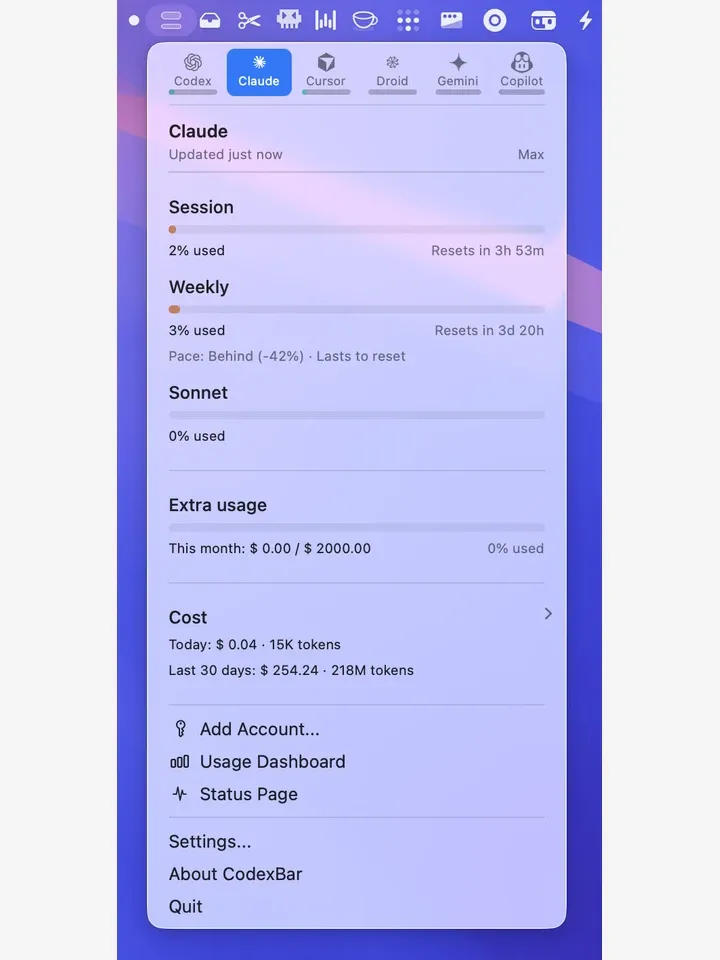
CodexBar (Free, open-source) monitors usage limits across AI coding platforms including Claude Code, Cursor, Copilot, Gemini, and others. The dual-meter display shows session usage on top and weekly limits below, with a countdown timer indicating exactly when limits reset.
CodexBar reuses provider sessions. Depending on the provider, authentication can use OAuth, device-code login, API keys, browser cookies, or local files. Cookie-based providers still need an authenticated browser session.
For developers juggling multiple AI tools, the aggregated view helps plan work across platforms. When Claude Code quota runs low, a quick glance shows whether Cursor or Copilot has capacity available.
Built by Peter Steinberger and released under MIT license, the app also includes a CLI tool for scripts and CI workflows, plus WidgetKit support for desktop widgets.
If CodexBar does not fit your setup, compare CodexBar alternatives by price, provider support and catch.
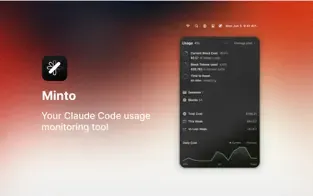
Minto (Free) takes a narrower approach, tracking specifically Claude Code usage statistics. The app displays real-time session information directly in the menu bar without the complexity of multi-platform monitoring.
Developed by Boring Design LLC, Minto requires no configuration. Install it, and tracking begins automatically. All data stays local on your device with no external collection. For users who primarily work with Claude Code and want minimal overhead, this focused approach makes sense.
The limitation is obvious: it’s Claude Code only. If you regularly switch between multiple AI assistants, CodexBar or Quotio offer broader visibility.
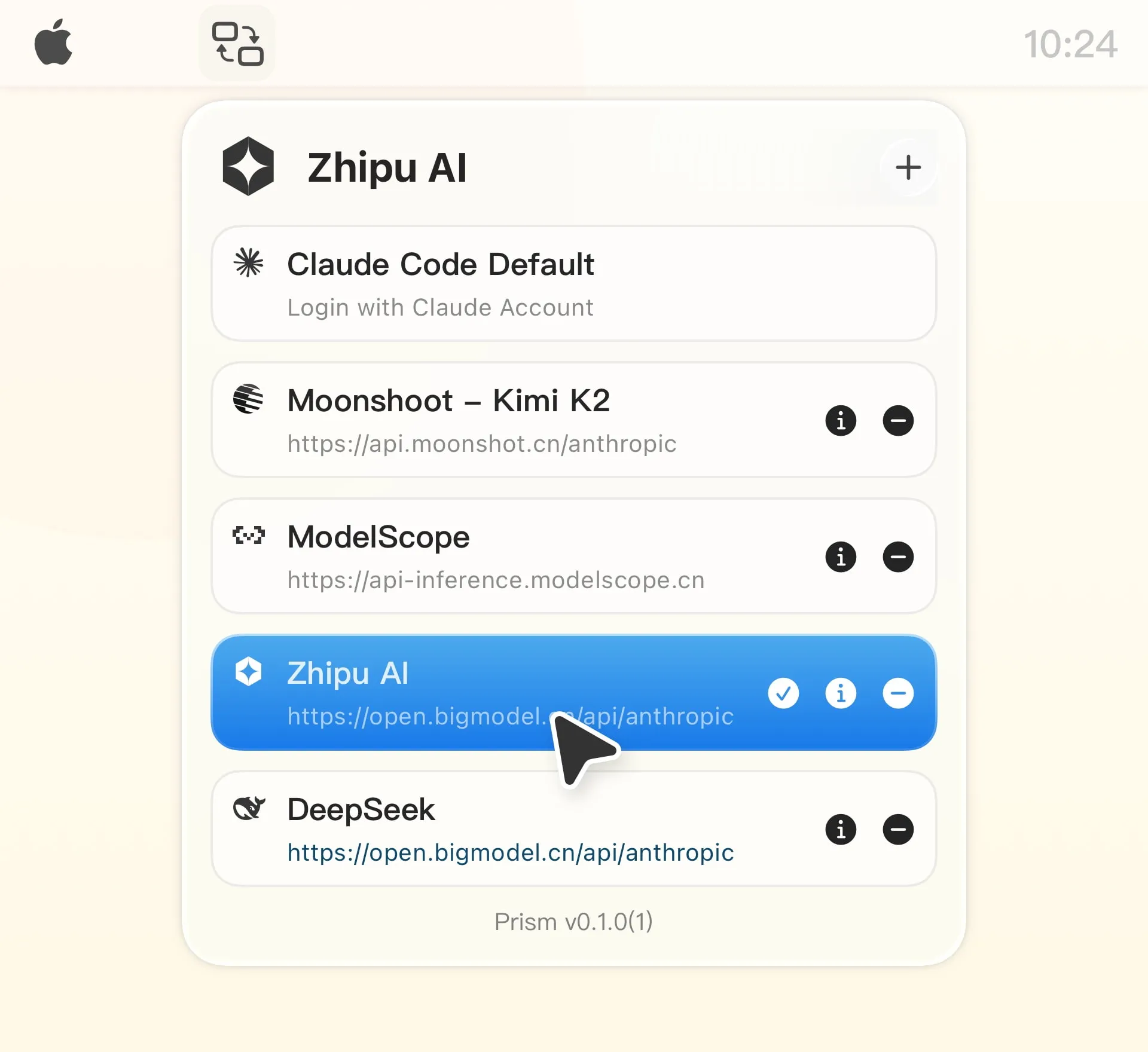
Prism (Free, open-source) solves a different problem: changing Claude Code API providers without editing configuration files manually. One click in the menu bar switches between providers like Zhipu AI, Moonshot AI, DeepSeek, and others.
The app automatically detects existing Claude Code settings and imports them, preserving API keys without re-entry. Real-time sync maintains consistency if you make manual edits to ~/.claude/settings.json. All data stays local using macOS sandbox security.
This matters for developers who use regional providers for cost or latency reasons, or who need to switch between personal and work accounts. The alternative is manually editing JSON files every time, which gets old quickly.
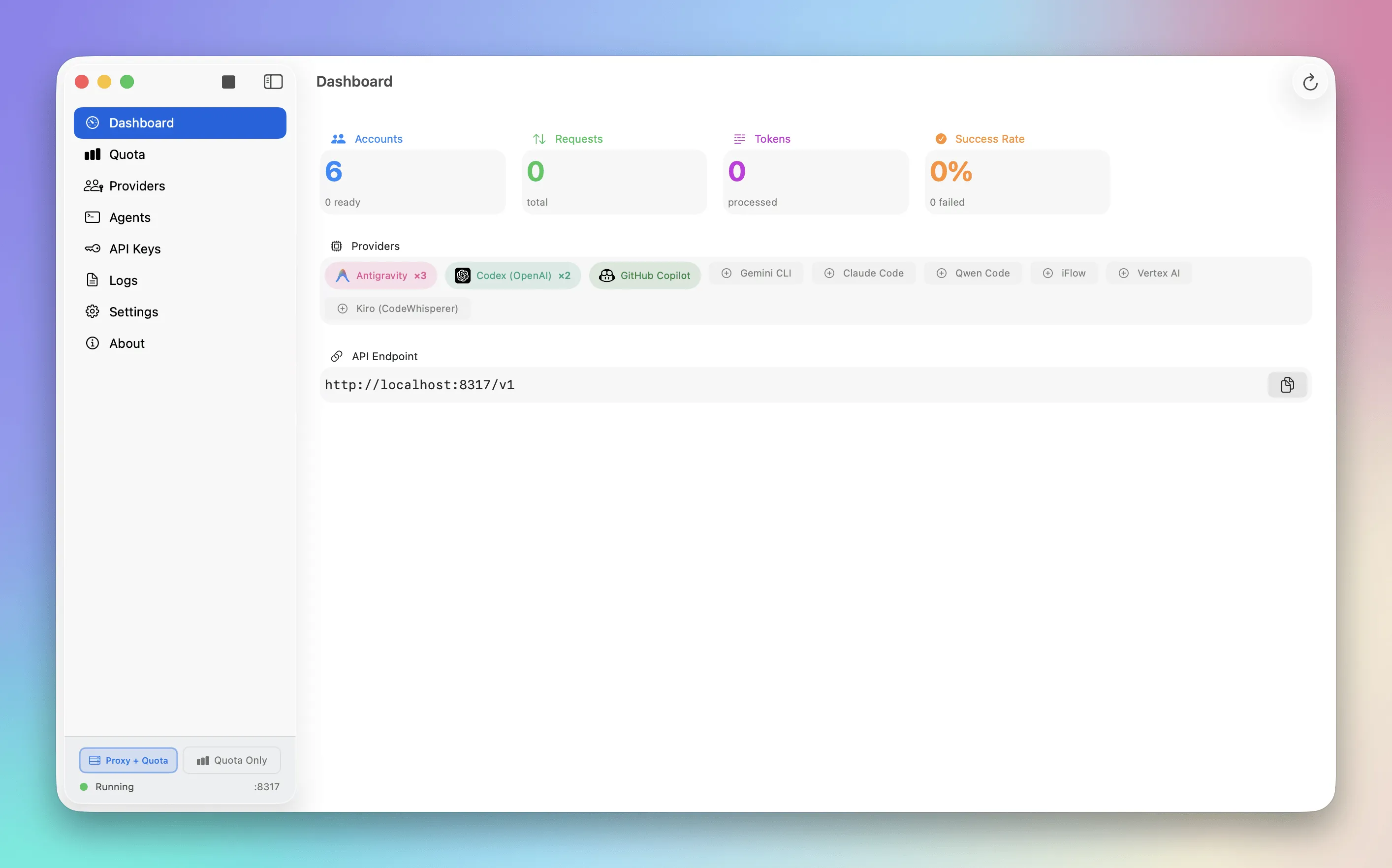
Quotio (Free, open-source) provides the most comprehensive approach: unified management for 9+ AI coding assistant accounts with real-time quota monitoring, OAuth authentication, and one-click CLI configuration.
The app supports Google Gemini, Anthropic Claude, OpenAI Codex, Vertex AI, GitHub Copilot, and several others. For developers using tools like Claude Code, Gemini CLI, or Amp CLI, Quotio auto-detects installed agents and configures proxy connections automatically.
The dashboard shows request patterns, success rates, and performance metrics across all connected services. A standalone quota mode displays account information without running the proxy server for quick status checks.
The trade-off is complexity. Quotio requires macOS 15.0 (Sequoia) or later and involves more setup than the simpler alternatives. For power users managing multiple AI accounts, the overhead is worthwhile. For casual Claude Code users, Minto or CodexBar might be sufficient.
The decision depends on your workflow:
All four are free and open-source, so trying them costs nothing beyond a few minutes of setup. I run CodexBar for the multi-platform view and Prism for provider switching. Your combination will depend on which problems you actually encounter.
Selection notes summarize the linked app entries. Prices, compatibility and release status can change. Open the full review and confirm requirements with the developer before installing.