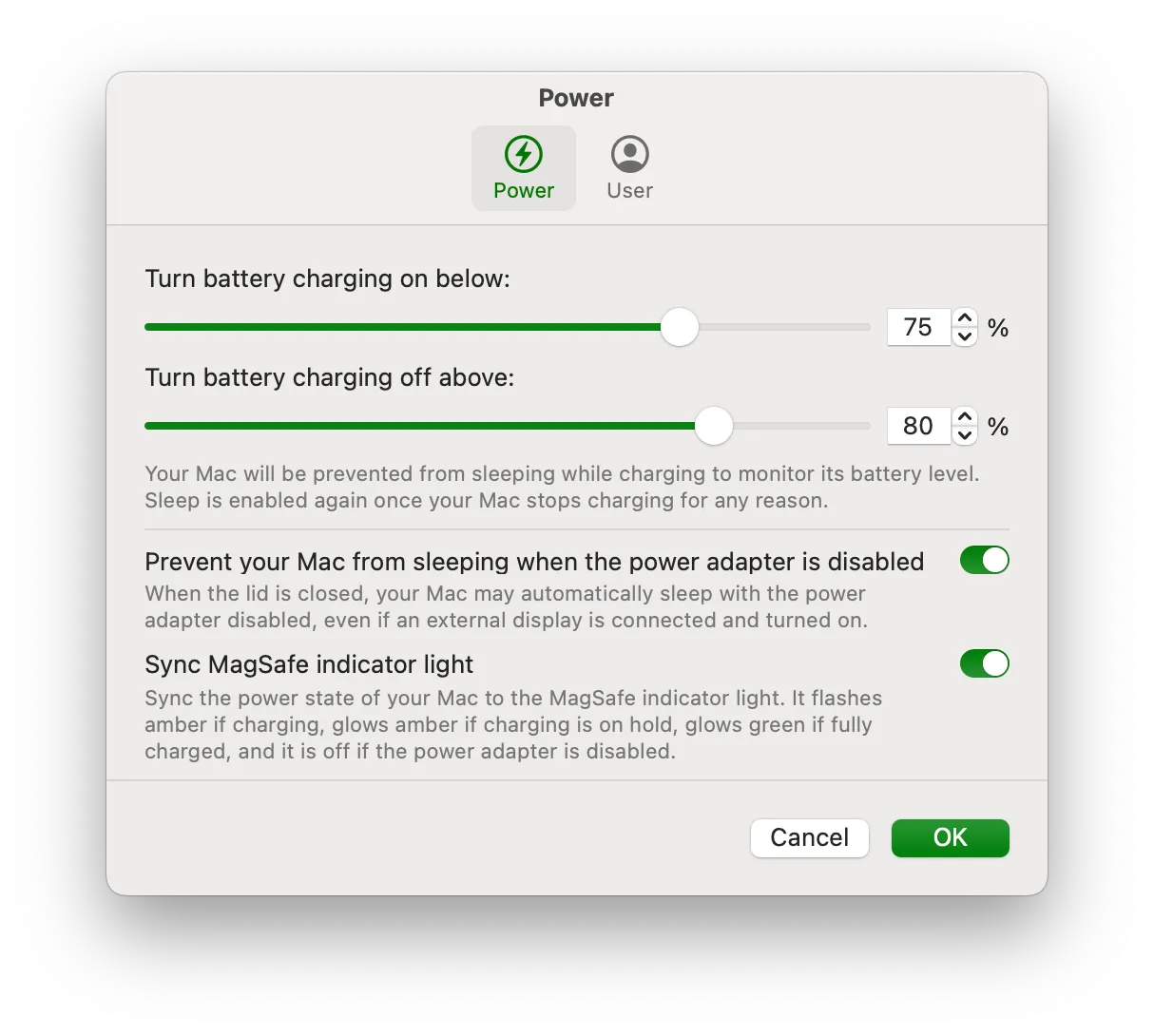
Charge Control
Battery Toolkit
Setting explicit charge limits on an Apple Silicon Mac.
The Catch The project is archived; check compatibility before installing.
An M2 Air at 89% health after three years at 100%. Battery Toolkit versus Apple Optimized Charging — and what Bettery actually tells you.
Charge Control
Setting explicit charge limits on an Apple Silicon Mac.
The Catch The project is archived; check compatibility before installing.

Battery Readout
Reading battery health, power draw and cycle count.
The Catch It reports battery information rather than setting a charge cap.
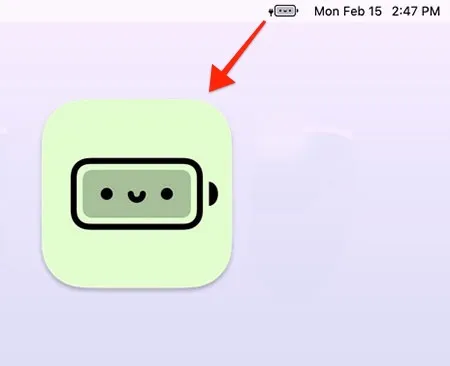
A Lighter Touch
Replacing a battery percentage with a playful visual indicator.
The Catch It is not a charge limiter or a diagnostic tool.
| App | Best For | Price | The Catch |
|---|---|---|---|
| Battery Toolkit | Setting explicit charge limits on an Apple Silicon Mac. | Free | The project is archived; check compatibility before installing. |
| Bettery | Reading battery health, power draw and cycle count. | $4.99 | It reports battery information rather than setting a charge cap. |
| Battery Buddy | Replacing a battery percentage with a playful visual indicator. | Free | It is not a charge limiter or a diagnostic tool. |
After three years an M2 MacBook Air sat at 89% battery health. Not a crisis. Enough to ask whether leaving it on the charger at 100% all day was the whole story. Lithium-ion cells age faster at the top of the range. Apple’s Optimized Charging is supposed to help. It is also a black box. I wanted a number I set, not a guess.
Two different jobs get mashed together in this category: capping charge, and reading health. Most “battery menu bar apps” only do the second.
Battery Toolkit (Free, open-source) is the control I actually use. Apple Silicon only. Maximum charge (floor 50%) and a discharge floor (20%). It can disable the adapter in software so you can force a cycle without yanking the cable.
Install is the unpolished part: brew tap mhaeuser/mhaeuser && brew install battery-toolkit, allow an unsigned helper, turn off Optimized Charging in System Settings. After that it sits in the menu bar and holds the line. I run 80% max, 40% min on a desk-bound Air.
AlDente is the commercial version of the same idea — nicer UI, freemium. It is not in this directory. If unsigned GitHub tools are a non-starter, that is the other door. coconutBattery covers health history on older macOS if Bettery’s 15.2 floor is too new.
Bettery ($9.99) puts percentage in the icon and, on click, watts, temperature, cycle count, and health. History graphs whether the 80% cap is doing anything or you are optimizing a rounding error.
It does not limit charging. Pair it with Battery Toolkit or ignore the graphs. macOS 15.2 required.
Battery Buddy (Free) replaces the system icon with emoji so the red low-battery tint is not in your face. Fun, not a charge limiter.
I would not install three monitoring apps and skip the cap. Optimized Charging is fine if you never think about this. If the machine lives on a desk, a hard 80% is the only control that matches the chemistry. Whether it saves a replacement in year five is still a bet. Sitting at 100% for years is the worse bet.
Selection notes summarize the linked app entries. Prices, compatibility and release status can change. Open the full review and confirm requirements with the developer before installing.