
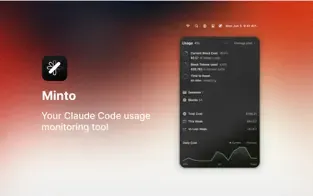
Minto - Vibe Coding Tracker is a menu bar utility that monitors and displays Claude Code usage statistics. Developed by Boring Design LLC, the free app provides insights into AI-assisted development patterns for Claude Code users.
The app displays real-time usage information directly in the menu bar, enabling developers to view coding activity without workflow interruption. Rather than tracking generic application usage, Minto focuses specifically on Claude Code context, providing statistics relevant to AI-assisted development productivity.
The interface requires no complex configuration. Users install the app and it tracks usage in the background automatically. The developer indicates that no data is collected from the app, with all information remaining local on the device.
System requirements: macOS 14.0 or later. The app has negligible impact on system performance.
Key features include real-time Claude Code session tracking, usage pattern visualization, and unobtrusive menu bar presence. The straightforward design prioritizes simplicity over feature complexity.
Limitations: The app focuses exclusively on Claude Code usage tracking. Users seeking broader development time tracking, project management features, or integration with other AI coding assistants need additional tools. The specialized nature means the app provides limited value for developers not using Claude Code regularly.
Alternatives include Timing (comprehensive Mac activity tracking), WakaTime (code editor time tracking), and RescueTime (general productivity monitoring).
Suitable for developers who use Claude Code regularly and want to understand their AI-assisted coding patterns, optimize their workflow, or establish more intentional coding practices through usage awareness.


