
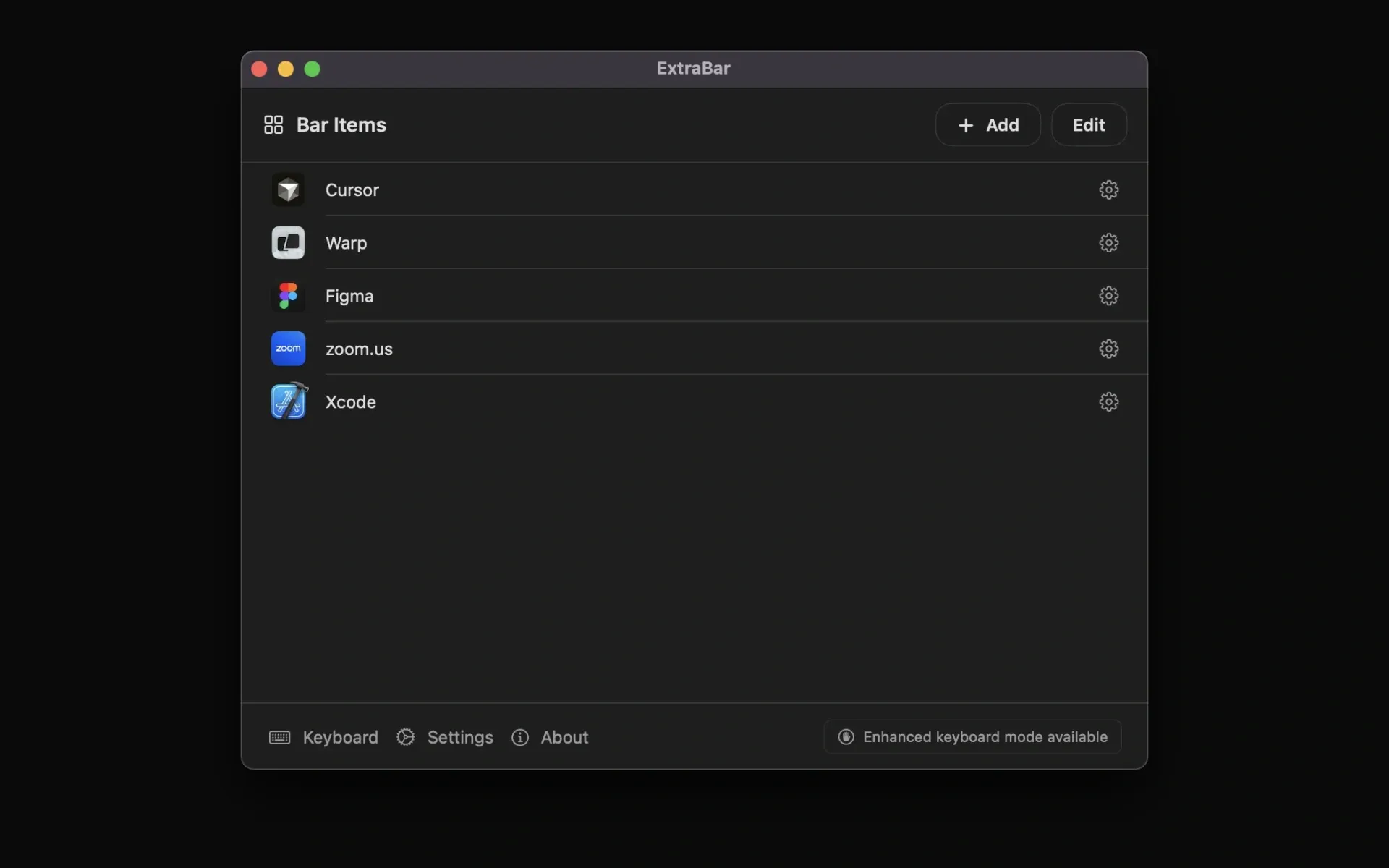
ExtraBar enables users to create custom menu bar actions for instant access to specific content within apps. Unlike menu bar managers that organize existing icons, ExtraBar focuses on building personalized shortcuts using deep links—special URLs that jump directly to specific content rather than just launching applications.
The app supports creating actions for recurring meetings, frequently referenced design files, specific Slack channels, Spotify playlists, and other app-specific destinations. Each action appears as a clickable icon in the menu bar, eliminating the need to navigate through browser bookmarks or application menus.
Two display modes are available. The default mode integrates custom actions inline with the native menu bar. The alternative floating bar mode appears on demand via keyboard shortcut, suitable for users with crowded menu bars. Keyboard navigation supports number keys and arrow key movement between actions.
Configuration involves defining each action with a name, icon, and URL. The app includes keyboard shortcuts for quick access and an export feature for transferring setups across multiple Macs.
ExtraBar requires zero system permissions by default. Optional accessibility permissions enable enhanced keyboard navigation, but the app functions without them. Everything runs locally with no analytics or telemetry—the only network connection occurs during initial license activation.
System requirements: macOS 12.4 or later, including macOS 26 Tahoe. The app runs with minimal memory footprint and CPU usage.
Pricing: €9.99 launch offer through January 31, then €24.99 for lifetime access. 14-day money-back guarantee, no free trial.
Limitations: No integration with native macOS Shortcuts or Automator workflows. Adding actions requires manually finding and entering deep link URLs, which can involve research for certain applications. No browser extension for automatic deep link capture.
Alternatives: Alfred (broader automation focus), Raycast (general-purpose launcher with extensions), Paletro (menu bar search).
Suitable for users who manage complex multi-app workflows with frequent context switching, coordinate across time zones with recurring meetings, or need quick access to specific content within applications.


