
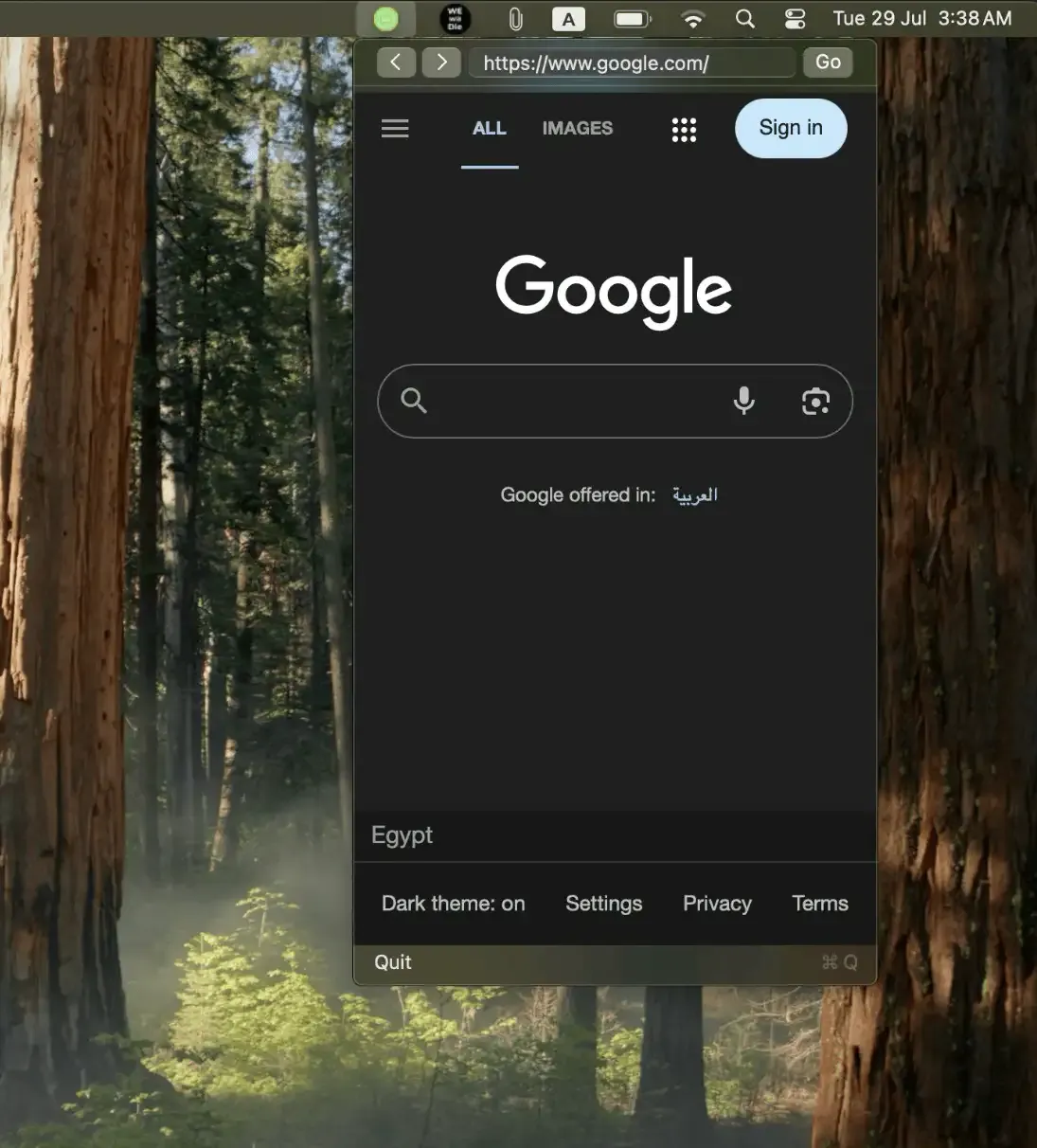
Mini Menu Browser places a lightweight web browser directly in the macOS menu bar, enabling quick searches and web access without opening a full browser application. Listed in the App Store as “ai: private browser,” the app addresses tab clutter and context-switching overhead for users who need fleeting access to web content.
The app emphasizes privacy with zero tracking, no analytics, and 100% local data storage. Browsing history, bookmarks, and settings remain on the device and never leave the Mac. This approach distinguishes it from browsers that transmit usage data to external servers.
Key features include mobile website viewing mode for cleaner layouts, automatic restoration of the last visited page, and configurable menu bar icon visibility. The browser window is compact and designed for quick lookups rather than extended browsing sessions.
At 668.9 KB, the app is remarkably lightweight compared to typical browser memory consumption. The current version is 1.0.1 with bug fixes from the September update.
Mini Menu Browser is available on the Mac App Store ($3.99, one-time) with no subscriptions or in-app purchases. Family Sharing supports up to six family members. Requires macOS 15.0 or newer.
Limitations: The compact window size limits complex web application usage. Keyboard shortcut support for launching the browser is not currently available but has been requested by users.
Alternatives include Velja (URL routing without built-in browser), Choosy (browser picker), and standard browser bookmark bars.
Suitable for users who need quick web access without full browser overhead, particularly those who value privacy, want to keep productivity tools like Notion or Trello accessible, or frequently perform quick searches that do not warrant creating new browser tabs.


