
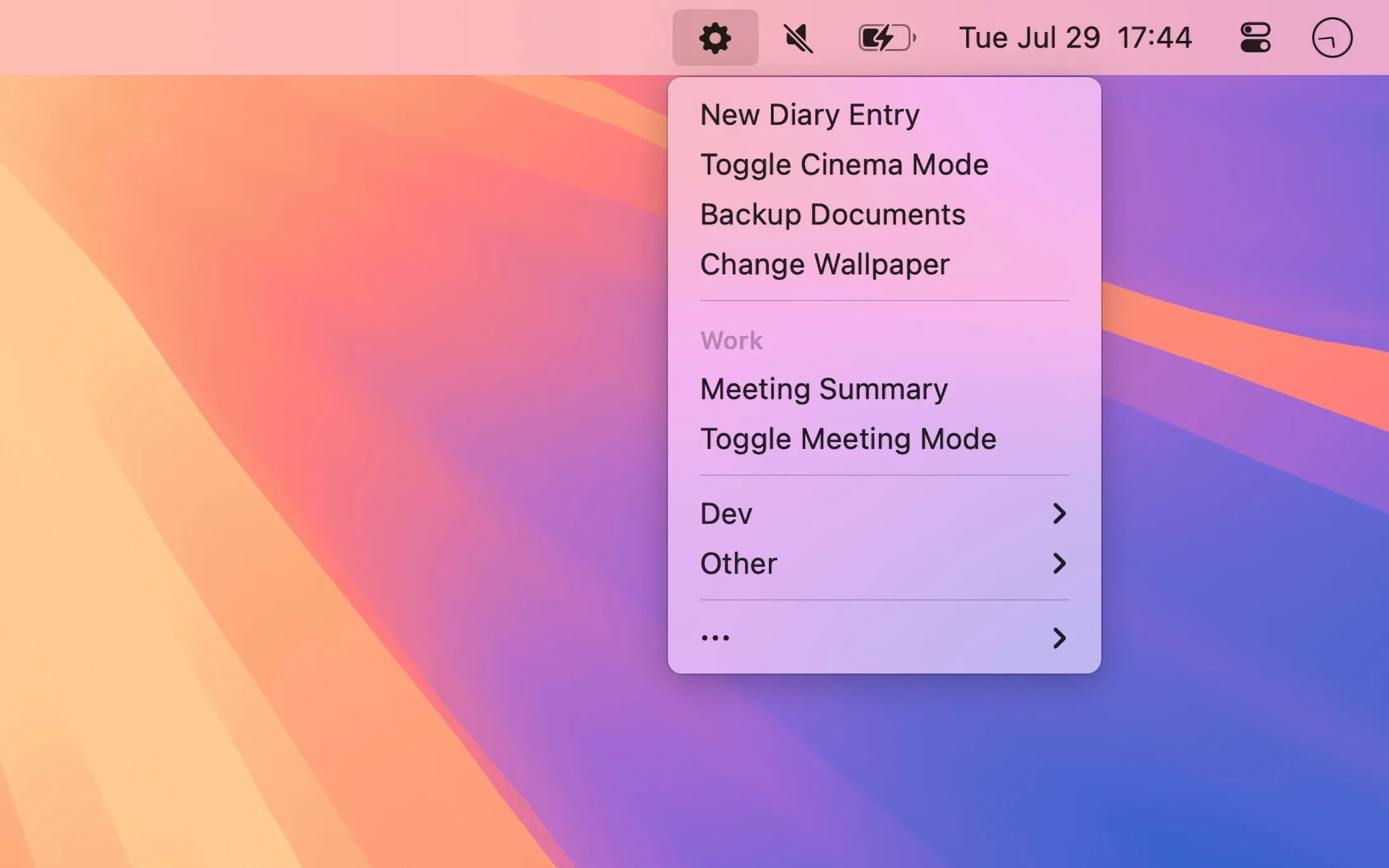
Short Run provides organized menu bar access to macOS Shortcuts, replacing Apple’s flat list with customizable groupings, keyboard navigation, and context-aware shortcut visibility.
The app addresses a common workflow problem: Apple’s built-in Shortcuts menu bar item presents all shortcuts in a single unorganized list that becomes unwieldy as collections grow. Short Run enables hierarchical organization through sections and submenus, allowing shortcuts to be grouped by project, function, or any user-defined category.
Key features include app-specific shortcuts that appear only when relevant applications are active. Development shortcuts can surface only in Xcode, while web tools appear in Safari. This contextual filtering reduces menu clutter and surfaces relevant automation precisely when needed.
Keyboard navigation provides rapid access without mouse interaction. A customizable hotkey opens the menu, where arrow keys and Return execute selections. Shortcuts receive automatic quick keys (1-9, a-z), enabling single-keystroke execution for frequently used automations.
The app includes a URL scheme (shortrun://) that runs shortcuts silently without opening the Shortcuts app, useful for integration with other automation tools. Option-clicking any shortcut opens it directly in the Shortcuts app for editing.
Resource usage remains minimal at approximately 40MB memory with negligible CPU impact. Menu bar icon styles are customizable. All shortcut data stays local with no cloud services or external connections.
Requirements: macOS 14.0 or newer. Available on Mac App Store for $4.99 (one-time purchase). Developed by Sindre Sorhus.
Limitations: Does not create or edit shortcuts; users must build their automation collection in Apple’s Shortcuts app first. Value depends on having an existing shortcut library.
Alternatives: Native Shortcuts menu bar item (free, limited organization); Raycast (free tier available, broader launcher functionality); Alfred ($34+ for Powerpack with workflow support).
Suitable for users who have invested in building macOS Shortcuts and need efficient, organized access without navigating the Shortcuts app directly.

