
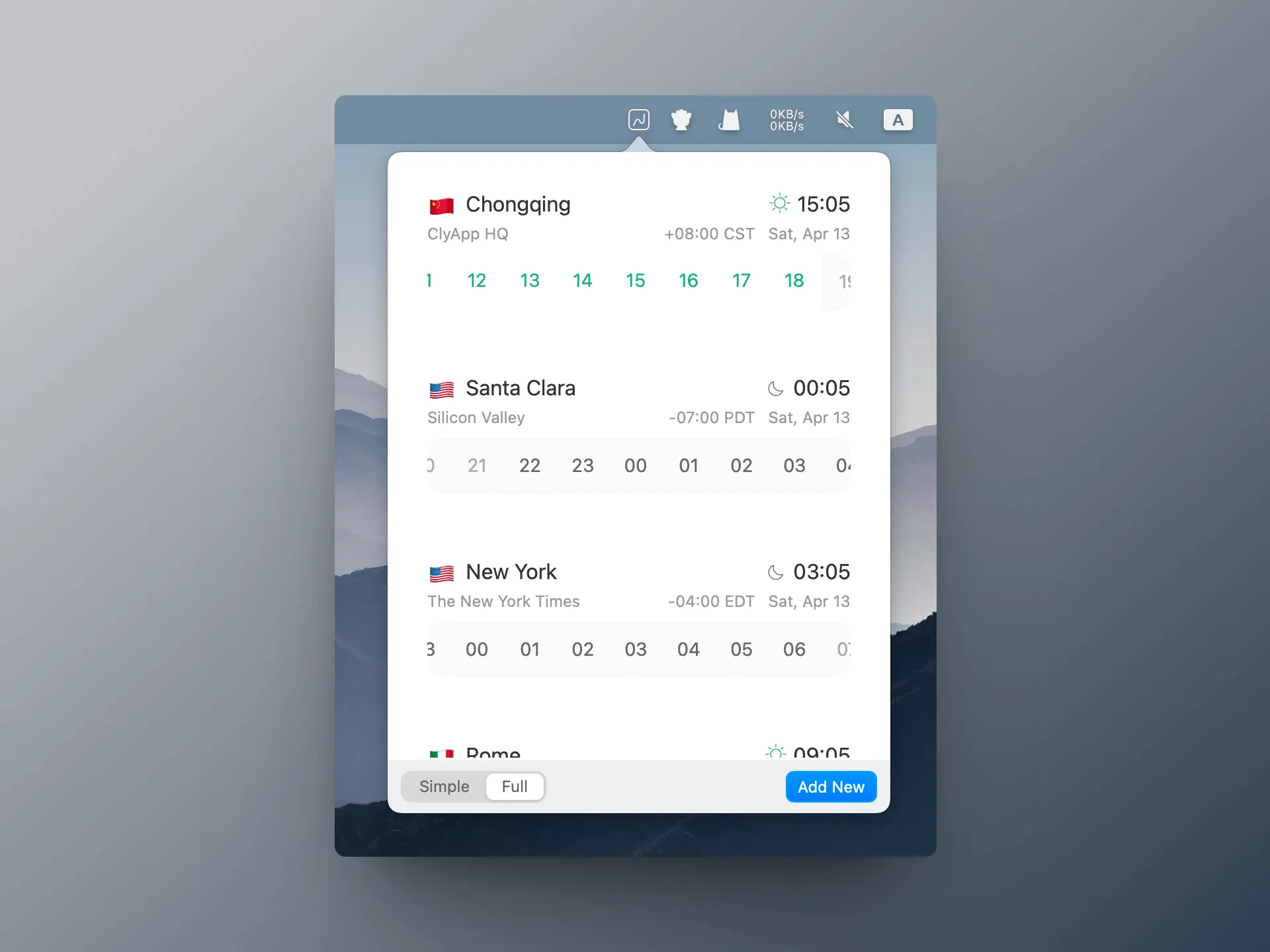
Zonerly is a menu bar timezone manager designed for coordinating across multiple time zones. The app provides offline access to a database of over 500,000 cities worldwide, enabling timezone lookups without an internet connection.
The menu bar integration allows users to pin frequently referenced cities for instant access to local times. Selected timezones display directly in the menu bar, eliminating the need to open the full app for quick reference checks.
Key features include:
- Interactive time navigation via drag gesture to explore different times across all tracked cities simultaneously
- Meeting planner that highlights optimal scheduling windows when dragging across time zones
- Automatic Daylight Saving Time adjustments for all regions
- Shareable world clock generator that creates a web page displaying customized timezone selections
- Extensive city database searchable by name, timezone abbreviation, or UTC offset
The app operates completely offline after initial installation, making it reliable for users in areas with inconsistent connectivity or those preferring local-only data access. All timezone calculations occur on-device without external API dependencies.
Zonerly follows a freemium model with the base app free on the Mac App Store. In-app purchases unlock additional features: Lifetime Pro ($9.99), Monthly Pro ($1.99), or Year Pro ($7.99). The developer states no data collection occurs from the application.
System requirements include macOS 12.0 or later. The app supports 13 languages including English, Chinese, Japanese, German, French, Italian, Portuguese, Russian, and Spanish. File size is 25.4 MB.
Limitations include the lack of calendar integration for automatic meeting scheduling. The shareable world clock feature requires manual updates when timezone selections change. Advanced scheduling features like recurring meeting analysis or conflict detection are not available. Users seeking deeper calendar integration may need complementary tools.
Alternatives include Dato (comprehensive calendar and timezone features), MiniZones (one-time purchase with time slider), There (person-centered timezone tracking), and Menu World Time (simpler free option).
Suitable for users coordinating distributed teams, managing international client relationships, or maintaining connections across multiple time zones who need reliable offline access and prefer meeting planning functionality integrated into their timezone tool.