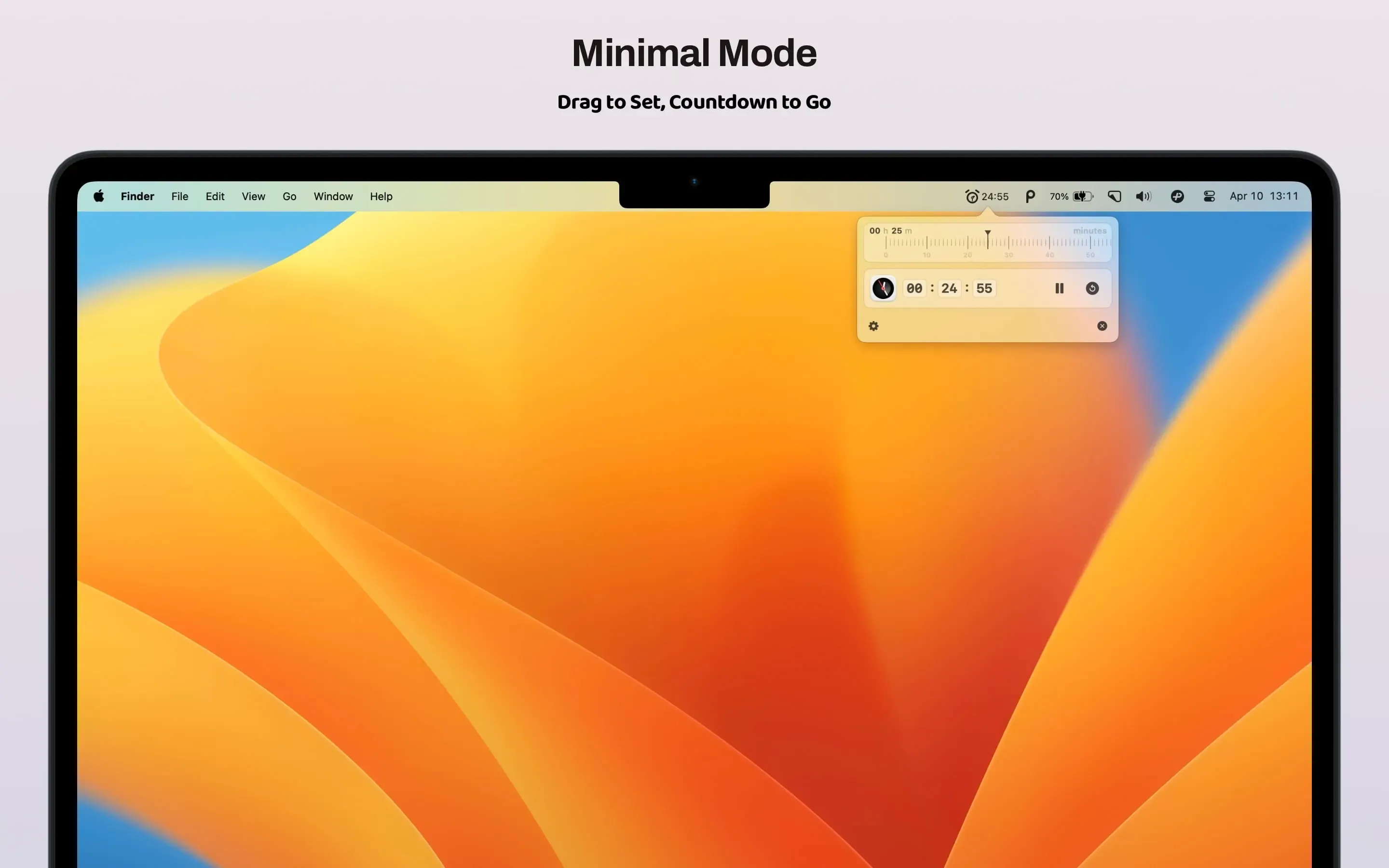
TimeGo Clock from 5KM Studio provides timer and reminder functionality from the macOS menu bar with a dual-mode approach. Users choose between Minimalist mode for quick, straightforward timers or Full Feature mode for more control. This flexibility allows the app to adapt to different workflows rather than forcing a single interaction pattern.
The standout feature is the ability to combine multiple timers into custom arrangements. Users can stack timers, run them simultaneously, or chain them together for complex workflows. A Pomodoro-style setup with a 25-minute focus timer followed by a 5-minute break timer can be configured as a single reusable combination.
Version 2.1 introduced notifications that bypass macOS Focus mode, ensuring timer alerts break through during deep work sessions. The app offers optional sound alerts with these notifications or silent visual-only reminders. A real-time countdown display in the status bar shows remaining time without opening the app.
At 735.2 KB, TimeGo Clock is genuinely lightweight. Resource usage is negligible on Apple Silicon, with no noticeable performance impact even with multiple timers running simultaneously. The app requires macOS 12.0 Monterey or newer.
The privacy stance is notable: according to the App Store listing, the developer collects zero user data. The app is entirely self-contained with no analytics, tracking, or network requests beyond the initial download.
Notifications are customizable for alert sounds, timing, and presentation style. Banners can be configured as gentle or prominent, and missed notifications persist in Notification Center. The interface supports both light and dark modes with proper design throughout.
Priced at $3.99 on the App Store, TimeGo Clock is a one-time purchase with no subscriptions or in-app purchases. Family Sharing supports up to six family members. The app supports English and Simplified Chinese.
Limitations include the lack of iCloud sync for timer combinations between devices. Users who frequently switch between multiple Macs must manage separate configurations. Alternatives include TomatoBar for free open-source Pomodoro timing or Focus for more comprehensive productivity features. Suitable for users who need flexible timer management with customizable combinations and privacy-focused design.


