
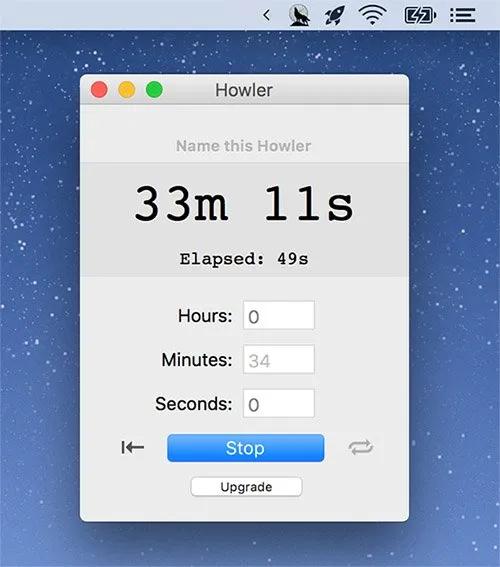
Howler Timer provides countdown and alarm functionality from the macOS menu bar with unlimited timer support and keyboard-based operation. The app enables rapid timer creation without mouse interaction, allowing users to input durations via keyboard shortcuts and start timers immediately.
The free version includes unlimited timers, customizable alarm sounds (including wolf howls and crow sounds, or user-provided audio files), temperature and cooking measurement conversion tools, and stopwatch capability. The app remembers the last set timer and displays countdowns in a resizable window. Menu bar integration shows the final 60 seconds of any running timer, with a click revealing all active timers and stopwatches.
The Pro version ($3.99 one-time purchase) extends menu bar display to show hours and minutes throughout timer duration (not just the final 60 seconds), enables timer looping and chaining for sequential timers, provides 10 customizable presets for frequently used durations, allows individual sound assignments per timer, includes system sound muting (silencing timer alerts without affecting system audio), and supports shell script activation for automation workflows.
The app has achieved over 400,000 downloads and markets itself as the “#1 Mac timer app.” It maintains a small footprint at 2.9 MB and integrates naturally into menu bar workflows. Developed by Stephen Lind and published by FoxNSox, the app operates as a straightforward utility without subscription requirements.
System Requirements
- macOS 10.13 or later
- 64-bit processor
- Available via Mac App Store
- File size: 2.9 MB
Limitations
The free version’s menu bar display only activates during the final 60 seconds, requiring users to open the timer window or upgrade to Pro for continuous time-remaining visibility. Preset functionality is limited to Pro users, requiring manual timer input each time in the free version. The app focuses exclusively on timer functionality without task management or productivity analytics integration. Measurement conversion features (temperature, cooking volumes) add functionality beyond core timer capabilities but may be unnecessary for users seeking a dedicated timer tool.
Alternatives
- Gestimer: Drag-based timer creation with gesture interface
- TomatoBar: Free open-source Pomodoro timer with JSON logging
- Flow: Pomodoro timer with website blocking and calendar integration
- macOS Clock app: Built-in timer with traditional interface
(Freemium, Pro $3.99 one-time)
Suitable for users who set multiple concurrent timers throughout the day, value keyboard-driven workflows, or require custom alarm sounds. The Pro upgrade benefits users who prefer continuous menu bar time display or frequently reuse specific timer durations through presets.


