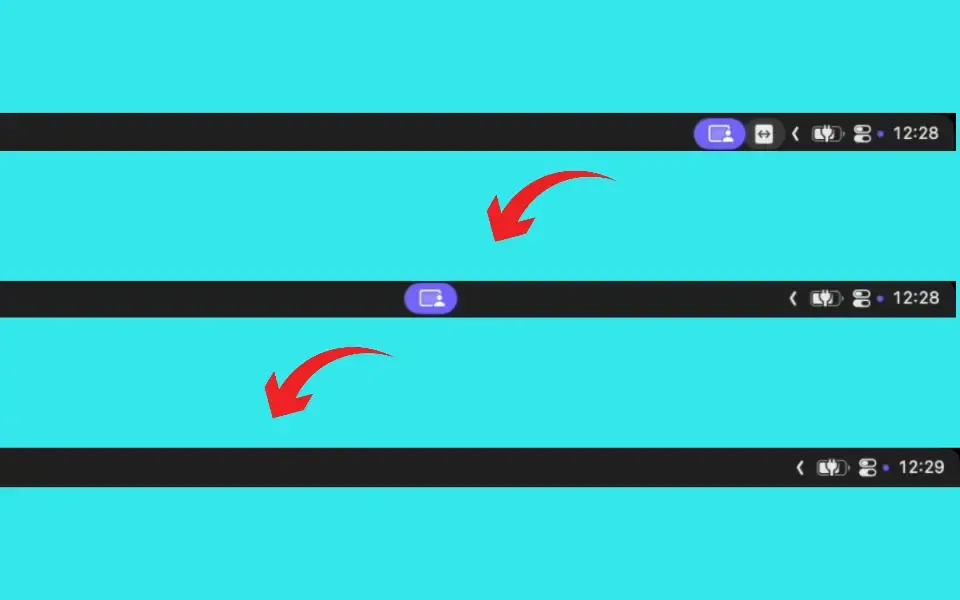
Spacer adds adjustable spacing gaps to the macOS menu bar, enabling users to push icons off-screen or behind the camera notch on newer MacBook models. The app addresses the common frustration of applications that provide no option to hide their menu bar icons.
The app creates invisible spacer elements that act as barriers, displacing icons to their right. Users position spacers using Command-Drag directly in the menu bar. This approach allows visual separation between different groups of applications, such as separating work-related items from system status icons.
Key features include adjustable gap widths and the ability to force-hide icons that cannot be managed through system settings or application preferences. The spacers work with both older Macs and notched MacBook models, providing consistent behavior across hardware generations.
Configuration is minimal by design. No complex settings panels or overwhelming options exist. Users drag spacers to desired positions, and the app handles the displacement automatically.
Available free on the App Store with no subscription or in-app purchases. Requires macOS 11.0 (Big Sur) or newer. App Store ratings indicate 4.9 out of 5 stars.
Limitations include dependency on other apps respecting standard menu bar ordering conventions. Some applications with non-standard menu bar implementations may not respond predictably to spacer positioning.
Alternative approaches to menu bar management include Bartender, Hidden Bar, or Ice, which offer different organizational paradigms such as collapsible sections rather than spacing-based displacement.
Suitable for users who experience menu bar overflow on MacBooks with notches, or who want better visual organization of menu bar icons without installing comprehensive menu bar management utilities.


