
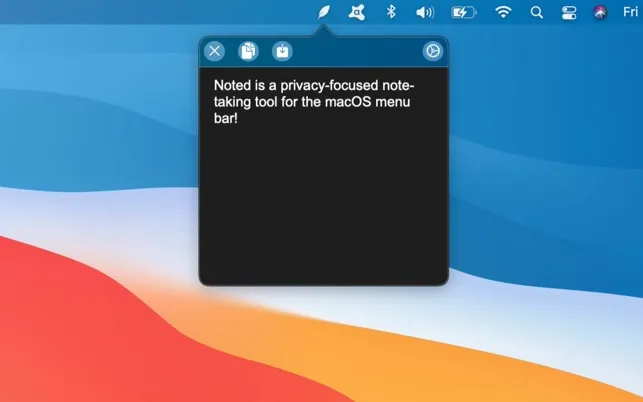
Noted provides instant note capture from the menu bar, designed for capturing fleeting thoughts before they disappear. The app prioritizes speed and simplicity over organizational features, appearing with a single keyboard shortcut for immediate text input.
The default keyboard shortcut (Option+Backtick) opens a minimal dark text window instantly. Users type their note, press Escape or click elsewhere, and the content saves automatically. The entire interaction takes approximately five seconds. The text area expands as content grows, accommodating single-line reminders through multi-paragraph entries.
Key features include customizable keyboard shortcuts, font selection, proper dark mode support, and automatic saving. The interface follows macOS design patterns with clean typography and subtle animations. Response time is essentially instant with no loading delays.
A notable aspect is the privacy-first approach. All data stays completely local with no cloud sync, analytics, or account creation required. The developer explicitly states no information leaves the Mac. This local-only design ensures user content remains private but means no cross-device access.
Requirements include macOS 11.0 or newer. Pricing is $0.99 one-time on the Mac App Store with no subscription or premium features. The developer is Sumit Taneja. Resource usage is minimal with negligible system impact when idle.
Limitations include no formatting options, no image support, and no sync between devices. Users requiring rich content editing or cross-platform access need alternative solutions. The app serves a single purpose without expansion into broader note management.
Alternatives include Apple Notes for richer features with sync, Unclutter for multi-note menu bar capture, and Tot for color-coded quick notes.
Suitable for users who need instant thought capture, value local privacy, and prefer simplicity over organizational features.


