
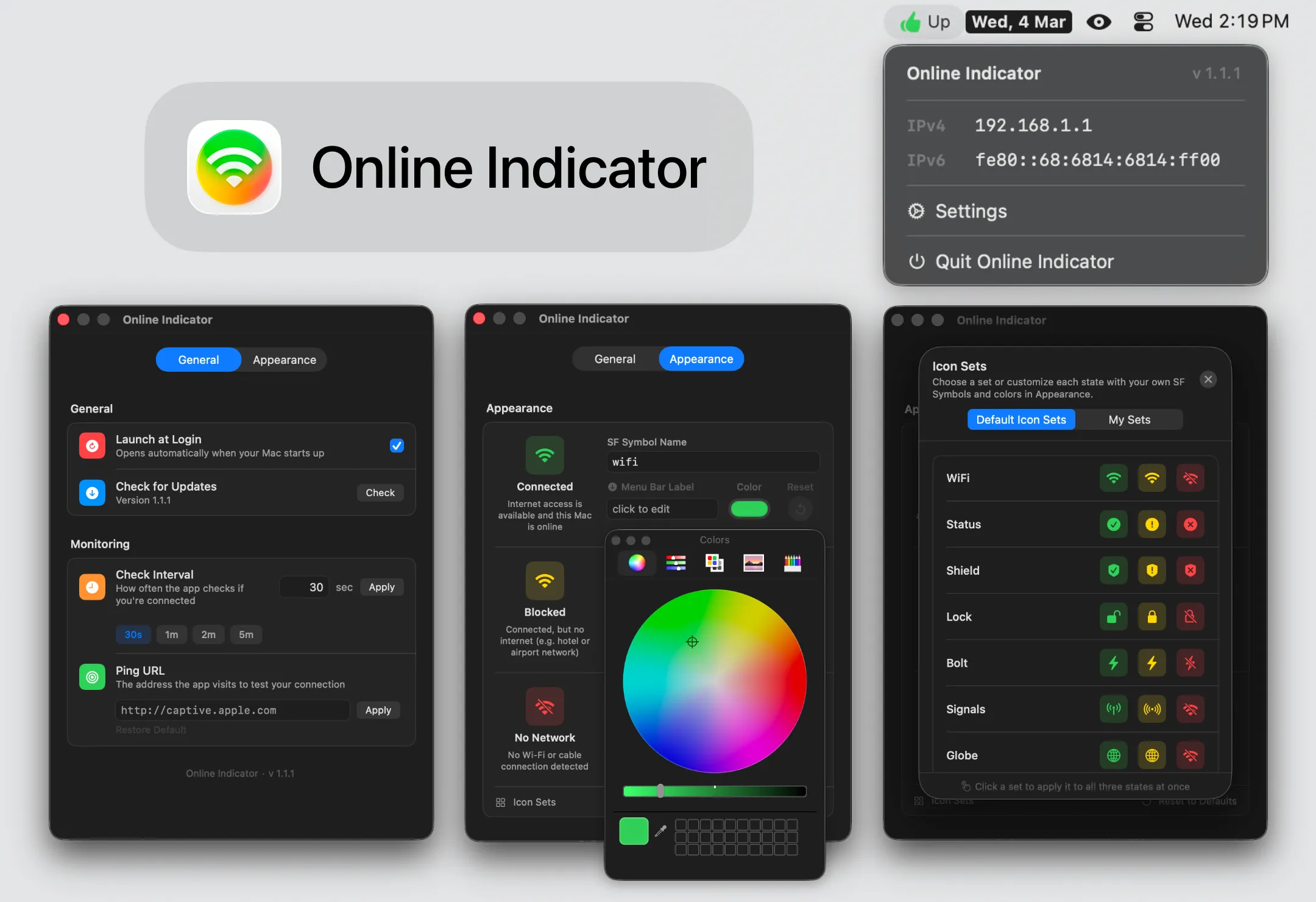
Online Indicator replaces the standard macOS Wi-Fi menu bar icon with a customizable status indicator that monitors actual internet connectivity. Rather than showing only router connection status, the app performs network-level verification to confirm whether internet access is available, blocked, or offline.
The app provides visual status feedback through color-coded icons: green indicates active internet connectivity, yellow signals connectivity issues, and red shows no network access. Users can customize the appearance by choosing from 17 pre-built icon sets or selecting any SF Symbol, with options to configure custom colors and labels for each connection state. Custom configurations can be saved as reusable icon sets for quick switching.
Network monitoring operates through configurable connectivity probes. The app sends HTTP requests to a specified URL (defaulting to captive.apple.com, matching macOS’s internal connectivity check) at user-defined intervals ranging from 30 seconds to one hour. This approach provides more accurate internet status than the default Wi-Fi icon’s router-only connection check.
The menu bar dropdown displays current IPv4 and IPv6 addresses with one-click copying functionality, providing quick access to network information without opening System Settings or terminal utilities. The app is built with Swift and SwiftUI for native macOS integration.
Online Indicator requires manual installation due to its lack of Apple developer certificate notarization. Users must either approve the app through System Settings > Privacy & Security or remove the quarantine attribute via Terminal. This requirement stems from the app being free and independent, bypassing Apple’s $99 annual developer program.
The application collects no analytics, crash reports, or usage data. All preferences are stored locally on the device. The only network activity is the user-configured connectivity probe, identical to macOS’s built-in captive portal detection. The app is released under the MIT License and available as open source on GitHub.
Online Indicator suits users requiring detailed network status monitoring, those managing connectivity across multiple networks, or anyone seeking more granular feedback than the standard Wi-Fi icon provides. The customization options appeal to users who prefer personalized menu bar aesthetics while maintaining functional network awareness.


