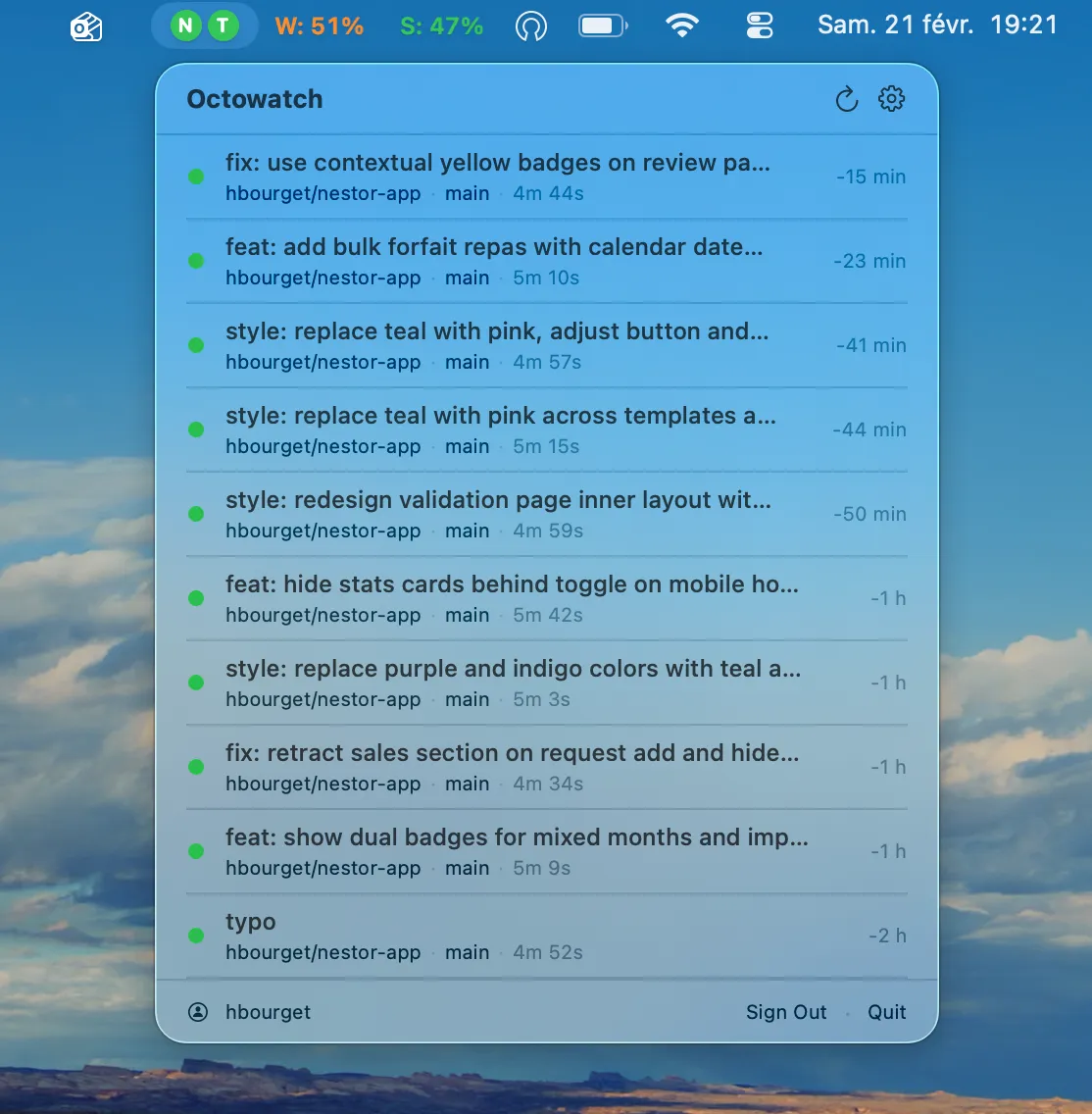
Octowatch is a lightweight, native macOS menu bar application that monitors GitHub Actions workflow runs across multiple repositories in real time. (Free, open-source)
The menu bar icon reflects the current workflow state, changing color or icon to indicate running, succeeded, or failed statuses. Clicking the icon opens a dropdown listing each monitored repository’s most recent workflow run. The app uses the GitHub REST API with a configurable polling interval, balancing freshness against API rate limits.
Native macOS notifications fire for distinct outcomes: a separate alert for workflow success and for failure, allowing users to set different notification handling per outcome through macOS Notification settings. GitHub tokens are stored in the macOS Keychain rather than in application preferences files, and no data is transmitted outside of the official GitHub API endpoint.
The project uses Swift 6.0 with strict concurrency, SwiftUI for the interface, and MVVM architecture. It has no third-party dependencies, relying only on the Swift standard library, Foundation, SwiftUI, and UserNotifications. Multi-repository support means developers working across several active repositories can monitor CI status without keeping a browser tab open to GitHub.
System requirements: macOS 14.0 Sonoma or later. Requires Swift 6.0 or later to build from source. A GitHub Personal Access Token with read-only Actions permissions is required.
Pricing: (Free, open-source, MIT License)
Limitations: Octowatch requires building from source using Xcode and Swift 6.0; there is no pre-built binary or Mac App Store listing. Only GitHub Actions is supported—GitLab CI, Bitbucket Pipelines, and other CI providers are not monitored. Polling-based updates may lag behind real-time status by one polling interval.
Alternatives: GitHub Desktop includes workflow status visibility for connected repositories. Codepoint and similar GitHub notification apps cover issue and PR events alongside CI. Browser-based GitHub Actions dashboards provide the most complete real-time view but require a persistent browser tab.
Suitable for users who run frequent GitHub Actions workflows and want a persistent status indicator without maintaining an open browser session or relying on email notifications alone.


