
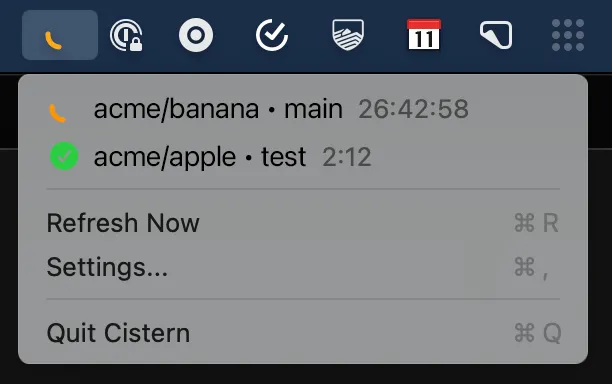
Cistern monitors CircleCI builds from the macOS menu bar, providing real-time status updates and desktop notifications without requiring browser tabs. The native Swift application polls the CircleCI API and displays build states through color-coded menu bar icons.
The menu bar icon changes color based on build status: green for passing, red for failing, yellow for running. Clicking the icon reveals a dropdown listing recent builds with status, branch names, and timing information. Desktop notifications alert users when builds start or complete, enabling developers to continue working without manually checking the CircleCI dashboard.
Setup requires a CircleCI personal API token, generated through the CircleCI dashboard under User Settings. The token provides read-only access to pipeline data. Cistern stores the token locally and uses it exclusively for API polling. The open-source codebase under MIT license allows security-conscious developers to audit token handling before use.
The app maintains minimal resource usage while polling the API at regular intervals. The menu bar icon adapts to both light and dark modes. Pre-compiled releases are available from GitHub, though unsigned binaries require right-click > Open on first launch to bypass Gatekeeper.
System requirements: macOS 13.0 (Ventura) or later. Xcode 15.0 or later required for building from source.
Pricing: Free, open-source (MIT license).
Limitations: The CircleCI API only provides pipeline data from the last seven days, limiting historical build visibility. The app monitors CircleCI exclusively; developers using multiple CI platforms need separate tools. Unsigned releases require manual Gatekeeper bypass.
Alternatives: The CircleCI web dashboard provides full build history without additional software. CCtray-compatible tools like CCMenu support multiple CI platforms. Custom scripts with BitBar/SwiftBar can create similar notifications. CircleCI’s built-in email notifications offer passive monitoring without menu bar integration.
Suitable for users who work extensively with CircleCI and prefer real-time visual feedback over browser-based or email-based build monitoring.


