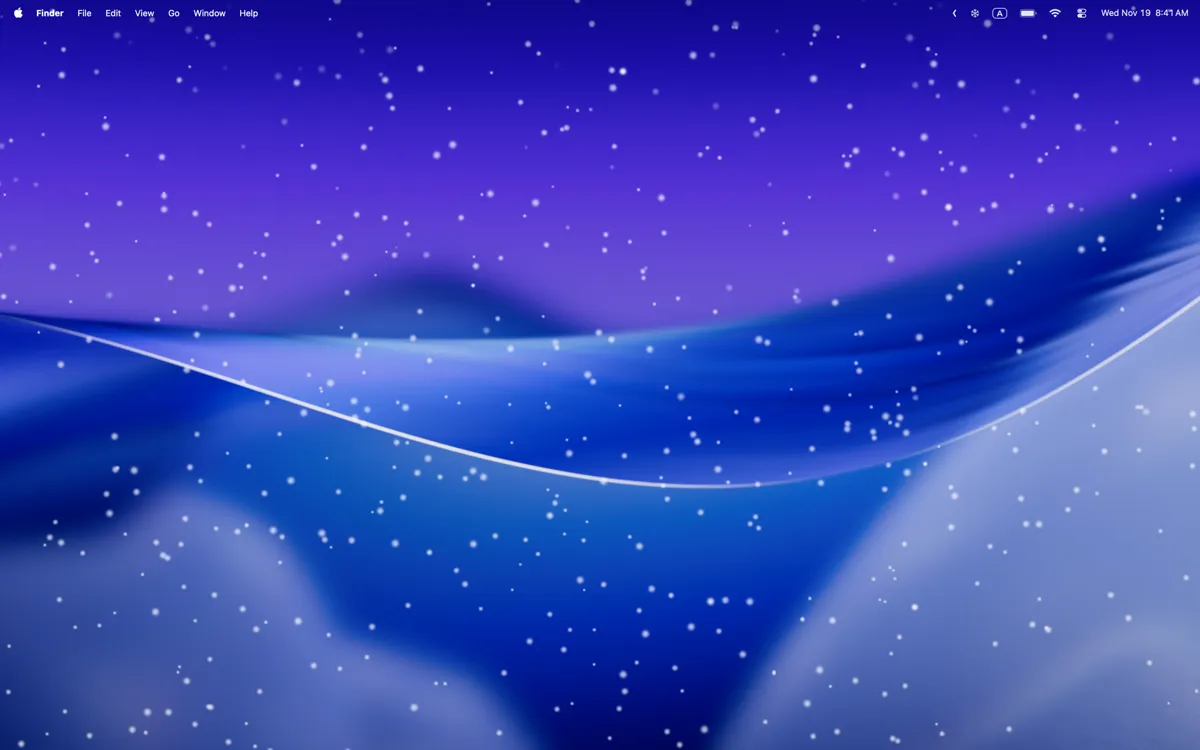
Let It Snow Desktop adds animated snowfall effects to the Mac desktop, rendering snow that falls behind application windows without interfering with normal computer use.
The app runs from the menu bar and provides customization controls for snowfall intensity, flake size, and fall speed. Settings range from light dusting to heavier winter storm effects. The desktop-only rendering mode keeps snow behind windows, maintaining visual appeal without obstructing work.
Performance optimization in version 1.2.1 reduced memory usage from over 300 MB to approximately 30 MB with near-zero CPU load. The app handles monitor connections and disconnections correctly, adapting to laptop users who connect and disconnect external displays. Multi-monitor support renders snowfall across all connected screens.
The developer, Vladyslav Ilyenko, maintains active development with regular updates. The app correctly manages different display configurations without requiring user intervention when hardware changes.
Technical specifications include a 1.8 MB download size and macOS 13.0 or later requirement. The app collects no user data. Supported languages include English, Ukrainian, French, German, Italian, Japanese, Polish, Portuguese, Russian, and Spanish.
Let It Snow Desktop is available free on the Mac App Store with no in-app purchases or premium tiers.
Limitations include the seasonal nature of the effect—most users will want to disable it outside winter months. The app also adds one icon to the menu bar. The utility is purely decorative with no productivity function.
Suitable for users who enjoy seasonal desktop customization and want a lightweight, well-optimized visual effect without performance concerns or privacy issues.


