
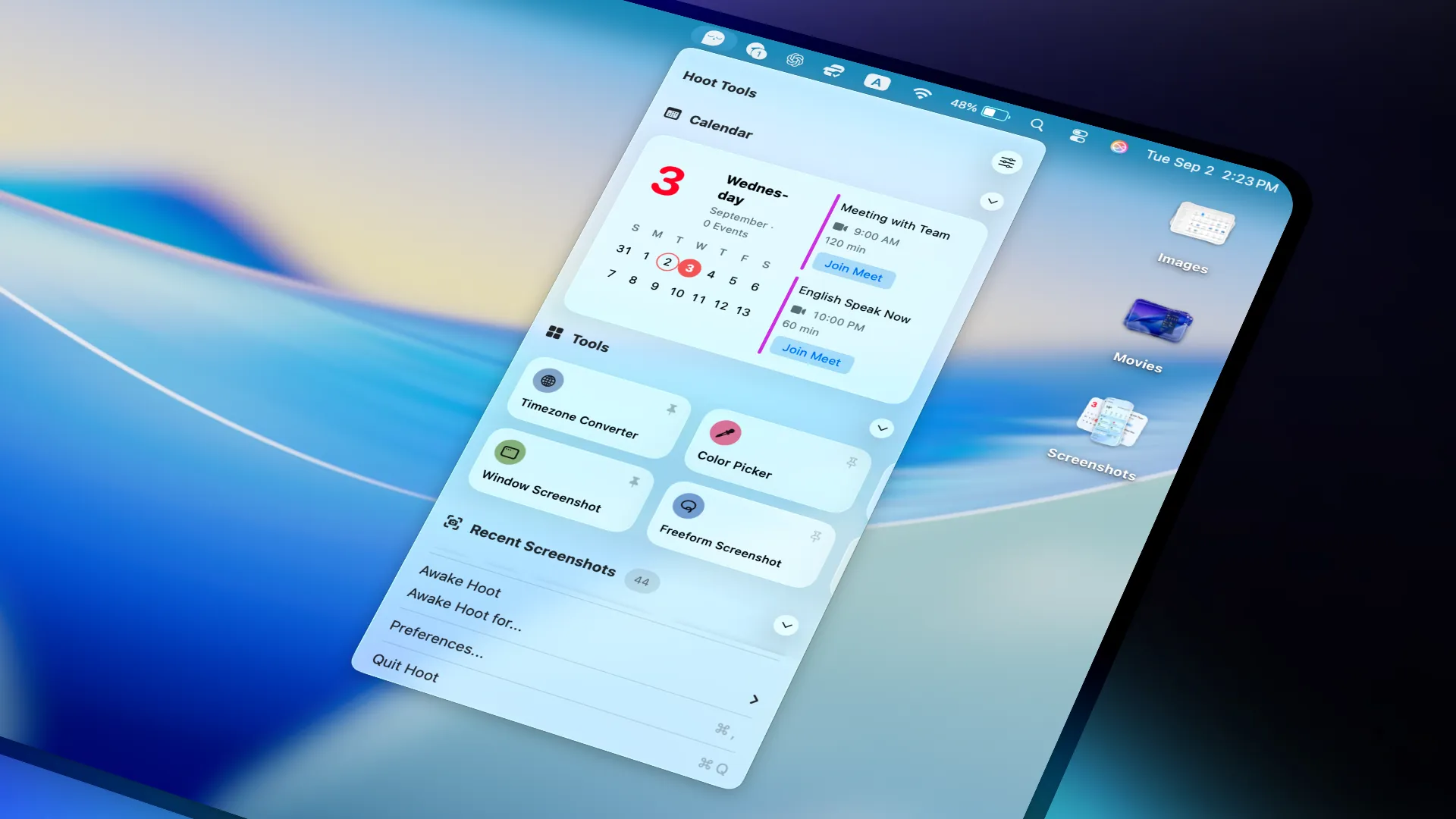
Hoot consolidates multiple menu bar utilities into a single application, offering widgets, productivity tools, and screenshot management through a unified interface. The app presents itself as a “minibar” accessible from the menu bar, organized into three sections: widgets, quick tools, and recent screenshots.
The widget selection covers common monitoring needs including battery status with detailed power information for connected devices, real-time network speed monitoring, calendar integration with upcoming events, weather display, and cryptocurrency tracking. These widgets provide quick access to system and informational data without requiring separate utility apps.
A notable feature set includes 12 quick tools designed to replace standalone applications. The color picker provides instant access to hex codes and RGB values from any screen location. Additional tools include a palette generator for creating color schemes, QR code generator, OCR functionality for text extraction from screenshots, and a JSON prettifier for formatting structured data. These tools target design and development workflows where quick access eliminates context switching.
Screenshot management functions as an automatic collection tray for recent captures. Users can drag and drop images directly to other applications or share them without navigating to file system locations.
System requirements
- macOS 14.0 or later
- App size: 15.5 MB
- $2.99 (one-time, App Store)
- Family Sharing supported (up to 6 members)
Limitations
- Fixed widget and tool selection with no customization or plugin system
- Requires macOS 14+, limiting compatibility with older systems
- No cloud sync or cross-device functionality
Alternatives
- Stats (Free, open-source) - System monitoring focused
- CleanShot X ($29, one-time) - Advanced screenshot and recording features
- ColorSlurp (Freemium) - Dedicated color picker with more features
The app uses minimal CPU and memory, launching quickly and responding without lag. The developer collects no user data according to the App Store listing. Suitable for users who want to consolidate multiple menu bar utilities into one lightweight application while maintaining quick access to common design and productivity tools.


