FunKey adds mechanical keyboard sound effects to Mac typing, providing auditory feedback for users who prefer tactile response without specialized hardware. The app from Digital Hole runs as a menu bar utility and plays simulated keyswitch sounds in response to keyboard input.
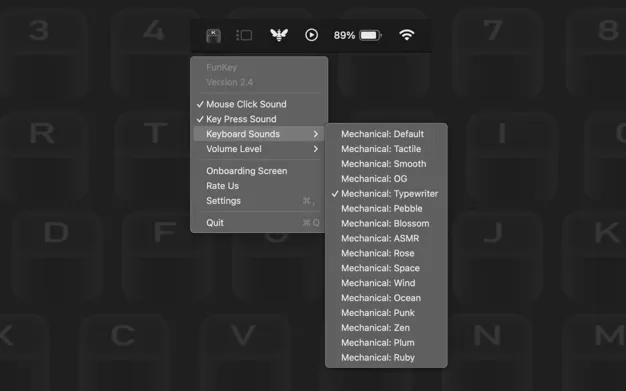
The app includes over 15 different switch sound profiles, ranging from loud Cherry MX Blue-style clicks to quieter tactile options. Users can select profiles that match their preferred sound signature. FunKey features spatial audio positioning, creating the impression that sounds originate from the physical keyboard location. The app also supports mouse click sounds, adding audio feedback to pointer interactions.
Key features include zero-latency audio response to maintain typing flow, startup launch capability, and mouse click sound effects. The implementation runs with minimal resource overhead, operating quietly in the background without noticeable performance impact.
System requirements
- macOS (specific version not listed on App Store)
- Compatible with Apple Silicon and Intel Macs
- Available on Mac App Store (Free)
Limitations
All letter keys produce identical sounds, unlike Klack which varies audio feedback across different keys. This uniform approach can become repetitive during extended typing sessions. The app lacks built-in volume control, requiring users to balance audio through system settings. Occasional audio dropouts may occur when switching between audio output devices.
Alternatives
- Klack: Paid option with varied key sounds and more refined audio profiles
- GlitchTone: Broader system sound effects including typing, scrolling, and clicks
Suitable for users who want free mechanical keyboard sounds and can accept the limitation of uniform key audio, particularly those seeking basic typing feedback without purchasing additional software.


