
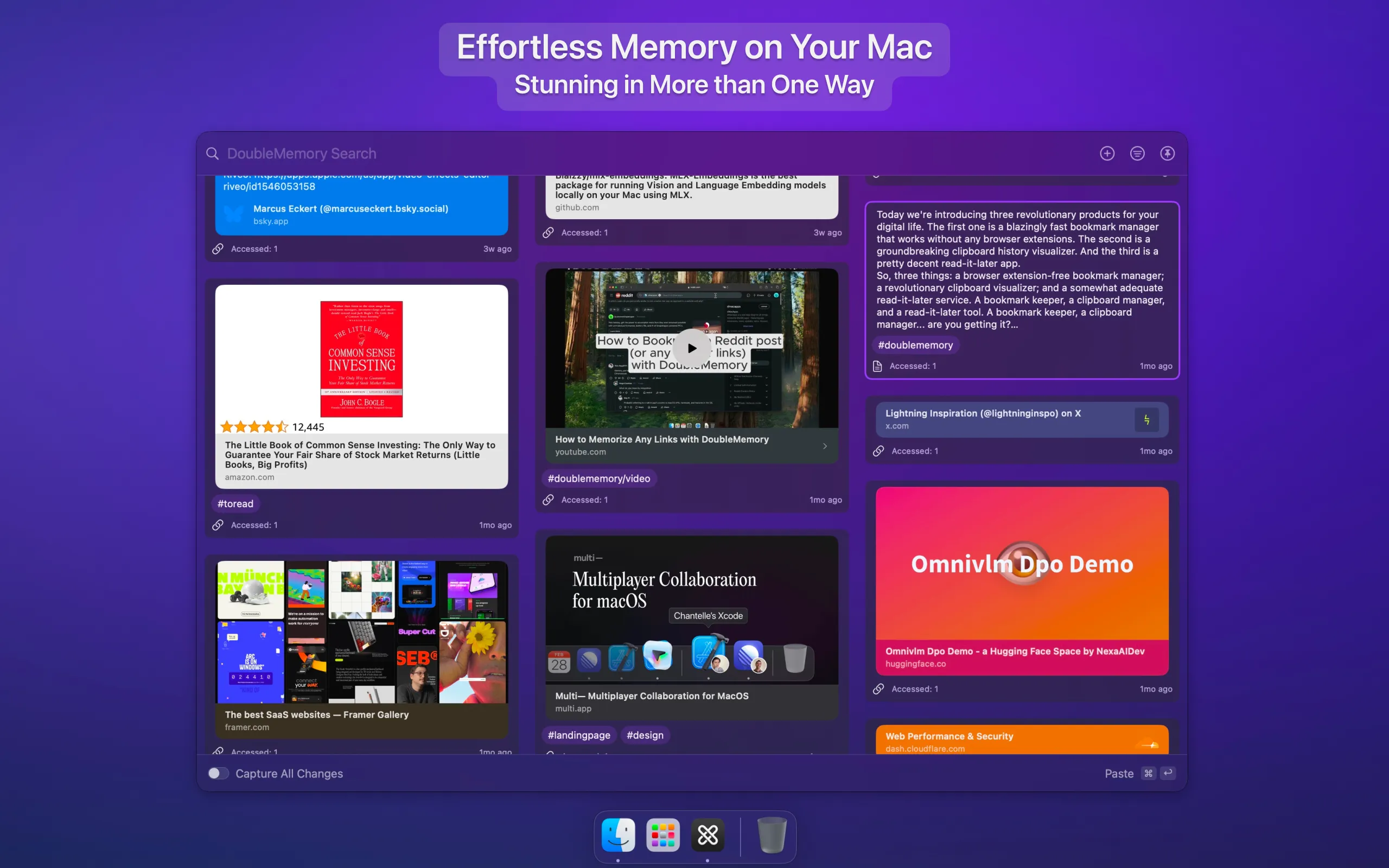
DoubleMemory combines bookmark management, read-it-later functionality, and clipboard history into a unified menu bar interface. The app captures content through a distinctive gesture: pressing Command+C twice in quick succession saves any selected content automatically.
The capture mechanism works system-wide without browser extensions or context menus. Users can save links, text snippets, images, PDFs, and social media posts with full context. Additional capture methods include Share Sheet integration, drag and drop to the menu bar icon, and the macOS Services menu.
A translucent interface displays saved items in a Pinterest-style waterfall grid, accessible via customizable keyboard shortcut. The search function queries titles, URLs, full-text content, tags, and notes simultaneously. Spotlight integration enables searches without opening the app directly.
The app requires no account registration or configuration. iCloud sync handles cross-device synchronization across Mac, iPhone, and iPad automatically. All data remains local with iCloud as the only sync mechanism. The developer explicitly states zero user data collection.
Organization features include tags, notes per item, saved search queries functioning as smart folders, and archive capability. JSON export addresses data portability concerns.
Resource usage remains efficient: approximately 100MB memory with minimal CPU impact. The 7.1 MB download size reflects the lightweight design approach.
System requirements: macOS 14.6 or newer. iOS version requires iOS 18.0 or later.
Pricing: Free tier includes unlimited capturing and searching. Pro subscription ($1.99/month, $2.99/quarter, $7.99/year, or $59.99 lifetime) removes upgrade prompts and unlocks future features.
Limitations: The recent macOS version requirement excludes users on older systems. The 16+ age rating appears without clear justification from visible app functionality.
Alternatives: DEVONthink offers more powerful organization with higher complexity. Raindrop.io provides cross-platform bookmark management. Paste focuses specifically on clipboard history.
Suitable for users who capture digital information from multiple sources throughout the day and need fast, system-wide access without workflow interruption.


