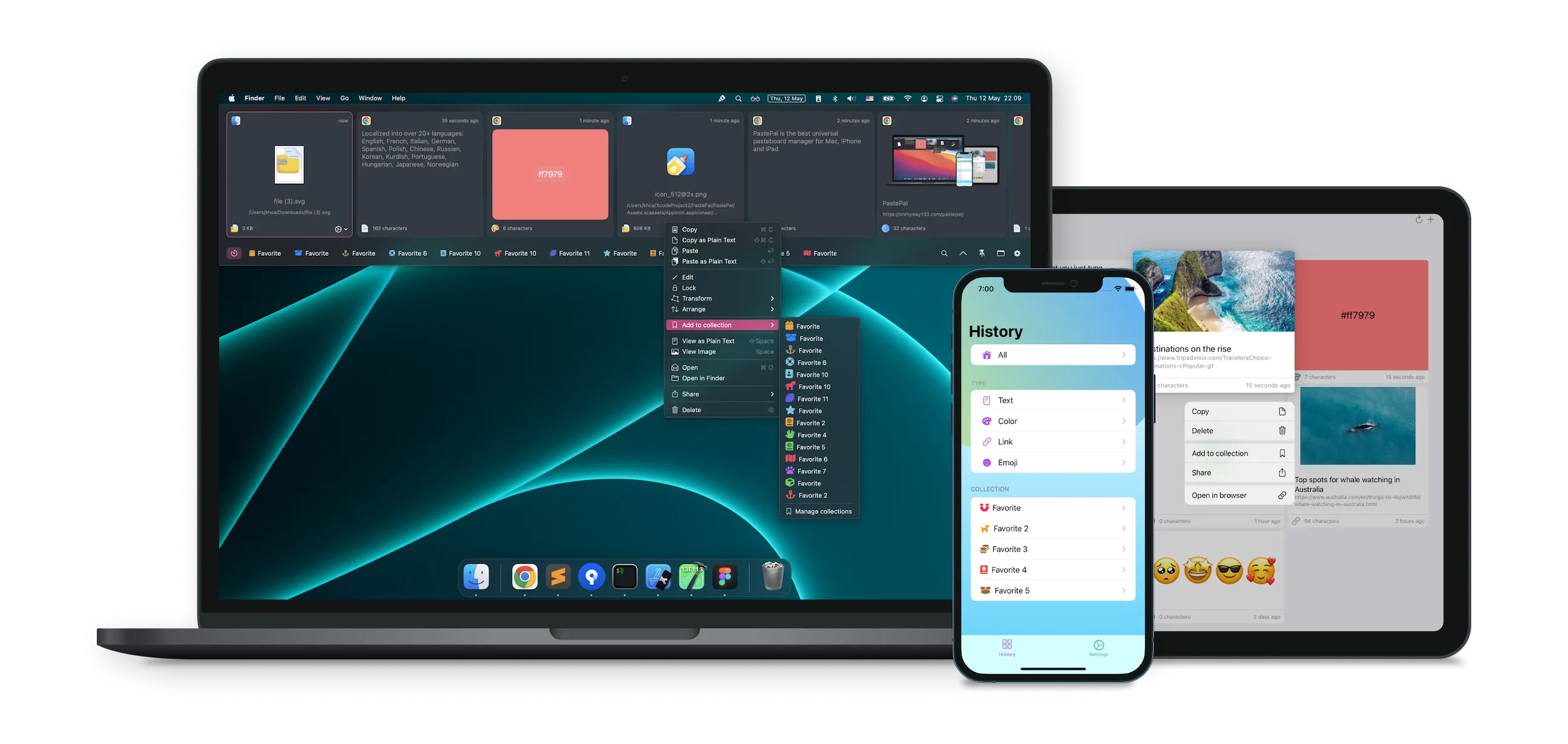
PastePal provides unlimited clipboard history with iCloud sync across Mac, iPhone, and iPad, addressing the common frustration of lost clipboard contents when switching between devices.
The app indexes and stores all copied content for searchable retrieval. Users can locate text snippets, images, PDFs, and file paths by typing a few characters. Smart content detection recognizes hex color codes, images from web browsers, PDF links with previews, text with character counts, rich text, code snippets, emoji, and links with thumbnails.
iCloud sync operates automatically without manual triggers. Content copied on one device becomes available on others within minutes. The sync respects iOS 14’s clipboard privacy rules, preventing clipboard broadcast to all apps.
Quick Mode streamlines access through a single keyboard shortcut that opens PastePal, displays recent items, and cycles through them with repeated presses. Auto-paste closes the interface after selection. Hot Edge activation (moving cursor to screen edge) provides instant access on desktop.
Paste Stack enables batch operations, allowing users to queue multiple text blocks for sequential pasting without returning to PastePal between each paste.
Privacy controls include automatic password and sensitive data filtering, along with configurable allow and ignore lists for specific applications. All data stores locally and in the user’s iCloud account with no third-party servers, analytics tracking, or account signup beyond Apple ID.
The app is built with native AppKit and Swift. Resource usage remains minimal even with thousands of stored items. Pricing is $14.99 one-time with Family Sharing support. A standalone Mac version offers offline activation for single-device use at the same price.
Requirements include macOS 12.0 or newer and iOS 16.0 for mobile devices. The app supports over 27 languages.
Alternatives include Maccy (free, open-source, Mac-only), Paste (subscription-based with visual timeline), and CopyClip (basic free option).
Suitable for users who work across multiple Apple devices and need reliable clipboard sync, or anyone seeking comprehensive clipboard history with smart content recognition.


