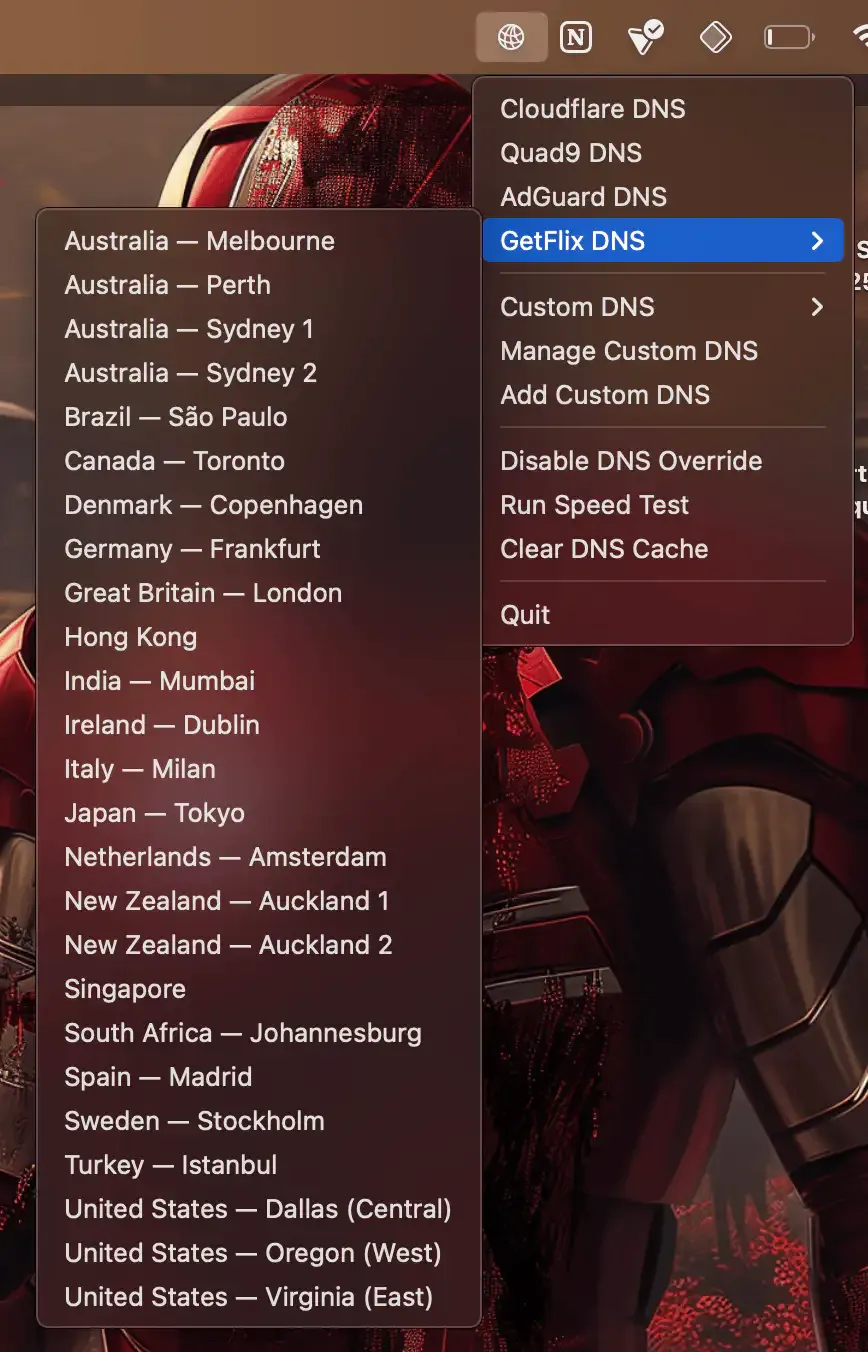
DNS Easy Switcher enables quick switching between DNS providers directly from the macOS menu bar, supporting popular services including Cloudflare (1.1.1.1), Quad9 (9.9.9.9), AdGuard (94.140.14.14), and GetFlix.
The built-in speed testing feature identifies which DNS server performs best from the current network location. Custom DNS servers can be configured for users running their own infrastructure or preferring specific services. A DNS cache flushing tool assists with troubleshooting connectivity issues or testing configuration changes. The app handles both IPv4 and IPv6 configurations.
Administrator authentication is required for each DNS change, with Touch ID support on compatible Macs for quick authorization. All settings persist locally, and the developer states the app collects no data and makes no network requests beyond DNS testing.
The interface presents a menu bar icon with a dropdown list of DNS providers, speed test results, and custom server options. Switching between providers takes only seconds after authentication. A practical use case involves switching to AdGuard DNS for network-level ad blocking, then returning to Cloudflare or Quad9 for maximum speed during streaming or large downloads.
Installation is available via Homebrew (brew install --cask dns-easy-switcher) or direct download from GitHub releases.
System requirements: macOS 14.0 or later. Supports both Intel and Apple Silicon Macs. Free and open-source under the MIT license.
Limitations: Requires administrator authentication for each DNS change, which may feel cumbersome for frequent switching. No scheduled switching or automation features exist. Users seeking encrypted DNS protocols (DoH/DoT) may need additional configuration.
Alternatives: NextDNS offers a similar menu bar interface with cloud-based configuration and analytics. ControlPlane provides network-based automation including DNS switching based on location. Manual configuration through System Settings provides the same functionality without additional software.
Suitable for users who work across different networks, want quick access to multiple DNS providers, or need to test DNS performance from various locations.



