
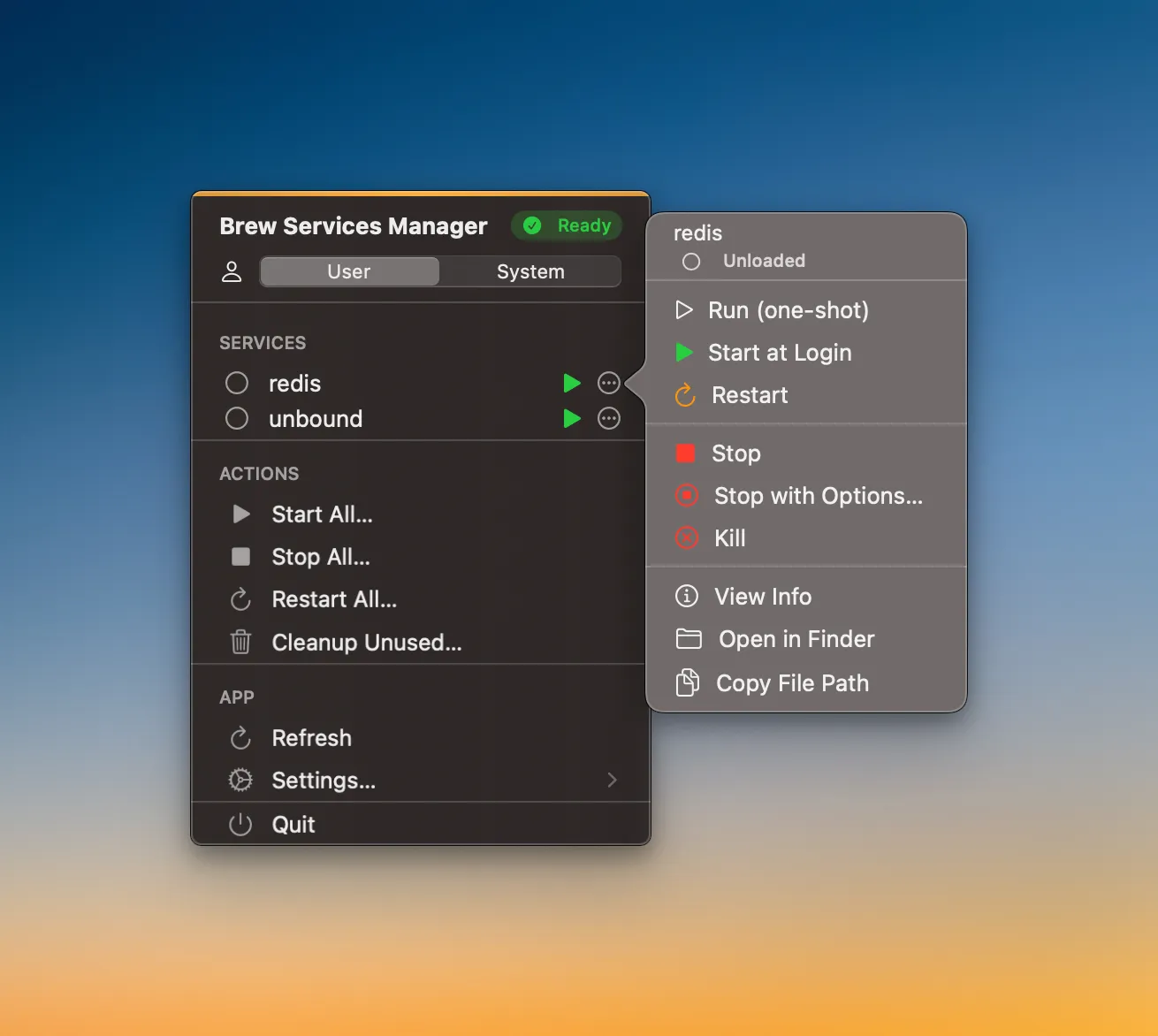
BrewServicesManager provides graphical control of Homebrew services directly from the macOS menu bar. The app displays all installed Homebrew services with their current status, enabling start, stop, and restart operations through single-click actions instead of Terminal commands.
The interface shows both user-level and system-wide services. System services require administrator authentication when modified. Service statuses update automatically based on a configurable refresh interval, providing real-time visibility into which services are running.
Batch operations support managing multiple services simultaneously. “Start All,” “Stop All,” and “Restart All” functions enable quick environment setup or teardown, useful when switching between projects with different service requirements. A debug mode provides verbose output for troubleshooting service startup issues.
The app automatically detects Homebrew installations at both /opt/homebrew/bin/brew (Apple Silicon) and /usr/local/bin/brew (Intel). It runs as a menu bar-only utility without a traditional application window.
The project is open source under the MIT license and available on GitHub. Pre-built releases are available for download, or users can build from source. The codebase uses Swift 6.2 and SwiftUI, requiring Xcode 26.0 or later for development.
System requirements: macOS 15.0 (Sequoia) or later, existing Homebrew installation
Pricing: Free, open-source
Limitations: Requires macOS 15.0, limiting compatibility to recent system versions. The app assumes familiarity with Homebrew concepts; it provides control functionality but no explanation of what individual services do or why they might be needed. No built-in service dependency management.
Alternatives: LaunchControl (comprehensive launchd management, $15), Terminal commands (brew services list/start/stop), Lingon X (launchd editor, $15.99)
Suitable for users who regularly manage multiple Homebrew services for development work and prefer GUI control over command-line service management.


