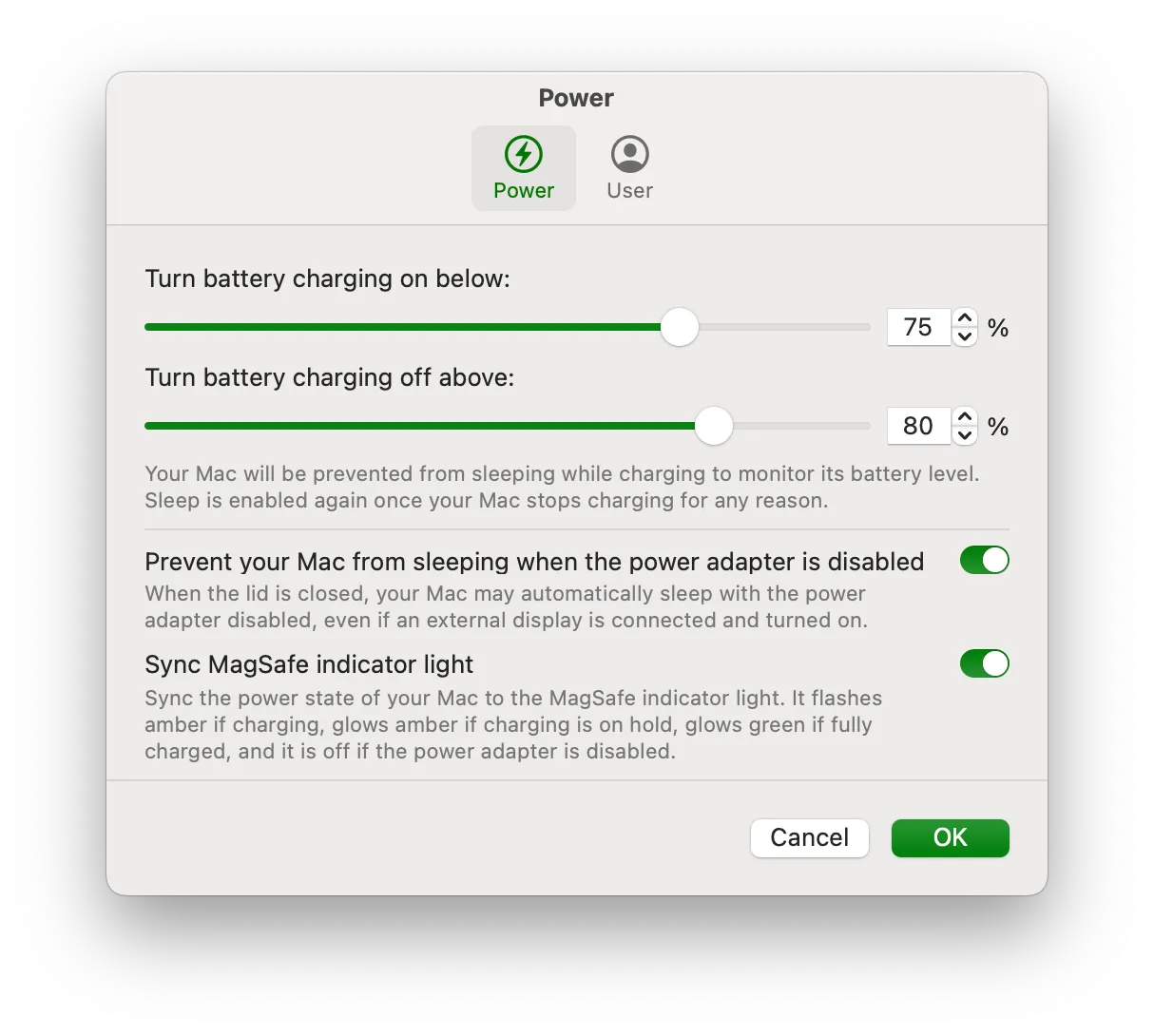
Battery Toolkit provides precise control over Apple Silicon Mac power states, enabling users to set upper and lower battery charge limits, disable the power adapter without unplugging it, and manage charging behavior manually. The utility addresses a specific need for users who keep their Macs plugged in most of the time and want to maintain optimal battery health through controlled charge cycles.
The app allows setting a maximum charge level (minimum 50%) and a minimum discharge level (minimum 20%), creating custom charge cycles. When the battery reaches the upper limit, charging automatically stops. When it drops to the lower limit, charging resumes. Users can also manually disable the power adapter through the app without physically unplugging it, useful for forcing discharge cycles.
Before using Battery Toolkit, “Optimized Charging” must be disabled in System Settings > Battery, as the app requires direct control over the charging system. The menu bar interface shows current battery status and allows quick adjustments to charging parameters.
The source code is available under a BSD-3-Clause license on GitHub. Installation is available through direct download from the releases page or via Homebrew with brew tap mhaeuser/mhaeuser followed by brew install battery-toolkit. Since the app is not officially notarized by Apple, users must allow it through System Settings > Privacy & Security when first launching.
System requirements: Apple Silicon Macs only (M1, M2, M3, M4 series). Requires macOS Ventura (13.0) or later.
Limitations: The interface is minimal and functional rather than polished. Manual battery management requires understanding of lithium-ion battery behavior. Apple’s built-in Optimized Charging already provides intelligent battery management for most users. The app does not provide comprehensive battery monitoring features.
Alternatives: AlDente offers similar charge limiting with a more polished interface and additional features. Apple’s built-in Optimized Charging handles battery management automatically for users who prefer a hands-off approach.
Suitable for users who want granular, manual control over charging behavior—particularly those keeping a Mac at a consistent charge level or maintaining specific charge cycles for battery longevity. Best for users comfortable with GitHub-distributed, open-source software.


