
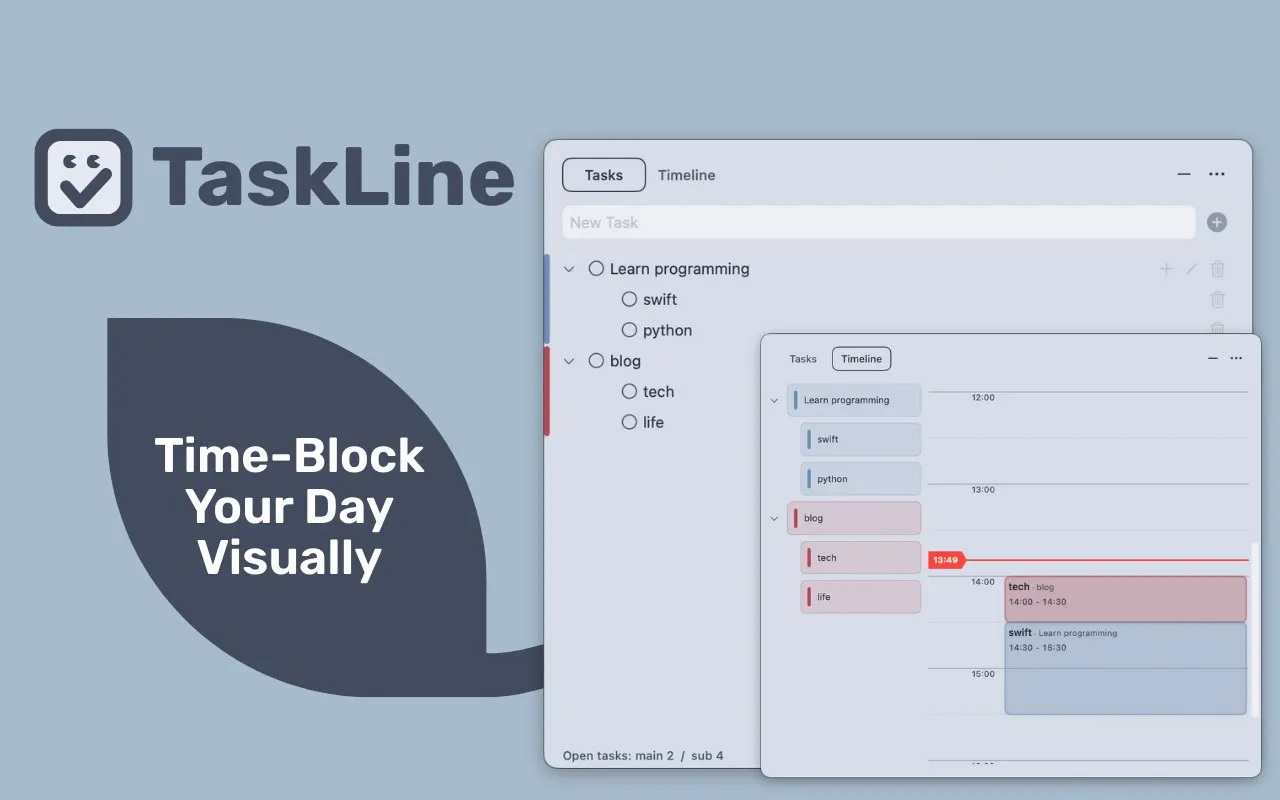
TaskLine combines traditional task lists with visual timeline scheduling, addressing the gap between knowing what to do and deciding when to do it. The app provides two main views: a standard to-do list for task creation and a daily timeline for blocking out specific time slots.
Tasks drag from the list onto the timeline, where users adjust duration by dragging block edges, similar to calendar events but without full calendar complexity. The menu bar displays a countdown timer showing remaining time for the current scheduled task, maintaining schedule awareness without keeping the main window open.
Key features include:
- Drag-and-drop task scheduling on a visual daily timeline
- Menu bar countdown timer for active tasks
- Repeating tasks multiple times throughout the day
- Color-coding for distinguishing different work types
- Automatic synchronization between list and timeline views
The app focuses deliberately on daily planning rather than long-term scheduling, making it faster to use than traditional calendar applications for time-blocking workflows. The focus timer integrates Pomodoro-style concepts directly into task scheduling rather than treating time blocks separately from the to-do list.
System requirements include macOS 13 or later. The app weighs 2.1 MB and is developed by Taisuke Tsuchiya.
Pricing follows a freemium model: core functionality is free, with Pro access unlocking additional features for $0.99 monthly, $9.99 annually, or $14.99 as a one-time purchase.
Limitations include no external calendar integration or synchronization with calendar services. The app deliberately stays focused on daily task timing rather than broader calendar management.
Alternatives include Structured for similar visual time-blocking, or traditional calendar apps like Fantastical for users needing external calendar integration.
Suitable for users who want a lightweight answer to “when should I start this task?” without the complexity of full calendar systems, particularly those who benefit from visual time-blocking and countdown awareness.


