
Standflow
Free menu bar timer that cycles you through sitting, standing, perching and moving, with a daily standing goal and private on-device metrics.
- Price
- Free
- Requires
- macOS 13 or later
- Runs on
- Apple Silicon
- Size
- 94.8 MB
- Around Since
- 2025
- Open Source
- Not Listed
- Last Checked
- 2026-11-02
Free on the Mac App Store.
 1 screenshot
At a Glance
Best For
Building a sit, stand and move routine with timed reminders and a daily standing goal.
The Catch
The Mac App Store listing requires a Mac with an M1 chip or later, so Intel Macs are not supported.
About Standflow
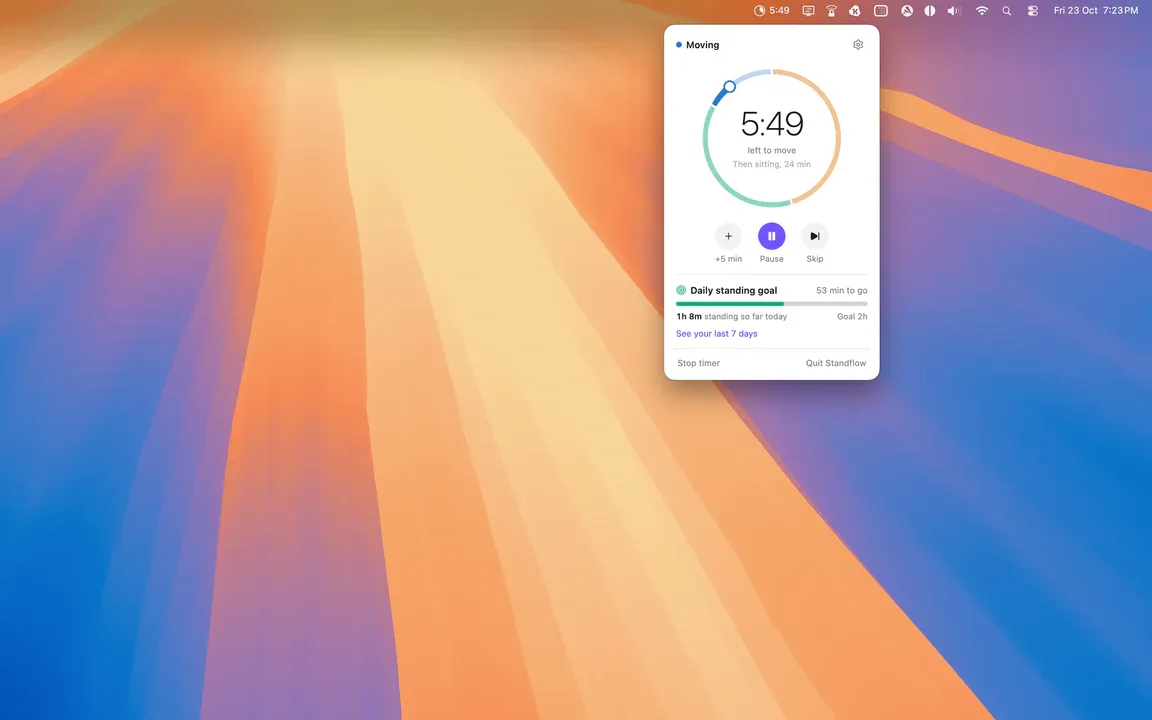
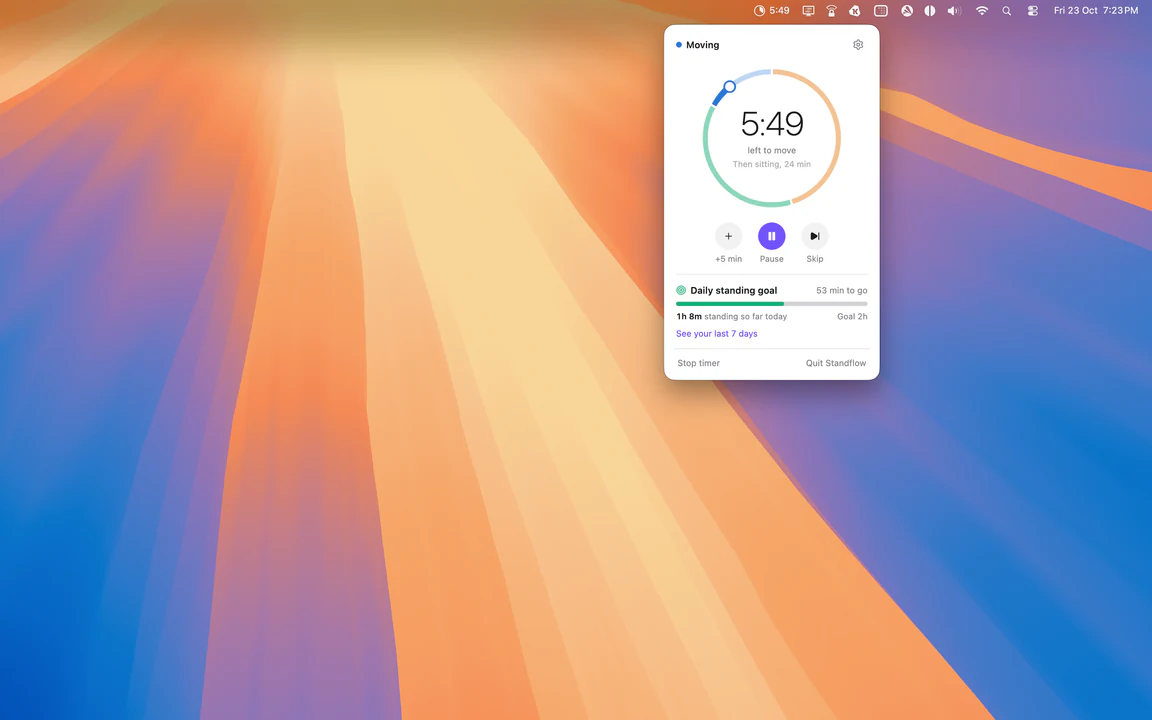
Standflow lives in the menu bar as a progress ring or pie with a countdown. It cycles you through sitting, standing, perching and moving intervals, so a sit-stand desk gets used on a schedule instead of by memory.
Reminders run in automatic or manual mode. Presets cover common routines, and a Custom routine lets you set each interval length. Perching and moving are optional steps. From the menu bar you can pause, skip or add five minutes when a call runs long.
A daily standing goal sets the target. The Metrics view charts the last 7, 30 or 90 days so you can see whether the habit holds. The app does not need a specific desk, because it only times the intervals and sends the notifications.
Standflow installs from the Mac App Store. The listing states that the developer collects no data, and the website says settings and history stay on your Mac.
Sources checked on November 2, 2026: official site and App Store listing. This is a review of publisher documentation, not a hands-on test.
Consider These Alternatives
Different approaches to a similar job. Read each review before choosing.
FAQ
What intervals does Standflow support?+
Standing, perching, sitting and moving. Perching and moving are optional, and you can reorder the intervals by dragging them. Presets include Easy Start, Balanced and Posture Trio, plus a Custom routine.
Does Standflow collect my data?+
The Mac App Store listing says the developer does not collect any data from the app. The website says settings and history stay on your Mac, with no account, no tracking and no cloud sync.
What does the Metrics view show?+
It tracks progress toward a daily standing goal and shows history for the last 7, 30 or 90 days.
How do I control a running interval?+
The menu bar shows a progress ring or pie with a countdown. You can add 5 minutes, pause or skip from there.