
Putback
Automatically restores window layouts when external displays reconnect, with one-second restoration and customizable scene presets for multi-monitor setups.
- Price
- Paid
- Requires
- macOS 14 or later
- Runs on
- Apple Silicon / Intel
- Size
- 9.3 MB
- Around Since
- 2026
- Open Source
- No
- Last Checked
- 2026-10-31
($19 one-time, Personal; $29 Family/5 Macs; $79 Team/20 Macs; 7-day free trial)
 1 screenshot
At a Glance
Best For
Restoring window layouts when external displays are reconnected.
The Catch
It restores only windows on the visible Space of each display, and it needs Accessibility permission.
About Putback
Putback is a window layout manager that automatically restores window positions when external displays are connected or reconnected. The app addresses the common workflow disruption of rearranging windows after plugging in a monitor or returning to a desk. ($19, one-time)
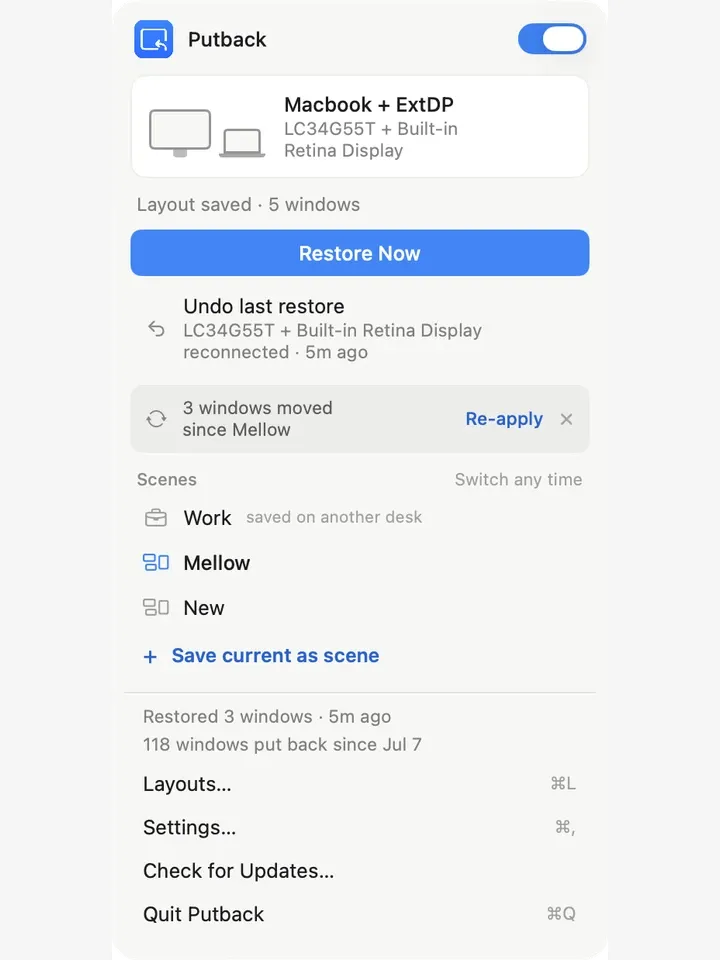
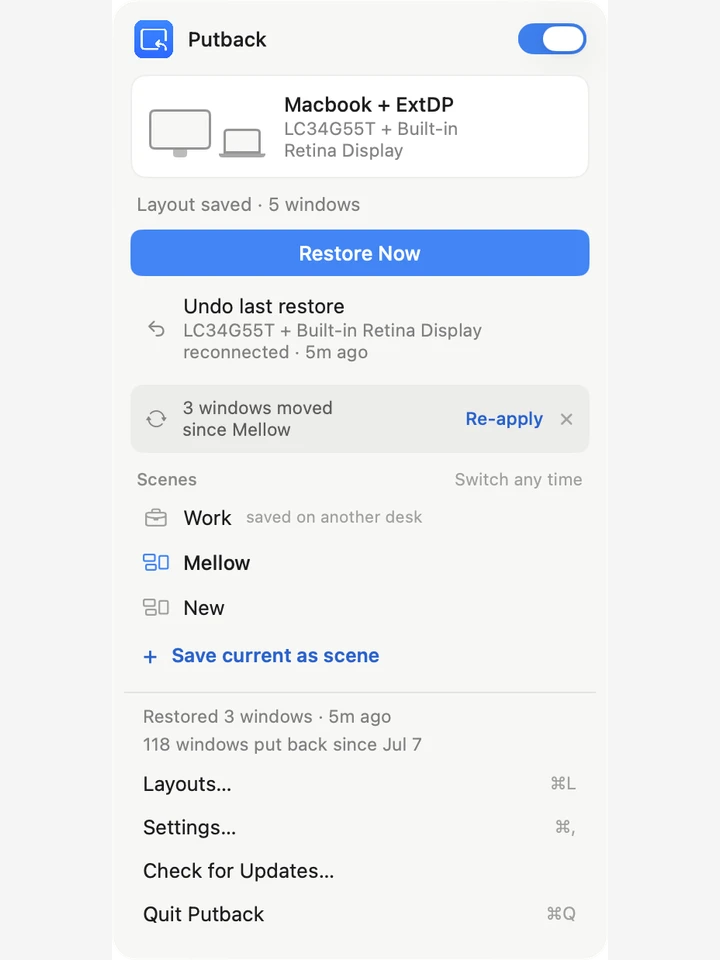
When a display reconnects, Putback restores the saved window layout in under one second, placing each app’s windows back to their remembered positions and sizes on the correct monitor. The app tracks which windows belong to which display and maintains separate layout memory for different display configurations, so a single-monitor setup and a dual-monitor setup each have independent saved states.
The Scenes feature extends layout management beyond automatic restoration. Users can define named configurations — for example, a writing scene with specific window arrangements and a coding scene with different layouts — and switch between them via keyboard shortcuts. Scene Studio enables designing layouts before opening apps, including assigning per-scene wallpapers. This supports workflows requiring distinct contexts throughout the day.
Putback displays transparent restoration notifications in the menu bar and operates without any trackers or data collection. The app integrates cleanly into the menu bar without a persistent visible indicator.
System requirements: macOS 14 Sonoma or later; Accessibility permission required; compatible with Apple Silicon and Intel Macs.
Pricing: ($19 one-time, Personal; $29 Family/5 Macs; $79 Team/20 Macs; 7-day free trial)
Limitations: Restores windows within the active Mission Control Space only; windows on hidden Spaces are not restored automatically. Multi-Space memory is on the roadmap but not yet available. Requires macOS 14, excluding users on older systems.
Alternatives: Moom offers manual window arrangement with snapshots ($10, one-time). Stay automatically repositions windows on display changes ($15, one-time). Magnet provides layout management via keyboard shortcuts ($7.99, one-time) but lacks automatic display-reconnect restoration.
Suitable for users who frequently connect and disconnect external monitors and want windows to return to their expected positions without manual rearrangement.
FAQ
What does Putback do?+
Putback remembers window positions, sizes, and display assignments, then automatically restores them in under one second when external displays are reconnected. It also supports manually triggered scene presets for switching between different desk configurations.
Is Putback free?+
Putback is a paid app with a 7-day free trial (no payment required to start). Pricing is $19 one-time for a Personal license (1 Mac), $29 for a Family license (5 Macs), and $79 for a Team license (20 Macs).
How do I install Putback on macOS?+
Download Putback from https://putback.app and move it to your Applications folder. The app requires Accessibility permission and macOS 14 Sonoma or later.
Does Putback run on Apple Silicon?+
Yes. Putback runs on both Apple Silicon (M1, M2, M3, M4) and Intel Macs. It requires macOS 14 Sonoma or later.
Can Putback switch between multiple layout presets?+
Yes. Putback supports named Scenes — saved desk configurations that can be activated via keyboard shortcut. Scene Studio lets users design layouts before opening apps, including per-scene wallpapers.
Does Putback restore windows across multiple Mission Control Spaces?+
Putback currently restores windows within the visible Mission Control Space only. Full multi-Space memory is noted as a future roadmap item. Windows on hidden Spaces are not restored automatically.