
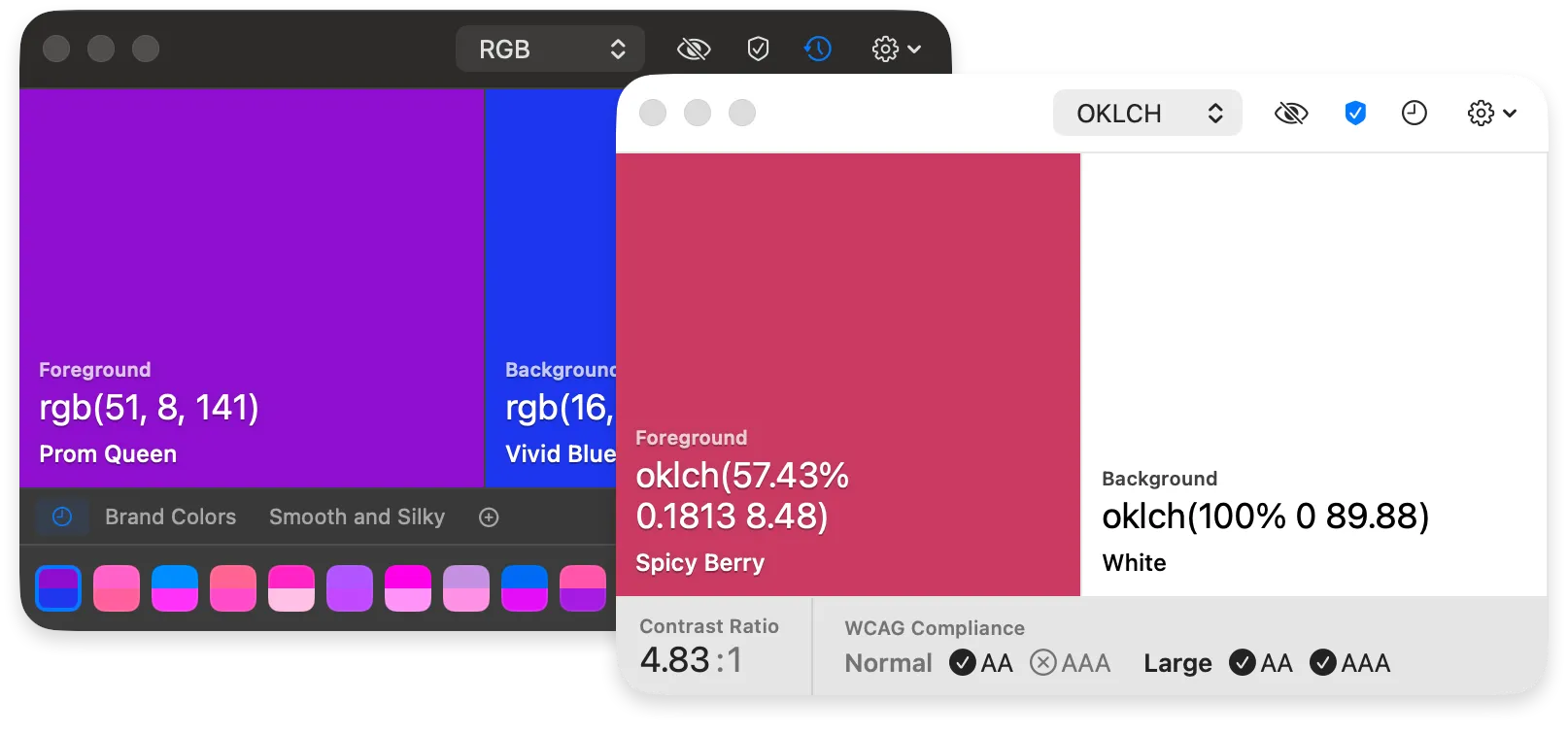
Pika is a free, open-source color picker for macOS that lets users sample any color from anywhere on screen and copy it to the clipboard. (Free, open-source)
The app places two color wells in the menu bar—foreground and background—each displaying the sampled color and its value in the selected format. Keyboard shortcuts trigger the eyedropper without leaving the current application: ⌘D picks the foreground color and ⌘⇧D picks the background. Pressing X swaps the foreground and background values, and ⌘Z/⌘⇧Z undo and redo color changes within the session.
Seven color formats are supported and configurable per color well: Hex, RGB, HSB, HSL, LAB, OpenGL, and OKLCH. Switching formats uses ⌘1 through ⌘7. The OKLCH and LAB formats make Pika suitable for workflows targeting wide-gamut displays and CSS Color Level 4 specifications. Pika also integrates with the native macOS system color picker via ⌘S (foreground) or ⌘⇧S (background), enabling handoff to any app that accepts the system color panel. A URL scheme is available for scripting and automation workflows.
The app is distributed under the MIT license. Source code is available at github.com/superhighfives/pika.
System requirements: macOS 14 Sonoma or later. Available via Homebrew (brew install --cask pika) or direct download. App footprint is small.
Pricing: Free and open-source (MIT license).
Limitations: Requires macOS 14 or later, excluding users on older macOS releases. Color history does not persist between sessions; there is no saved-swatches or palette management feature. The app is limited to color sampling and copying—it does not include palette organization, contrast ratio checking, or export to design-tool formats.
Alternatives: System Color Picker (basic built-in macOS color sampling), Sip ($14.99/year, palette management and team sharing), Pastel ($6.99/month, full color palette and naming workflow).
Suitable for users who need a lightweight, keyboard-driven color sampling tool with support for modern color spaces such as OKLCH and display-P3.


