
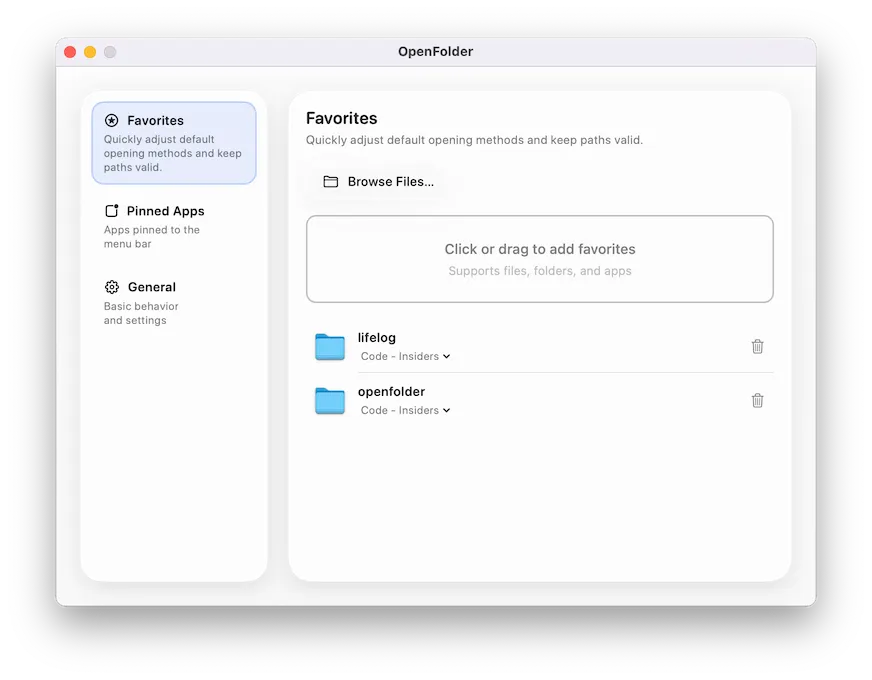
OpenFolder provides quick menu bar access to frequently used files, folders, volumes, and applications through a glass-inspired floating panel. The app addresses the common workflow interruption of navigating through Finder windows to reach regularly accessed items.
Adding items requires simple drag-and-drop into the panel. Users can pin project folders, utilities, external drive mount points, and applications. The interface displays pinned items in user-defined order, with drag-to-reorder functionality. A recent launches feature tracks recently accessed items for quick retrieval without permanent pinning.
The app offers launch-at-login functionality, starting silently and waiting in the menu bar until needed. Resource usage remains minimal, with instant response times when activated.
OpenFolder uses a freemium model. The free version includes limited favorites and pinned applications, while Pro unlocks unlimited capacity. Pro pricing options include $7.99 lifetime access, $0.49/month, or $3.99/year. Users who downloaded before version 1.3.0 receive complimentary Pro access.
Technical requirements include macOS 14.0 or later, with an app size of 13.5 MB. The app supports English, Japanese, Korean, and Chinese. According to the developer’s privacy policy, the app collects no user data.
Limitations include the free tier restrictions that may prompt upgrades for users with many frequently accessed items. The app focuses specifically on file and folder access rather than comprehensive launcher functionality.
Alternatives include Alfred and Raycast, which offer more extensive launcher capabilities including file navigation, search, and automation features. OpenFolder differentiates itself through simplicity and visual design focus rather than feature breadth.
Suitable for users who access the same files, folders, or applications repeatedly and prefer a simple visual access point over comprehensive launcher systems.


