
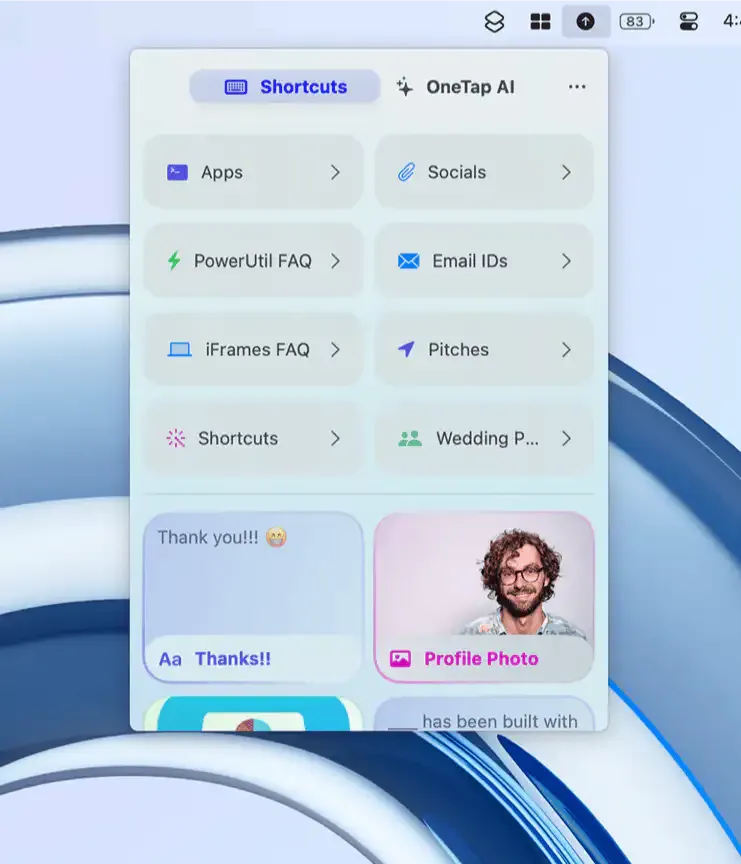
OneTap provides clipboard history management and custom shortcut access directly from the Mac menu bar, supporting text, links, photos, and files for quick paste-anywhere use. (Freemium; Pro plans at $6.99/month, $24.99/year, or $49.99 lifetime)
The clipboard history feature captures all copied content and keeps it available for instant re-use from the menu bar, removing the need to retype or re-navigate for frequently used items. Copied items can be promoted into persistent shortcuts by long-pressing, adding them to the organized shortcut library for faster future access.
Shortcuts are grouped into folders and accessible from the menu bar, enabling one-click paste of resumes, boilerplate email text, frequently shared URLs, and image assets. Folder libraries can be shared with colleagues, making team snippet collections a usable collaborative feature. Magic Variables extend shortcuts with dynamic prompts: a greeting template, for example, can insert a recipient name at paste time without requiring a separate shortcut per person.
An AI integration provides ChatGPT access from the menu bar alongside clipboard content, enabling prompt-and-paste workflows without switching applications. iCloud synchronization keeps shortcuts and clipboard history consistent across iPhone, iPad, Mac, and Apple Vision Pro. Siri Shortcuts integration adds further automation options for users who build complex workflows.
System requirements: macOS 14.0 Sonoma or later. Install size is approximately 137 MB. Available from the Mac App Store; requires an Apple ID.
Pricing: (Freemium; Pro $6.99/month, $24.99/year, or $49.99 lifetime one-time purchase)
Limitations: The app originated as an iOS keyboard extension and some interface conventions reflect that heritage, feeling less native than purpose-built macOS clipboard utilities. The 137 MB install size is large relative to comparable clipboard managers. Pro subscription or lifetime purchase is required to unlock full clipboard history depth and unrestricted shortcut count.
Alternatives: Pastebot ($13.99 one-time) offers a mature Mac-native clipboard manager with transform rules and syncing. CopyClip (Free) provides lightweight clipboard history from the menu bar without a subscription. Pasta ($9.99) delivers a keyboard-driven clipboard manager with visual history and search.
Suitable for users who paste repetitive content across Apple devices and want clipboard history and shortcut snippets consolidated in a single menu bar utility with cross-device iCloud sync.


