
Moment Timer
Freemium focus timer for Mac with a menu bar icon that fills as your session runs, scheduled breaks, background sounds and iCloud sync.
- Price
- Free · optional Pro
- Requires
- macOS 15 or later
- Runs on
- Not Listed
- Size
- 126 MB
- Around Since
- 2023
- Open Source
- No
- Last Checked
- 2026-11-09
Free download with in-app purchases listed at $2.99, $19.99 and $39.99 (Forever). The floating timer requires Moment Pro.
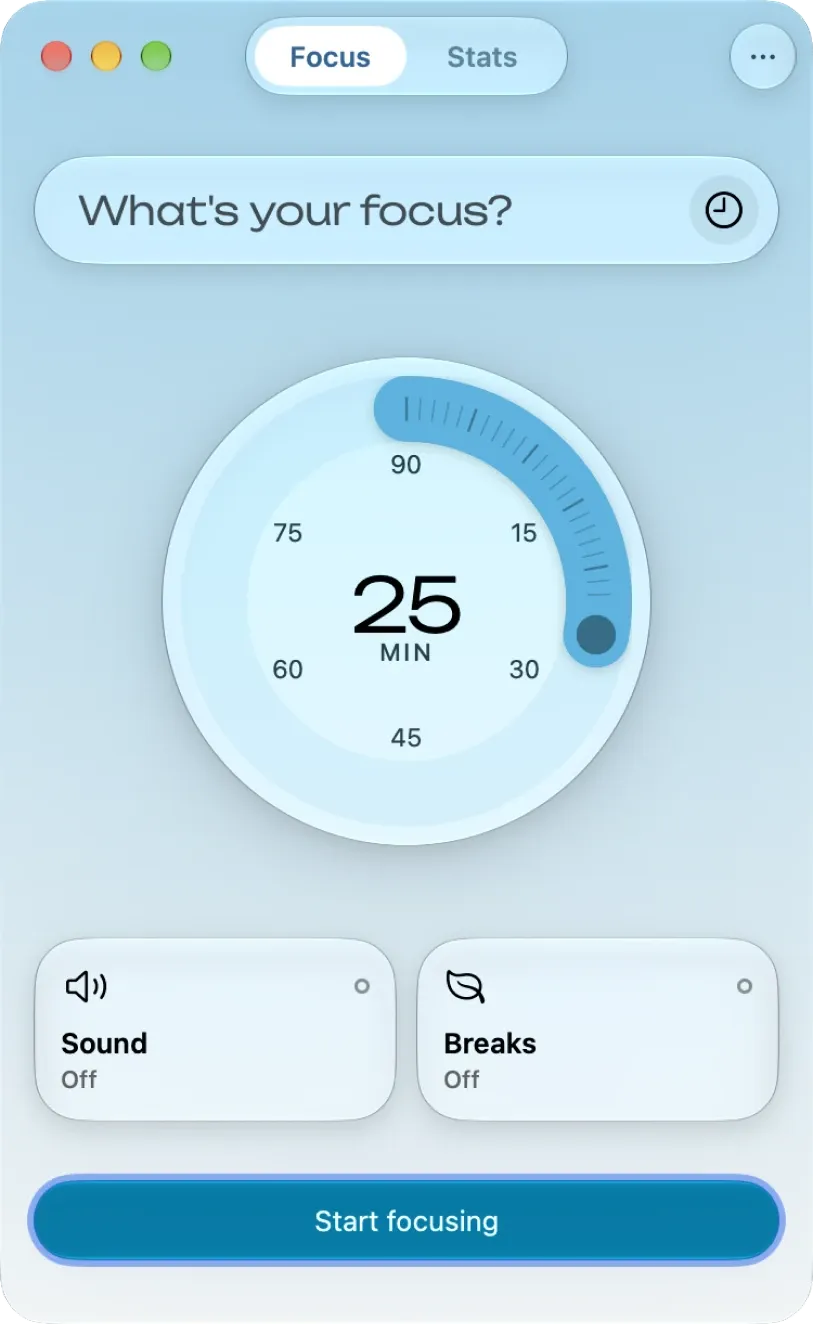
 1 screenshot
At a Glance
Best For
Running focus sessions and breaks from a menu bar icon that shows progress.
The Catch
The floating timer needs a paid unlock, and the Mac app needs macOS 15. The App Store lists three unlock prices without saying how they differ.
About Moment Timer
Moment Timer shows a menu bar icon that fills as your focus session progresses. You can add a time-left display, with four display options, and open the timer as a popover or as a resizable window with a Dock icon.
Sessions can include short and long breaks. Four themes (Ocean, Air, Sand and Forest) come with background and ticking sounds. The Mac app supports Siri and Shortcuts, Focus modes and widgets, and syncs through iCloud with iPhone, iPad, Apple Watch and Vision Pro. The floating timer, which stays above other windows, requires Moment Pro.
Moment is distributed through the Mac App Store and needs macOS 15 or later. The publisher states that app-blocking choices stay on your device and are not sent to it. The 126 MB size on the App Store page covers the multi-platform listing; version 2.2.0 is the current release.
Sources checked on November 9, 2026: Mac menu bar guide, official site and App Store listing. This is a review of publisher documentation, not a hands-on test.
Consider These Alternatives
Different approaches to a similar job. Read each review before choosing.
FAQ
What is free and what needs Moment Pro?+
The publisher's Mac guide says the timer and breaks are free. The floating timer that stays above other windows requires Moment Pro.
What does the App Store list for in-app purchases?+
Three Unlock Moment purchases: $2.99, $19.99 and $39.99 (Forever). The App Store page does not say which tier covers which feature.
Does Moment sync across devices?+
Yes. The guide describes iCloud sync with iPhone, iPad, Apple Watch and Vision Pro, with stats across devices.
Can I use it from Shortcuts or Focus modes?+
The guide lists Siri and Shortcuts, Focus modes and widgets as supported.