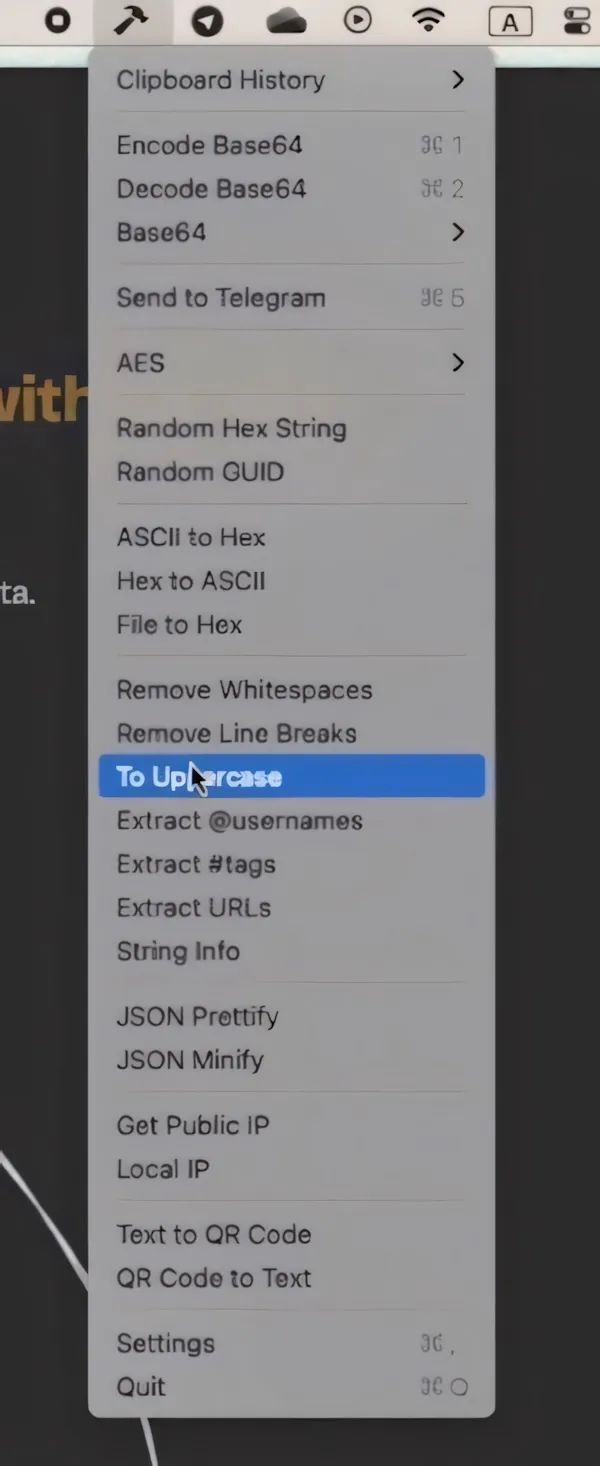
Hammer provides instant clipboard data transformation from the menu bar, eliminating repetitive copy-paste workflows to online conversion tools. The app processes data locally without requiring internet connectivity.
The tool includes over 10 transformation utilities focused on developer workflows. Base64 encoding and decoding handles common data format conversions. AES encryption and decryption supports secure data transformation for encrypted content. QR code generation converts text to scannable codes, while QR code reading extracts text from images. Random text generation assists with testing and placeholder content creation.
All transformations execute through a consistent workflow: copy data to clipboard, select the desired transformation from the menu bar, and the converted result replaces the clipboard content. The app operates entirely offline with data processing confined to the local machine. Custom keyboard shortcuts provide quick access to frequently used transformations without opening the menu interface.
Hammer requires macOS 10.13 or later and runs natively on both Intel and Apple Silicon processors. The application costs $4.99 as a one-time purchase, including lifetime updates across unlimited devices. The developer plans to expand the transformation library with additional tools based on user feedback.
The fixed transformation set may not cover specialized conversion needs specific to certain development environments. Users requiring custom or domain-specific transformations would need alternative tools or scripts. The menu bar interface prioritizes quick access over detailed configuration options for each transformation type.
The app targets developers who frequently transform data between formats during coding, debugging, or API testing workflows. It streamlines repetitive conversion tasks that would otherwise require switching to browser-based tools or command-line utilities.


