
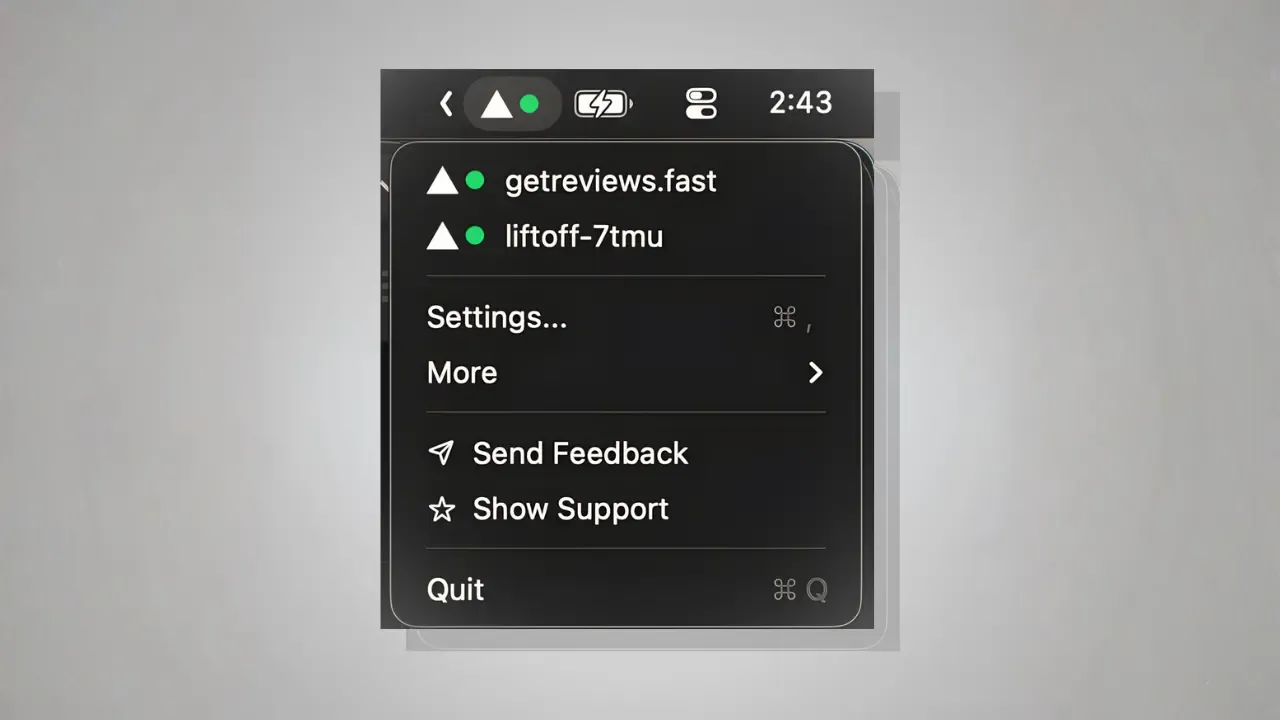
Deploy Status for Vercel displays deployment status in the macOS menu bar using clear color-coded indicators: green for successful deployments, red for failures, and a spinner animation during active builds.
Setup involves configuring a Vercel API token once, after which the app monitors deployments automatically in the background. The token is stored securely in macOS Keychain, and the developer states that no data leaves the device. Multi-site monitoring supports tracking multiple Vercel projects from a single menu bar icon. Clicking the icon reveals a dropdown listing all sites with their current deployment status, with one additional click navigating directly to the Vercel dashboard or deployment logs.
Native macOS notifications alert users when deployments succeed or fail, providing immediate feedback even when attention is focused elsewhere. The menu bar icon offers customization options to match personal preferences or coordinate with other menu bar applications.
The app maintains a lightweight resource footprint and integrates naturally with macOS. Both Intel and Apple Silicon Macs are supported on modern macOS versions.
System requirements: macOS (specific version not documented). Available free on the Mac App Store with a 4.9-star rating.
Limitations: The app supports Vercel exclusively; users deploying to Netlify, Railway, or other platforms will find no utility here. No iOS companion app or remote notifications exist, requiring users to be on their Mac to receive status updates.
Alternatives: Deplog provides similar Vercel monitoring with additional deployment details. The official Vercel dashboard offers web-based monitoring without additional software installation.
Suitable for users who regularly deploy to Vercel across multiple projects and want immediate visual feedback on deployment status without browser tab management.


