
Capster
A menu bar app for capturing screenshots and screen recordings with instant shareable cloud links, annotation tools, and team collaboration spaces
- Price
- Free · in-app purchases
- Requires
- macOS 14.6 or later
- Runs on
- Apple Silicon / Intel
- Size
- 13 MB
- Around Since
- 2023
- Open Source
- No
- Last Checked
- 2026-10-31
Free plan with 1 GB of cloud storage and 1080p/30fps recording; Pro ($4/month) adds 25 GB and 4K/60fps, Pro Plus ($8/month) unlimited storage.
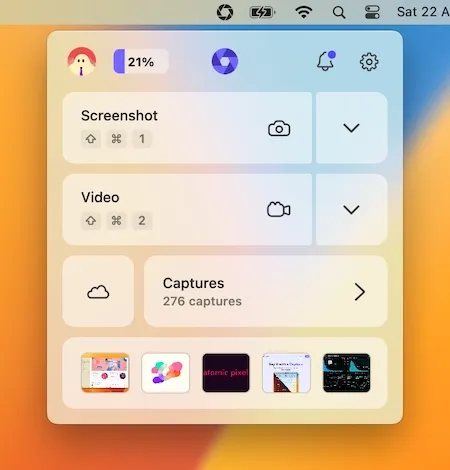
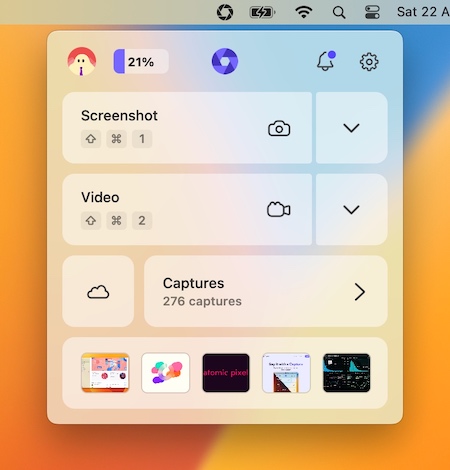 1 screenshot
At a Glance
Best For
Sharing screenshots and screen recordings as instant cloud links.
The Catch
The free plan caps cloud storage at 1 GB and recording at 1080p/30fps; more needs a monthly subscription.
About Capster
Capster is a menu bar app that captures screenshots and screen recordings and generates instant shareable cloud links, designed to streamline asynchronous communication. (Freemium, Pro $4/month)
The core workflow involves selecting a screen region or recording a window, which Capster uploads to its cloud storage and copies a shareable URL to the clipboard. Annotation tools allow users to mark up screenshots with arrows, text, and highlights before sharing. View notifications alert the sender when a recipient opens or reacts to a shared capture, providing lightweight feedback without requiring a separate messaging thread.
Screen recording supports microphone and system audio capture simultaneously, with trimming tools available after recording. Captures are organized into collaborative “Spaces” for team use, enabling shared libraries of bug reports, design feedback, or support documentation. A drag-and-drop export option allows saving captures locally instead of uploading to the cloud. Auto-delete scheduling removes cloud-hosted captures after a configurable period for storage management.
System requirements: macOS 14.6 Sonoma or newer. App size is approximately 12.8 MB. Available on the Mac App Store.
Pricing: Free tier includes 1 GB storage, unlimited captures, and 1080p/30fps recording. Pro is $4/month with 25 GB storage and 4K/60fps. Pro Plus is $8/month with unlimited storage.
Limitations: Cloud sharing requires internet connectivity; offline capture is available but sharing depends on upload. The free tier’s 1 GB storage limit fills quickly with video captures. No zero-rating in the App Store, limiting public discoverability. macOS 14.6 minimum excludes users on Ventura or earlier.
Alternatives: CleanShot X offers more advanced annotation and scrolling capture features with a one-time license ($29). Dropshare provides similar instant cloud sharing with S3 and custom domain support ($24.99, one-time). Zight (formerly CloudApp) is a direct cloud-sharing competitor with a freemium model targeting teams.
Suitable for users who frequently share screen content with remote teammates, need lightweight bug-reporting workflows, or want instant shareable links without leaving the menu bar.