
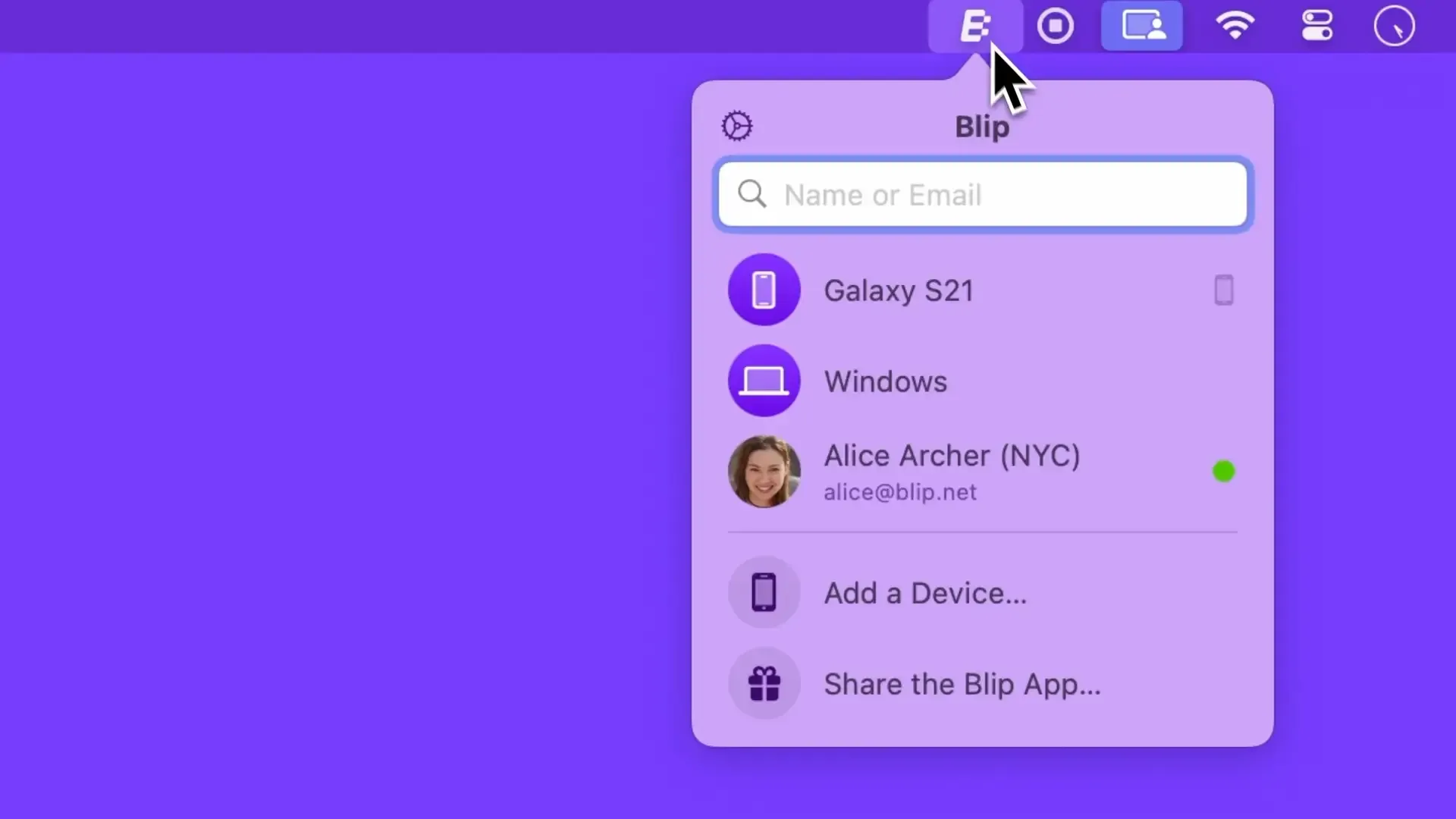
Blip enables direct peer-to-peer file transfers across Mac, Windows, iOS, Android, and Linux (via web interface) with no file size restrictions. The app provides AirDrop-like functionality that works beyond the Apple ecosystem.
Unlike cloud-based solutions such as Dropbox or Google Drive, Blip transfers files directly between devices without uploading to intermediate servers. This approach maximizes transfer speed over local networks—large files can transfer at full network speed rather than being bottlenecked by upload bandwidth.
The menu bar interface displays connected devices and contacts. Users can drag files onto recipient names or select files and choose destinations. The app supports individual files and entire folders without requiring compression, with real-time progress indicators showing transfer speeds and estimated completion times. Automatic pause and resume functionality handles connectivity interruptions gracefully.
Cross-platform compatibility extends to Mac, Windows, iOS, and Android native apps, plus a web interface for Linux access. Both sender and receiver must have Blip accounts and the app installed.
System requirements: macOS 10.15 Catalina or newer. Supports light and dark modes.
Resource usage: Approximately 2% CPU during active transfers, 100MB memory when idle.
Pricing: Free for personal use with unlimited transfers. Commercial pricing plans available for business use.
Limitations: Both parties require Blip accounts and app installation—no link-based sharing for recipients without the app. Account requirement adds friction for one-time transfers to new contacts. Relies on Blip’s service infrastructure for device discovery and connection establishment.
Alternatives: AirDrop (Apple devices only, no account needed), LocalSend (free, open-source, no account required), Snapdrop (browser-based, same network only), Resilio Sync (folder sync focus).
Suitable for users who regularly transfer large files to collaborators across different platforms and prefer direct transfers over cloud storage uploads, particularly teams with established workflows who can standardize on a shared tool.

