
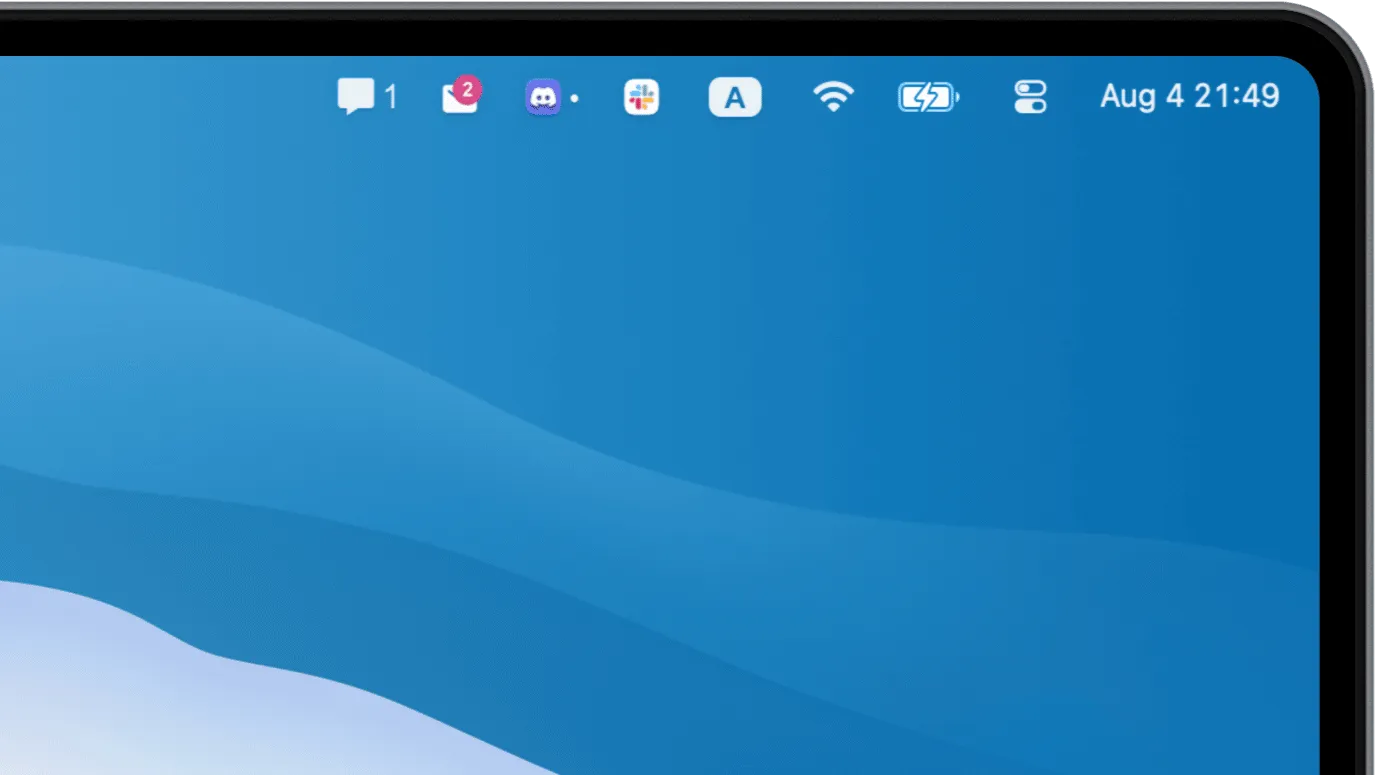
Badgeify displays notification badges from Dock icons directly in the Mac menu bar. The app addresses a common workflow issue: users who hide their Dock for a cleaner desktop lose visibility of app notification badges from communication tools.
The app reads notification counts from Dock icons using macOS’s Accessibility API and displays them as menu bar badges. Supported applications include Messages, Mail, Slack, Microsoft Teams, Discord, and WhatsApp. Setup takes approximately 5 minutes, and users can customize which apps to monitor and assign custom icons to each.
Key features include automatic adaptation to macOS light and dark modes, automatic hiding of icons when no notifications are present, and customizable app selection. The app runs efficiently with minimal system resource usage during active monitoring. The focused design philosophy prioritizes reliability over feature complexity.
System requirements
- macOS 10.15 (Catalina) or newer
- Accessibility permissions required
- Free (no in-app purchases)
Limitations
- Requires granting Accessibility API permissions
- Users with crowded menu bars may need to reorganize existing utilities
- Only monitors apps that display Dock badges
Alternatives
- NotchNook ($25): Integrates notifications with MacBook notch display
- HiddenBar (Free): Hides menu bar items but requires manual Dock checking
- Keeping Dock visible with auto-hide: Native macOS approach without third-party apps
Suitable for users who hide their Dock but need persistent visibility of communication app notifications, particularly remote workers managing multiple messaging platforms.


