
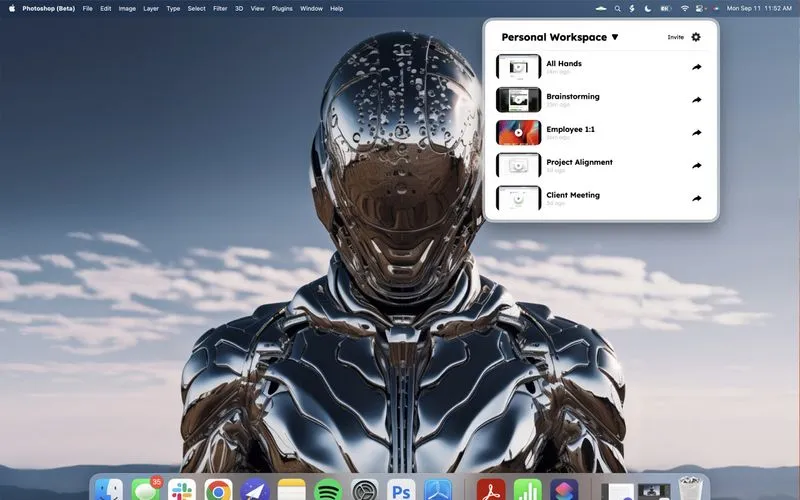
Backtrack enables retroactive recording by continuously capturing audio and screen activity in a rolling buffer. When users realize they should have been recording, they can retrieve up to 5 hours of past content that would otherwise be lost.
The app maintains a local rolling window of recordings, automatically overwriting older content. The capture interface uses a drag gesture on the menu bar UFO icon - dragging further down retrieves more time from the past. This approach addresses the common scenario of forgetting to start recording before important information is shared.
Key features include screen capture alongside audio, meeting detection, bookmarking for quick navigation, and calendar integration for context. Saved recordings can be downloaded locally or uploaded to Backtrack’s cloud service for sharing. All continuous recording occurs locally with no data transmitted unless explicitly uploaded.
The rolling buffer duration is configurable from 60 minutes to 5 hours, balancing storage usage against retroactive capture range. The app runs in the background with efficient resource management during continuous recording.
System requirements: macOS 13.0 Ventura or later. Application size approximately 72MB.
Pricing: Free tier available with limited functionality. Basic plan $12/month or $119.99/year. Pro plan $36/month or $359.99/year.
Limitations: Maximum 5-hour rolling window by design, not intended for all-day continuous archival recording. Cloud sharing requires subscription. The app focuses on meeting and conversation scenarios rather than general screen recording.
Alternatives: macOS Screen Recording provides basic capture but requires starting before the content occurs. Loom offers meeting recording with instant sharing but lacks retroactive capture. Rewind provides broader system-wide recording with AI search capabilities at higher resource cost.
Suitable for users who frequently participate in video calls, interviews, or meetings where important information may be shared unexpectedly, particularly those in sales, support, research, or collaborative roles requiring reliable reference to past conversations.


