
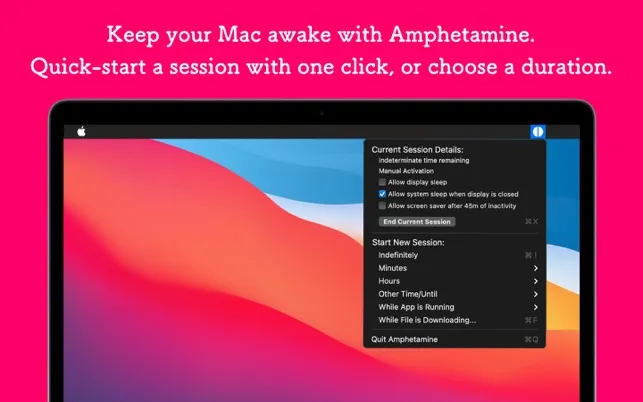
Amphetamine prevents Mac from sleeping during downloads, backups, or long-running processes. The app provides granular control over sleep behavior that macOS’s built-in Energy Saver settings lack. (Free)
The menu bar interface offers preset durations or indefinite keep-awake sessions. Users can configure triggers based on specific apps running, active downloads, or mounted drives. A notable feature allows keeping the Mac awake while the display sleeps, suitable for overnight operations.
Advanced features include custom trigger workflows, scheduled activation times, and drive mount control. The trigger system supports conditions like “keep awake while Handbrake is running” or “prevent sleep when external drive is connected.”
Resource usage is minimal: approximately 1% CPU and 50MB memory. The app supports light and dark modes and integrates naturally into the menu bar. App Store ratings average 4.8 stars across 2,800+ reviews.
Developer William Gustafson maintains the app actively with frequent updates. The app contains no ads, tracking, or in-app purchases.
System requirements: macOS 10.11 El Capitan or newer. App size is 6.7 MB.
Limitations: The menu bar icon size is fixed, which may be a concern for users with crowded menu bars. No iOS companion app for remote control.
Alternatives: Caffeine (simpler, fewer features), KeepingYouAwake (open-source alternative).
Suitable for users who need flexible control over Mac sleep behavior during long-running tasks, downloads, or presentations.


