
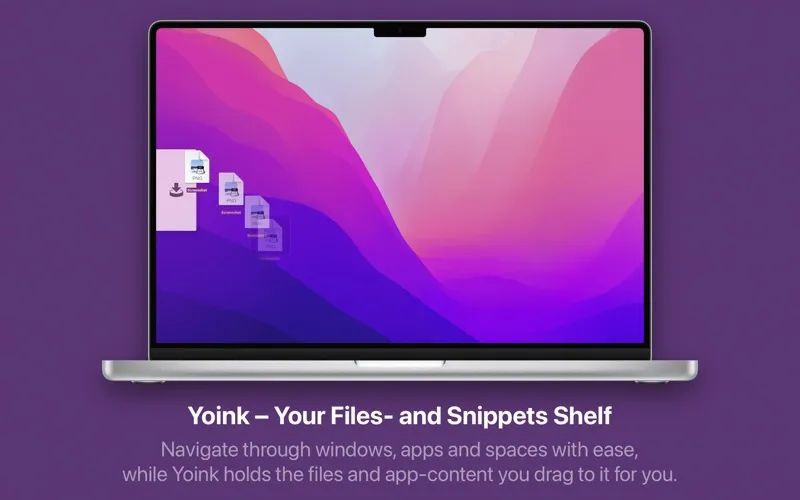
Yoink is a drag-and-drop shelf application for macOS that appears at the screen edge when a drag operation begins, allowing files, images, and text to be staged temporarily before delivery to their destination. ($8.99, one-time)
The shelf accepts content from Finder, images, text snippets, and draggable items from most macOS applications. Multiple items from different sources can be gathered into the shelf simultaneously, then delivered to a target in a single drag-out operation. Quick Look previews display file contents directly in the shelf without opening the source application, enabling verification before drop.
Handoff synchronizes shelf contents between Macs, iPhones, and iPads running Yoink, supporting cross-device file workflows. Continuity Camera integration allows users to send photos or scanned documents from an iOS device directly into the Mac shelf. A clipboard history panel provides access to recent copy entries alongside active shelf contents. Force-copy and force-move modifiers control whether items are duplicated or relocated, matching Finder’s standard modifier key behavior.
Terminal and Automator scripting access the shelf programmatically for automation workflows. System services, Quick Actions, and Share extension integration enable any app to send content directly to Yoink. The app supports localization in eight languages including English, German, French, Italian, Japanese, Korean, and Simplified Chinese.
System requirements: macOS 10.13 High Sierra or newer. Approximately 35 MB.
Pricing: ($8.99, one-time; also available via Setapp subscription with a 7-day free trial)
Limitations: The clipboard history feature duplicates functionality available in dedicated clipboard managers. The shelf position requires configuration for non-default screen setups with multiple monitors. No native cloud storage integration for direct upload workflows.
Alternatives: Dropzone 4 provides dedicated drop target automation with cloud service integrations ($3.99/month). Transloader transfers links and files from iOS to Mac via direct integration. Spring turns iOS Shortcuts into drag-and-drop targets on Mac.
Suitable for users who frequently move files between Mission Control Spaces, full-screen apps, or windows that cannot be easily positioned side-by-side.