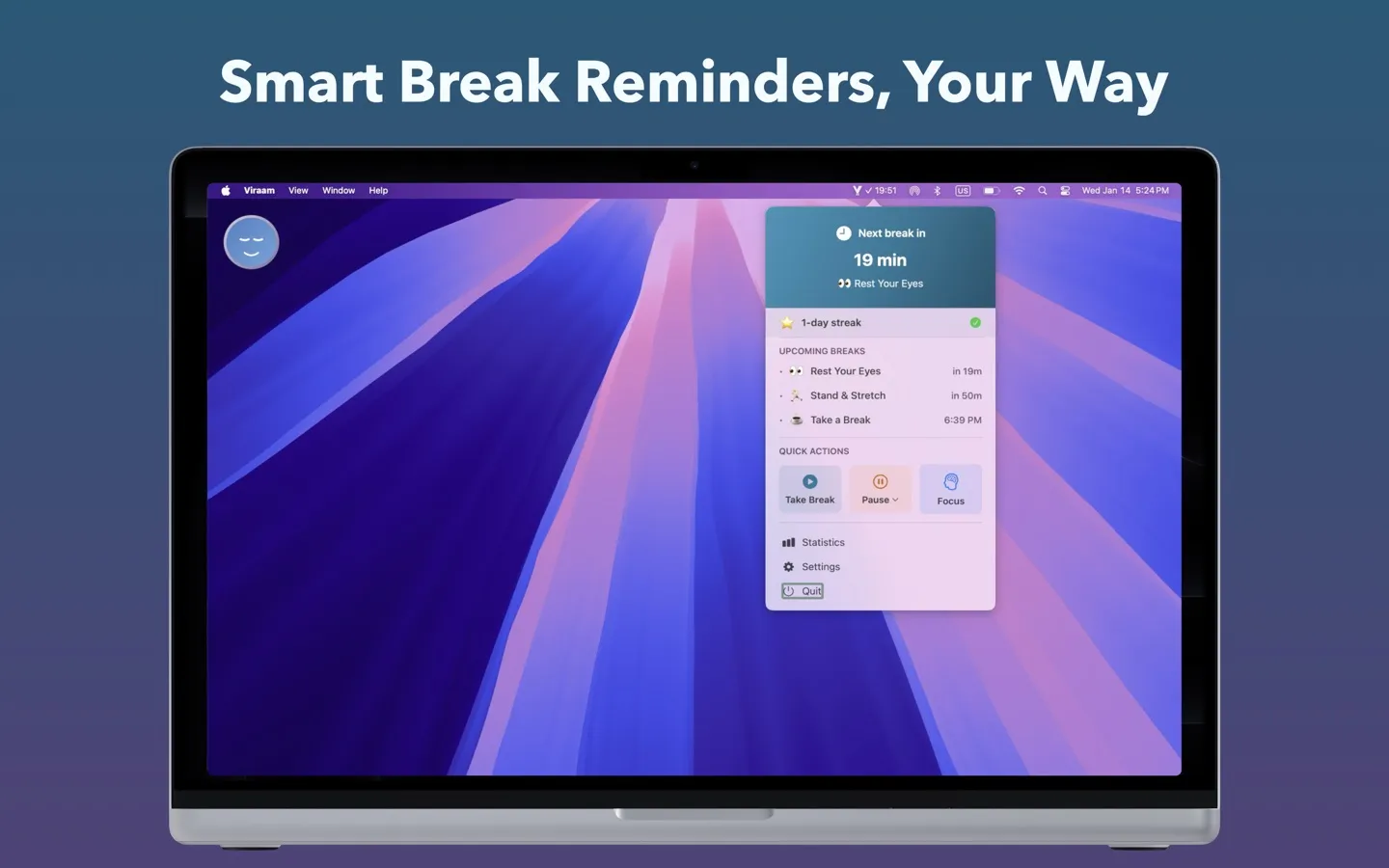

Viraam provides automated wellness reminders designed to encourage regular breaks from screen time. The app sends notifications for eye rest, blink reminders, posture checks, stretching breaks, hydration prompts, mindfulness sessions, and sleep preparation wind-down periods. A built-in Pomodoro focus timer with breathing animation combines work sessions with scheduled break intervals.
The smart break grouping feature consolidates multiple breaks scheduled within five minutes into single notifications, reducing interruption frequency while maintaining wellness benefits. Automatic meeting detection pauses reminders during video calls on Zoom, Teams, and Google Meet. The idle detection system adjusts timing when users are away from the keyboard.
Privacy remains a core design principle - all user data stays local on the Mac with zero cloud sync or tracking. Break notifications automatically exclude themselves from screenshots, screen recordings, and screen sharing sessions. The app supports multi-monitor setups with cursor tracking across displays.
Customization options include notification styles (Subtle, Gentle, Immersive), adjustable timing intervals, theme selection, and quiet hours scheduling. Users can enable calendar integration for the Focus Pomodoro feature, with calendar data processed entirely locally. The app provides activity history with a heatmap visualization for tracking break adherence patterns.
Built in native Swift for optimized performance with minimal battery impact. The lightweight application requires approximately 10MB of storage and launches instantly from the menu bar.
System requirements: macOS 14.0 Sonoma or later. Compatible with Apple Silicon and Intel processors.
Pricing: Free version includes eye rest, blink reminders, limited Pomodoro (5 sessions per day), and 7-day activity history. Pro version costs $14.99 as a one-time purchase with a 21-day trial, unlocking unlimited Pomodoro sessions, full customization, and 12-month analytics.
Limitations: The free tier limits Pomodoro sessions to five per day. Quiet hours scheduling requires the Pro version. Calendar integration is optional and requires read-only access permission.
Alternatives: Users seeking simpler break reminders may consider Time Out or BreakTime. For comprehensive wellness tracking with cloud features, Stretchly offers cross-platform support.
Suitable for knowledge workers, students, and professionals seeking structured break reminders without subscription models or invasive tracking. Best for users who prioritize local data privacy and appreciate meeting-aware automation.


