
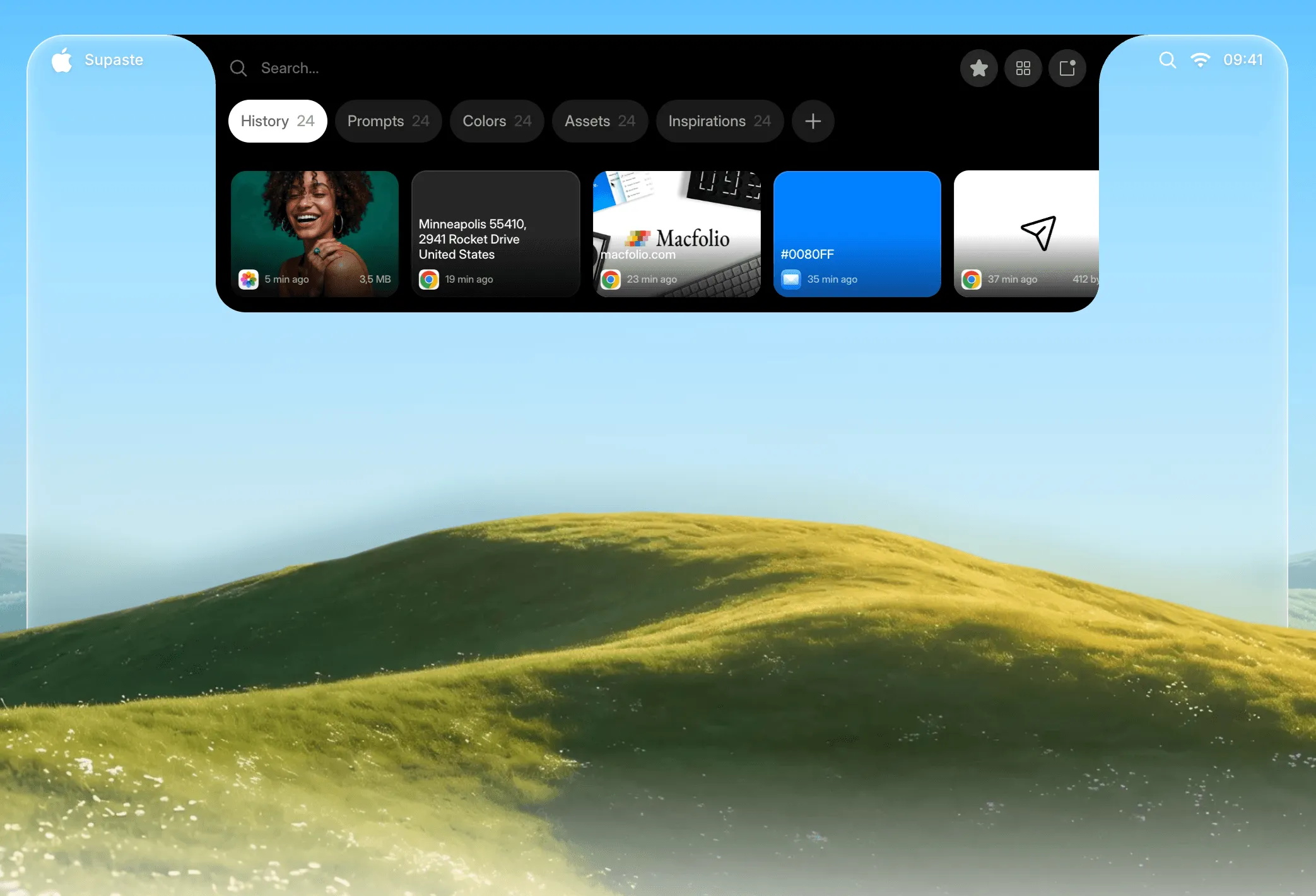
Supaste is a clipboard history manager for macOS that stores copied items in a visual timeline accessible from the menu bar. The app captures text, images, colors, files, and screenshots automatically and organizes them into browsable history with a keyboard shortcut (Control + Command + V) for quick retrieval. ($15 early access, one-time; regular $29)
The visual history displays clipboard items with previews, supporting multi-select operations for copying several items simultaneously. Smart grouping organizes entries by content type, source application, or custom category, reducing time spent searching through mixed clipboard entries. A quick search field filters the history by content or application name.
A notable feature is MacBook notch shelf integration, which provides a secondary access point for clipboard history in the notch area on compatible MacBook models, offering quick access without opening the main panel. Inline paste inserts content without switching to the source application. Drag-and-drop support allows clipboard items to be moved directly to accepting applications.
Screenshot saving extends the tool beyond text and files: captured images appear in the clipboard history alongside other content types and support OCR text extraction. Clip reminders surface items that were saved but not yet acted on. The app operates locally with no cloud sync requirement, and automatic sensitive content detection flags items that may contain passwords or credentials.
System requirements: macOS Sonoma 14.0 or later. Available via direct download at supaste.com (not on Mac App Store). One-time purchase.
Pricing: ($15 early access, one-time; regular price $29)
Limitations: macOS Sonoma 14.0 minimum excludes users on older systems. Not available on the Mac App Store. Notch shelf integration is specific to MacBook models with a notch; desktop Mac users do not benefit from this feature. No iCloud or cross-device sync.
Alternatives: Pastebot ($9.99, one-time) provides clipboard management with rule-based transformations. Clipboard Manager by Fiplab offers basic history at lower cost. CopyClip (free) covers lightweight history without visual organization or smart grouping.
Suitable for users who work with large volumes of copied text and images, benefit from visual clipboard organization, and prefer a one-time purchase over subscription-based alternatives.


