Sidekick provides quick access to AI conversations through a global keyboard shortcut and menu bar interface. The app connects to multiple LLM providers using user-supplied API keys routed through Cloudflare AI Gateway, supporting models from OpenAI, Anthropic, Google, and other providers.
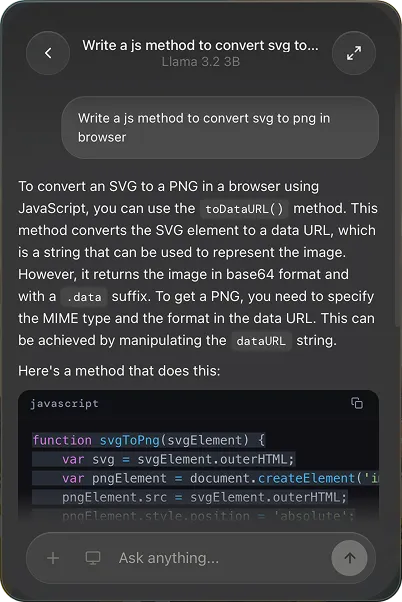
The primary interaction model uses a keyboard shortcut (default: Option + Shift + S) to open a chat window without switching applications. This design reduces context switching when asking quick questions or requesting assistance mid-workflow. Conversations stream in real-time with support for multi-turn dialogues within the same session.
A screen capture feature enables users to share visual context from their desktop with AI models that support vision capabilities. This facilitates tasks like debugging interface issues, analyzing design mockups, or asking questions about on-screen content without manually describing visual elements.
Model selection occurs within the app interface, allowing users to switch between different providers and model variants depending on task requirements. The bring-your-own-key architecture means users maintain direct relationships with API providers and pay only for actual usage at standard API rates.
Setup requires a Cloudflare AI Gateway configuration and API keys from desired providers. The app routes all requests through Cloudflare’s gateway, which provides unified access to multiple AI providers through a single integration point. This architecture adds a dependency on Cloudflare’s service but simplifies multi-provider support.
Resource usage remains minimal when idle, with memory consumption increasing during active conversations based on context length. The app requires macOS and functions as a lightweight menubar utility without significant background processing.
Pricing follows a free app model with users paying only for API usage from their chosen providers. OpenAI API costs vary by model (typically $0.01-$0.06 per 1K tokens), while Anthropic and Google have their own pricing structures. Total costs depend entirely on usage patterns and model selection.
Limitations include the requirement for technical setup involving Cloudflare AI Gateway configuration, which may present a barrier for users unfamiliar with API management. Internet connectivity is required for all operations since processing occurs on provider servers rather than locally. The app does not include conversation history persistence or organization features for managing past interactions.
Alternatives include Raycast AI (includes built-in AI with Raycast Pro subscription), MacGPT (similar BYOK model, OpenAI-focused), and native AI provider apps like Claude Desktop (Anthropic account required, no BYOK).
Suitable for users comfortable with API key management who want lightweight AI access without switching to dedicated chat interfaces, particularly those who already use multiple AI providers and prefer maintaining direct API relationships.


